If you just want to show one month of future events, then you just need to add two
event_past_future=”future” number_of_months=”1″
Please try and let me know.
In order to change the image size on a tile, you need to change tile’s height itself.
Please add this to the shortcode to change the height and then adjust it:
tile_height=”800″
I am sorry for not checking this first, but your checkout is made out of blocks.
Tickets add-on, at the moment, only supports the default WooCommerce’s shortcode:
[woocommerce_checkout]
Could you please try replacing it and then check if the issue continues?
Please remove number_of_months=”12″ from the shortcode.
Also go to EventON > Time Settings > make sure that Default Event Timezone is correct. It should be similar to wp-admin > Settings > Timezone.
If the issue continues, please send us wp-admin access to your site from “Access Info” box on right side menu, to further assist your situation.
We are glad your issue is resolved, if you have any further questions or concerns please create a new ticket.
If you have a moment, we would greatly appreciate if you could kindly leave us a review at EventON WordPress Page OR Codecanyon. Your review helps us a lot in continuing EventON improvements!
Hello Support Team,
We tried to add the URLs you suggested in the “Never cache URL(s)” field, but WP Rocket does not allow saving parameters with ? in that section, and when saving, it automatically removes them.
For this reason, and under the supervision of ChatGPT, we applied the exclusion through a snippet in the functions.php file of our child theme. This way, we ensure that any request with evo-ajax is excluded from WP Rocket’s cache. The code added is the following:
add_filter( 'rocket_cache_reject_uri', function( $uri ) {
$uri[] = 'evo-ajax=eventon_get_events';
$uri[] = 'evo-ajax=eventon_init_load';
return $uri;
});
With this solution, we understand that the EventON calendar should no longer be affected by caching.
Could you please confirm if this is the correct way to apply it, or if you recommend any additional adjustments?
Thank you very much for your help.
Best regards,
Ana
Thank you for your help.
I tried your new short code for Ext List. The problem is, that despite the date range given, the Demoevent still shows up. (January)
https://bettfedernfabrik.at/calendar-demo/
[add_eventon_el el_title=”Spielplanlist” el_type=”dr” start_range=”2025/09/01″ end_range=”2025/12/31″ number_of_months=”12″ sep_month=”yes” hide_empty_months=”yes” show_year=”yes” event_past_future=”future” event_type=”61,120,121,67,63,186,62,202,210″ etc_override=”yes” show_et_ft_img=”yes” hide_end_time=”yes” ux_val=”4″]
I did an extra test, maybe this is useful information:
- I’ve created a custom event, with 3 dates and 10 tickets each. So there were 30 tickets.
- I ordered 5 tickets in one order. And if I take a look at the order in woocommerce (#4773) I see the ticket stock go from 30 to 25.
- However, this is not visible in the frontend. It still says ’10 tickets available’.
- And if you look at the order (screenshot) you see the ticket stock is not from the event on october 3rd (which I ordered 5 tickets for, but from the year 1970).
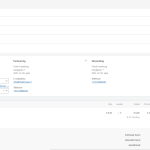
I’ve also check for a conflict because of the thema. But when I switch to the wordpress default twenty twentyfive time, this doesn’t solve the issue.
https://baystranger.ca/biminis1975/
All my images are instagram reel size. What is the way to show the full image (without getting cut).