https://baystranger.ca/biminis1975/
All my images are instagram reel size. What is the way to show the full image (without getting cut).
Replies for tickets on suppota
https://baystranger.ca/biminis1975/
All my images are instagram reel size. What is the way to show the full image (without getting cut).
Ah yes – I looked into it and it was some new feature added in the latest theme update I was unaware of. I have disabled it and it is now working – thanks for your help. Sheree
Hi Artem,
Thanks. No it didn’t work unfortunatly. What I did:
– Switched off auto comoplete woocommerce orders plugin
– Swhitched on Enable auto complete ticket orders and also enable relevant order type. (didn’t work)
– I also tried to disable all plugins except for woocommerce and EventOn. But this didn’t solve the problem.
In have events posted for Oct 2025.
This is my code
[add_eventon_list event_count=”12″ show_limit=”yes” event_past_future=”future” hide_so=”yes” filter_show_set_only=”no” filter_clear=”yes” hide_month_headers=”yes” show_et_ft_img=”yes” etc_override=”no” tiles=”yes” tile_count=”4″ tile_bg_size=”full” tile_height=”500″ eventtop_style=”1″ ux_val=”4a” tile_bg=”1″ tile_style=”1″ eventtop_date_style=”1″ number_of_months=”2″]
what is the best solution to not worry about the number_of_months and always show the future events.
Thanks for all the solutions.
All cache files have been deleted I also cleared my browser history still not showing up . I installed WP Fastest Cache Premium Version just fyi
Sorry eventON update is not ready yet. If you want to share the FTP access to your website via “Access info” from right side bar we can upload a beta version of 5.0 which will have this functionality/ Because there are several codes we had to change for this to work, it would be hard to share a patch fix for this.
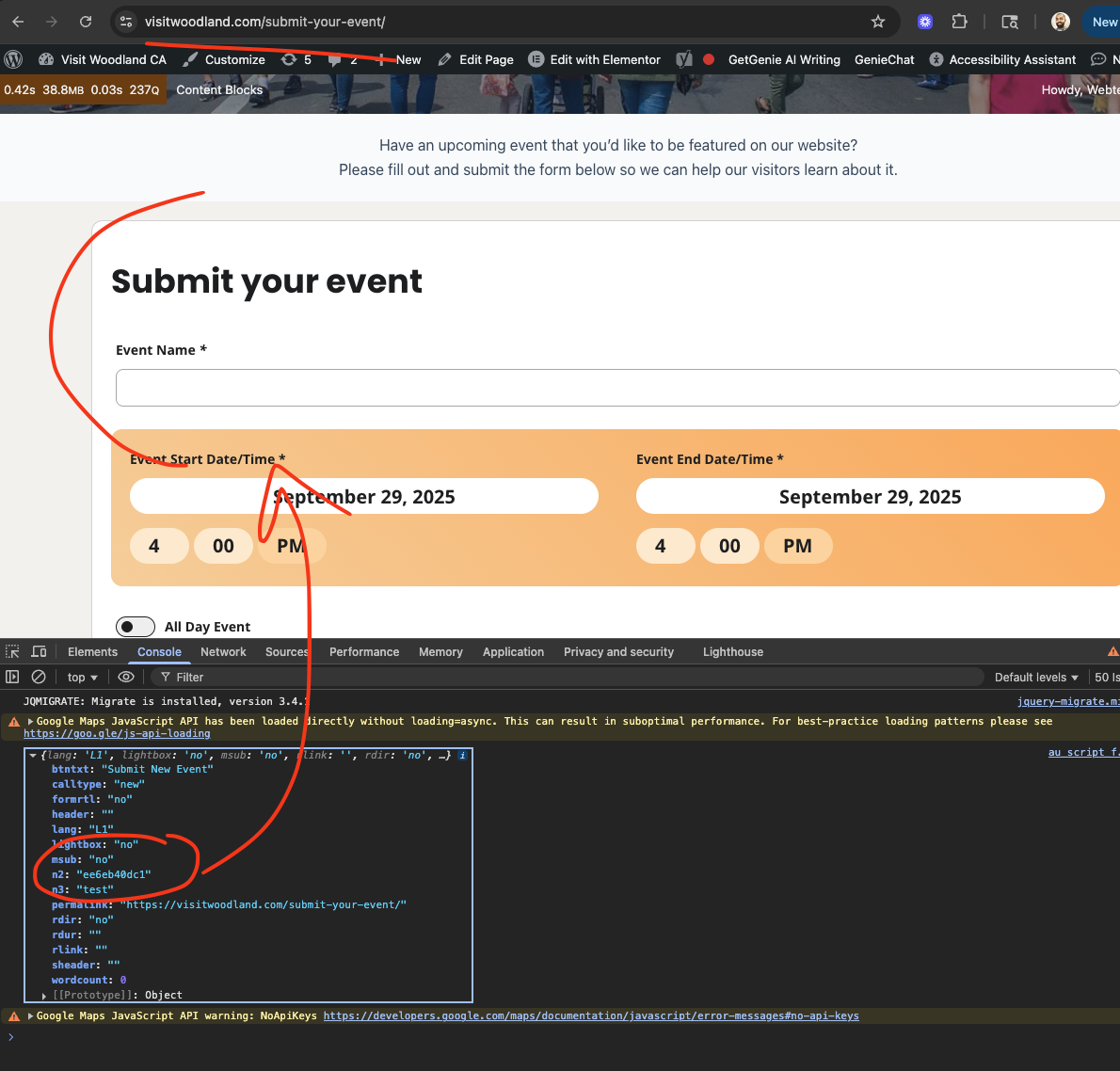
Ok so when loggedin the n2 value with custom nonce value is passed on , but when not logged in the page is loading an old version of the code. Which is before the fix, so it does not pass this n2 value.
Any way you can clear the cache so non loggedin version also load latest files which should pass n2 value which will accurately verify the nonce.
Hello,
Organizer is a custom taxonomy. Please take a look at this or similar guide on how to change it’s slug:
https://rudrastyh.com/wordpress/taxonomy-slug-in-post-type-url.html
This is done not by EventON, but through WordPress’s default functionality.
More info:
https://stackoverflow.com/a/77109002
Hello Kaspar Marli,
Please add this CSS code to EventON > Styles (If you don’t see any change, EventON > Scripts & Styling > turn off Write dynamic styles to header > save settings > turn on Write dynamic styles to header). You can also add this code to wp-admin > Appearance > Customize > Additional CSS.
.calendar_header button.cal_head_btn.vis { display: none !important; }