Font’s name is PlusJakartaSans. Is it coming with the theme?
Take a look at this guide on how to work with custom fonts:
https://www.wpbeginner.com/wp-themes/how-to-add-custom-fonts-in-wordpress/
Replies for tickets on suppota
Font’s name is PlusJakartaSans. Is it coming with the theme?
Take a look at this guide on how to work with custom fonts:
https://www.wpbeginner.com/wp-themes/how-to-add-custom-fonts-in-wordpress/
ok, I hope he will respond because my contractor and myself are at a standstill until we get a resolution.
I have tickets inquiries about problems with CSV import and action user, both of which are not comprehensive for submission processes around event organizers.
Im hopeful that the action user process can be resolved to be comprehensive for user submissions of organizer data so myself and others can maximize effectiveness with this plugin
Hello, now events is displayed correctly in website from PC, but in mobile version a tragic “NO EVENTS” appear…. also if there’s lot’s of events scheduled…..
Please help me.
Hi there and happy New Year!
I’ve encountered another issue that I don’t seem able to fix. As you mentioned before, I need to add a starting time on all day events for them to import correctly. However, I don’t want this starting time to show in my event cards. Is there a selection I can add to hide starting / ending time on “all day events”?
Thank you for your support!
Hi, I don’t understand what i have to do. I know the CSS should be correct because I put the correct font into the EventOn font family field.
How do i now make sure that the font has been loaded? Where do I check this in WordPress? The whole webpage shows the font correctly, it is only wrong in the EventOn Events.
ok 🙂
hi there
I just wanted to add extra information to the confirmation email when customers purchase a ticket. i.e. please show this on entry.
I am getting really frustrated as there is no documentation anywhere explain how to correctly add things to your plugin so I am consistently having to do tickets.
Your doc stating you can do this doesn’t actually explain how to add the information to the email. > https://docs.myeventon.com/documentations/how-to-additional-data-to-confirmation-email/
Please confirm how I add the information into the confirmation email??
Hello,
Please go to EventON > Select event calendar WP Query method.
Thank you Artem
Hello,
CSS style is correct:
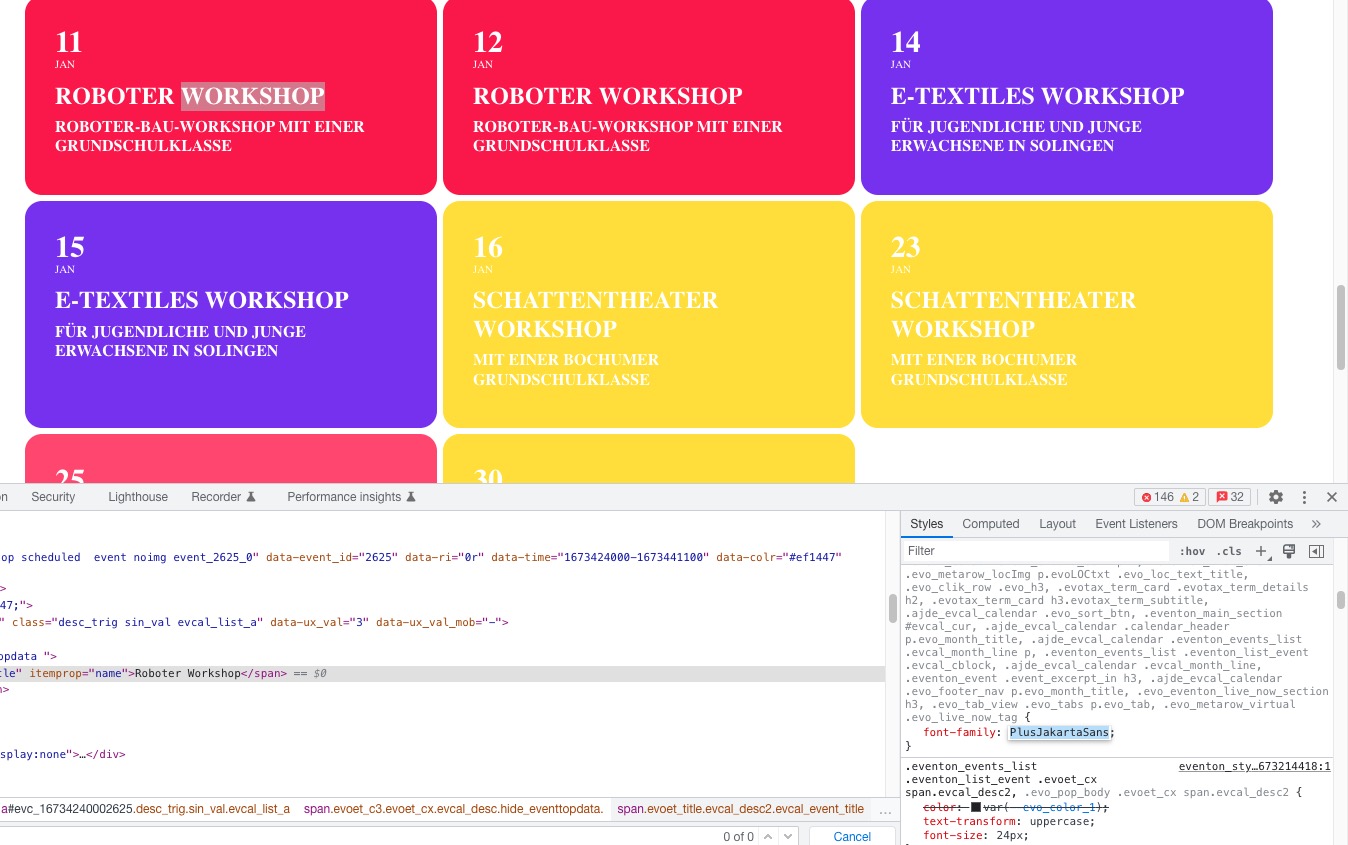 Please note that EventON doesn’t load the font itself, it just changes the style. Please make sure that the font has been loaded.