Hi Artem,
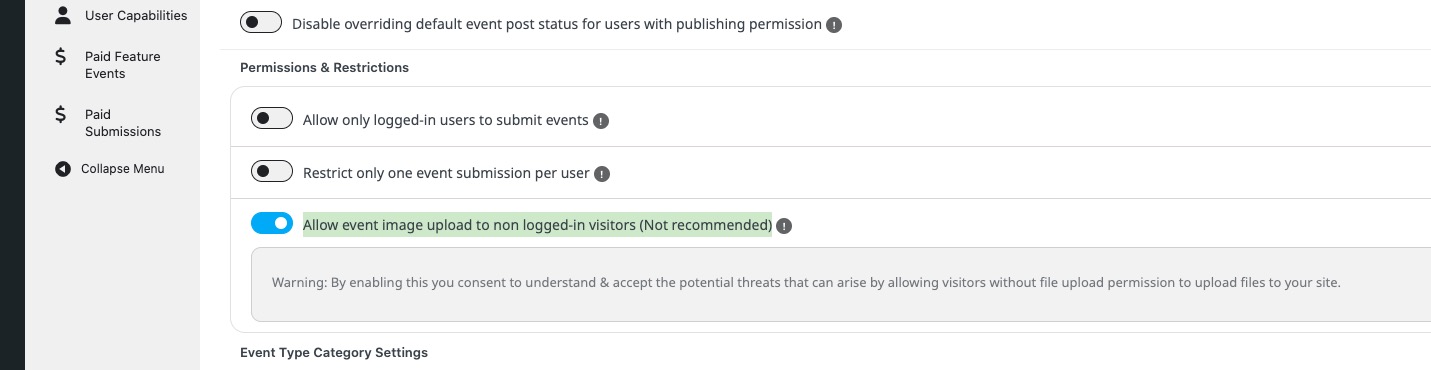
Thank you for the quick follow‑up and the clarification about manually enabling image upload. That is now enabled on our side; the remaining issue is that the front‑end “Upload/Choose image” field shows the full WordPress Media Library to low‑privilege users, including existing site assets. This is undesirable for privacy/least‑privilege, and it also doesn’t match the EventON UI visually.
Could you please confirm and clarify the following?
1) Confirmation of current behavior
Can you confirm that in the current ActionUser version, showing the full media library in the front‑end media modal is “as designed” and not a misconfiguration/bug on our side?
2) Front‑end‑only uploader (no library)
Is there a built‑in setting or supported method (shortcode/setting) in ActionUser to completely replace the WP media modal with a native front‑end uploader (upload‑only, with validation/limits), so users cannot view or select existing library items?
3) Restricting the WP media modal (as a temporary step)
If the WP media modal is unavoidable right now, is there an ActionUser setting or hook/filter to show only the “Upload Files” tab or open on that tab by default, and hide the “Media Library” view?
Is there an official AU hook to restrict the displayed attachments to only those uploaded by the logged‑in user (e.g., by filtering the underlying query), including a brief code reference or snippet?
4) Roadmap and next steps
If the above does not yet exist, is a “true” front‑end upload experience (upload‑only, no library) and/or a per‑user restricted library on the roadmap? If so, is there an indicative timeline or milestone, and can this ticket (or a Feature Request created by you) be linked to it so voting/following is possible?
Why this is needed
Security & privacy: the current behavior exposes internal assets to low‑privilege accounts, which we want to avoid in a front‑end flow (least privilege).
UX: the default WP media modal deviates visually; a native, clean EventON uploader would improve the experience.
What outcome is acceptable to us
Option A: native front‑end uploader in ActionUser with safe validation (file type/size), automatic thumbnails, and optional moderation.
Option B: keep the WP media modal but add options to hide the library, open on “Upload Files” by default, and restrict visibility to a user’s own uploads.
As a temporary solution within AU’s supported boundaries, a concise code example is also welcome to override the current image field via an official hook to an upload‑only field (server‑side processing and attachment to the event), as long as it is update‑safe and supported by you.
Thanks, and please confirm item 1, plus any pointers or documentation for 2/3, or otherwise a roadmap/ETA for 4. If staging access helps with reproducing, I can provide it.
Kind regards,
Mickey