thanks 🙂
Archives: Replies
Replies for tickets on suppota
Reply to: tickets(353504)
Yes, thanks. I’m familiar with the methods you mentioned, but it would be nice and much more professional if an event promoter could easily access their events from their mobile phone with an app and scan them efficiently.
Reply to: tickets(395780)
I´m sorry i don´t understand. I thought it was just to export from the old site and then via Import CSV to import to new site.
The file i sent earlier is the exported from old site, not sure how i can find the ID? please help how to proceed.
Reply to: tickets(395832)
We made the noajax update to the tour dates page and swapped the regular footer widget with the widget you recommended with the noajax update as well and left it alone for a few days to make sure it worked okay without needing to flush the cache. Other than the below notes from my developer it looks like that was the solution we needed to solve the loading problem.
Per my programmer, Alex: There’s a slight quirk between using the normal widget and trying to replicate the same behavior with the shortcode widget. The normal widget’s “event count” looks to be a hard limit (e.g. 5) on whatever events are gotten even with “show upcoming events” number of months set to 2 or more, while doing the same with the shortcode widget (basically event_count=”5″ number_of_months=”2″ event_past_future=”future” hide_empty_months=”yes”) results in showing two groups of up to five future events each (this month and next month) instead of one set of the next five events. I was using the Shortcode Builder, but is there a parameter I was missing or overlooking to hard-limit the number of events shown that isn’t event_count ?
Reply to: tickets(394308)
Please create a new featured request. Ashan checks all the new ones, so please describe your suggestion as extensive as you can. He’ll check it.
Reply to: tickets(396512)
Sorry there was an issue with our server and it should be good to go now 🙂
Reply to: tickets(395780)
I tried importing just one event. It seems in your CSV you are passing a event ID so it is trying to update that post ID instead of creating a new one. Try removing the event ID value if you want it to create a new event instead of updating the old post.
The old post as imported is not accessible: https://new1.masterfoto.se/wp-admin/post.php?post=12488&action=edit
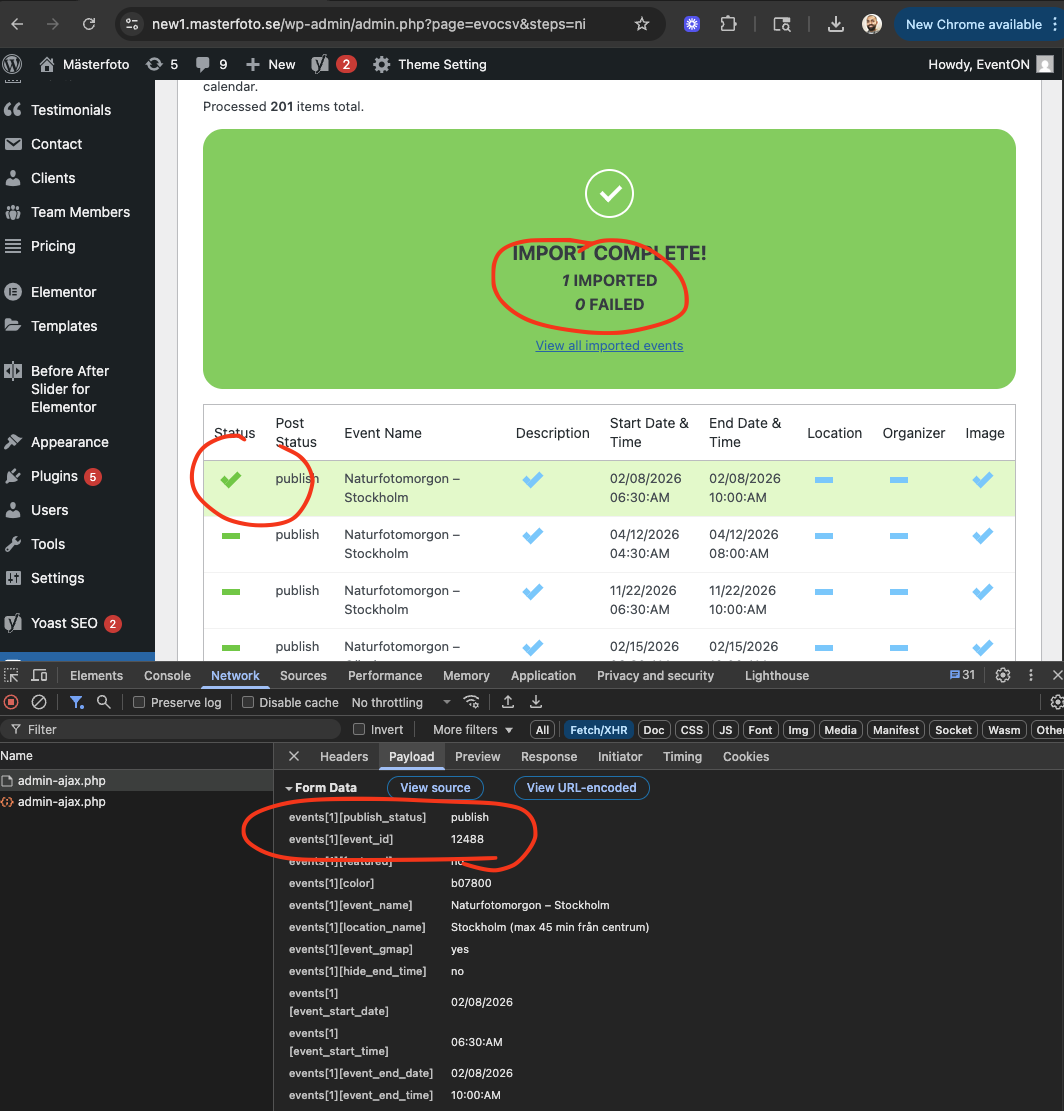
Reply to: tickets(396432)
Hi
Thank you for replying. However all that’s done is put the date and the month parallel horizontally rather than vertically (the time field you edited doesn’t appear at all). I’m trying to remove the formatting done on those two fields, such that I can display them similarly to the address field in the image, but I cannot find the evoet_dayblock element to remove its styling. Ideally I’d like to display the date, month, and time in the line that the time field displays, but I don’t really mind if I end up with day and month on their own line as long as I can style that display and remove its prominence!
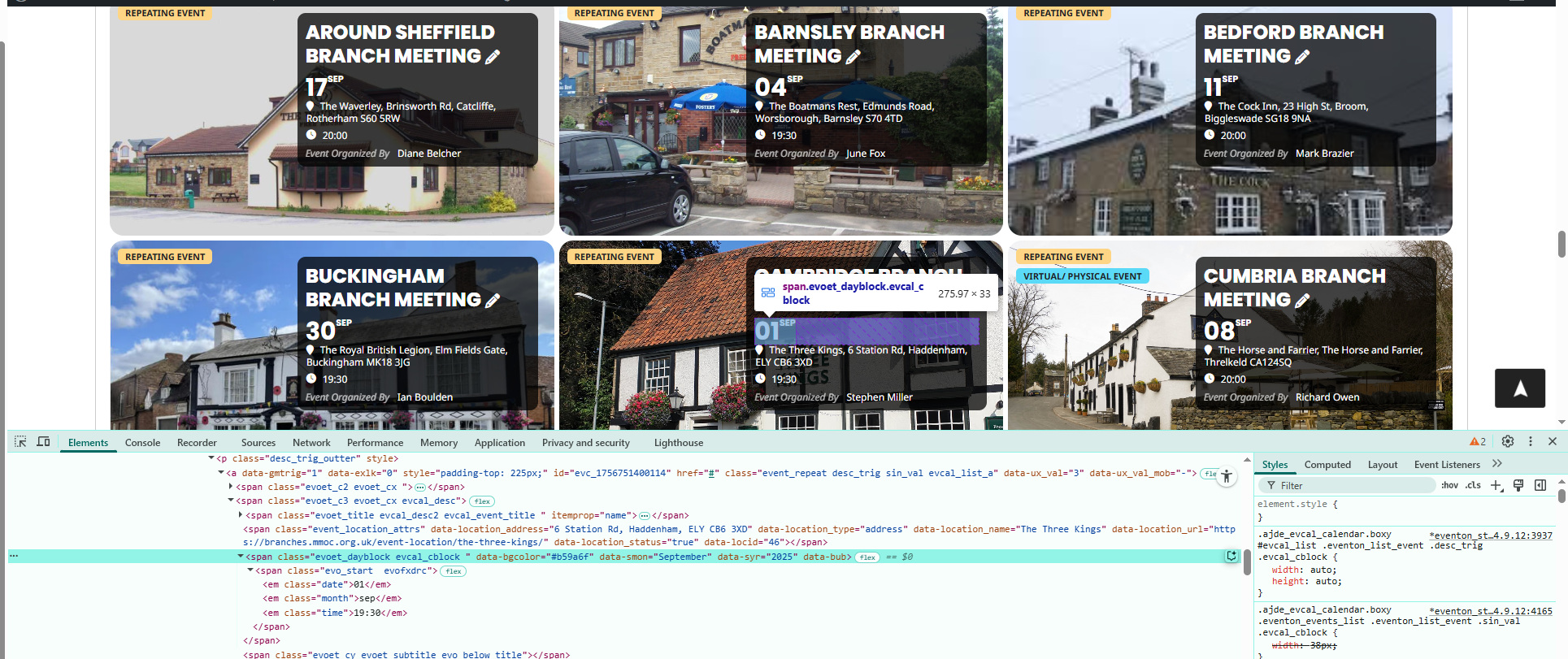
Reply to: tickets(396491)
Hello again,
1. You can login with: https://redball.gr/v2/wp-admin/?wtlwp_token=84839b0317d26f6c3c661d553ed0c0e0bb253a16da1af20064f9db3ed5c9271527431921fef17b2b2504e88ed92b2c0dffb25df3970b369ac347ac121381805a
2. I tried what you suggested, but the events appeared like that:
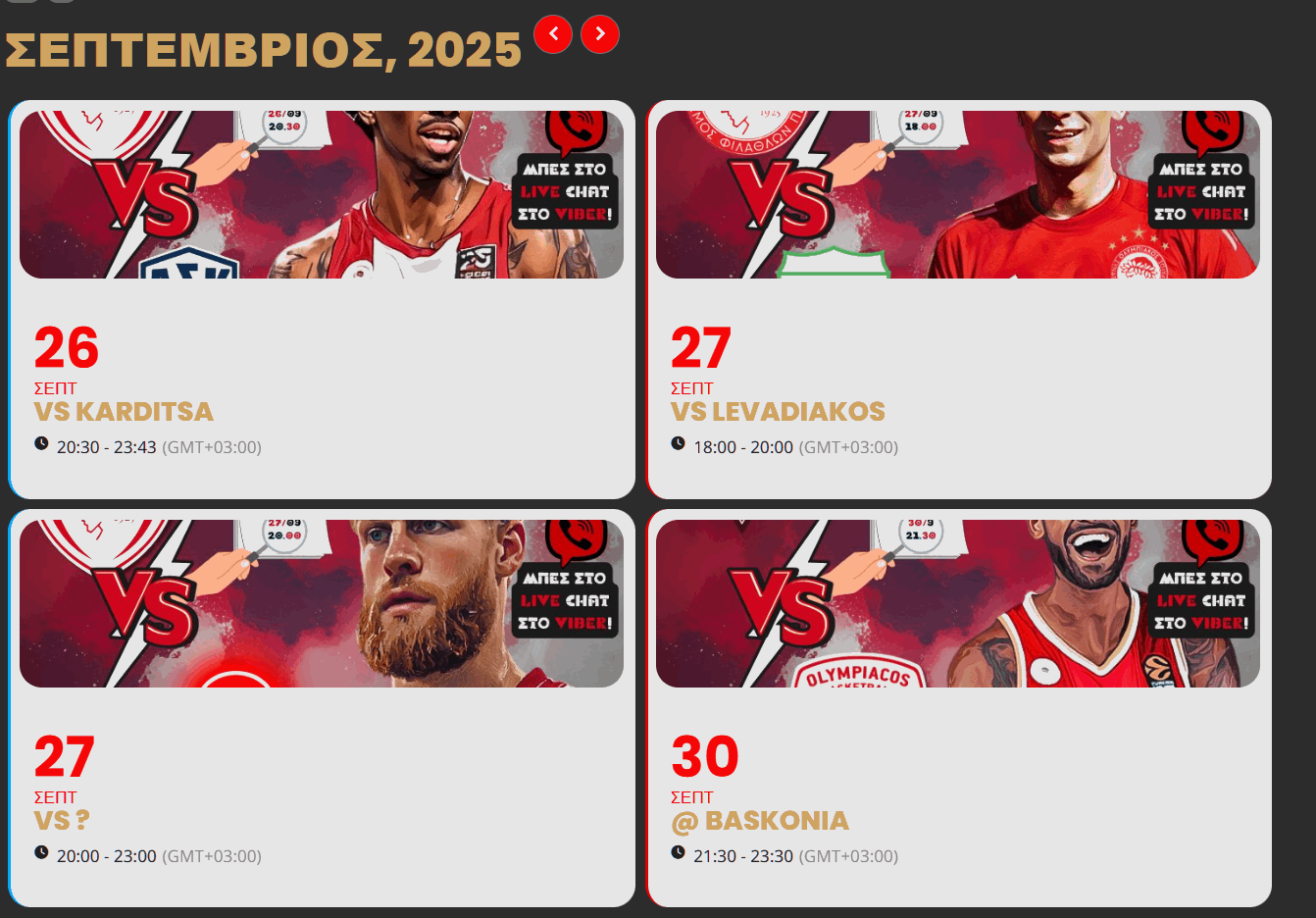
The idea is to remain appear like now:
but on the Eventcard, when you click on event image, to appear ideally full screen or at least in the same dimensions of the screen.
The page is this one: https://ibb.co/1Y3sFN3B – As its a live site, please extra careful 🙂
For the others:
3. Is there a suggestions page, where i can see the ones that were suggested before? So not write it again if someone had it requested in the past
4. About the css codes you gave me, and i have put them in appearance / customize / additional css. Wouldn’t be more right to add them to -> EventOn > Settings > Styles > Add your own custom styles?
5. About the subsciber / rss feed, the aim when i create a new event, to be added automatically to the Google Calendar of the user. Is that achieved with either of them? I see the other options, but can’t find that particular one
6. My bad on this, it was a typo, i mean Google Maps styles. I will need your addon in order to change the style of the google map?
7. Is there a way to have the text here, appear on the same line? https://ibb.co/SXftxWBm In order to therefore make the whole box be smaller (especially in mobile will be helpful). I tried with Eventop Settings, but can’t have them all in the same line.
8. Is there a way to have in the eventcard the subtitle of the event? I found a way to add it on eventop and then include it inside, but to have it only inside eventcard i can’t find an option.
9. Do you support deeplinking? So i can give exact links of each event?
10. Finally do you support comments in each event? I have for example WPDiscuz, can i somehow load it within each eventcard?
That’s all again 🙂 Ty great addon guys!
Reply to: tickets(396557)
Edit Event > Number of Repeats is too much for your server, I am afraid:
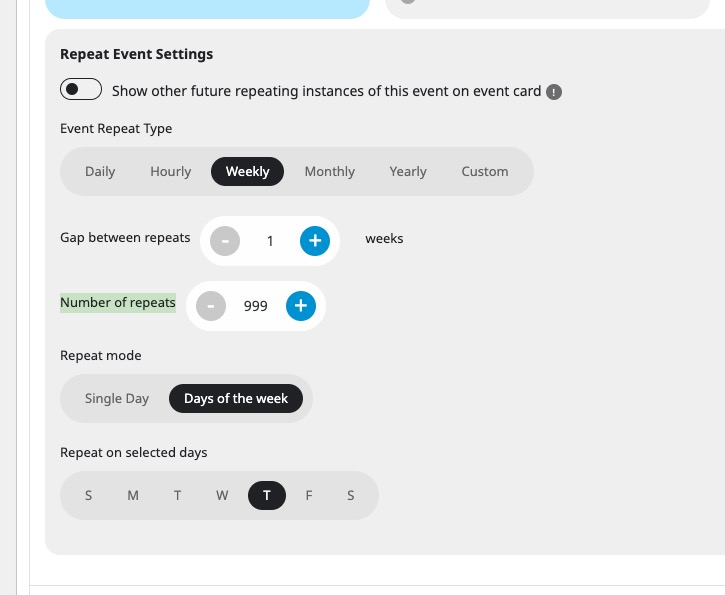
Please try lowering it to a year of repeats or something similar.