Hello,
Could you please update Tickets add-on to the latest available version 2.4.20?
To update eventon addons: You can download latest eventon addons from myeventon > my account. Then you can go to your website, deactivate old addon and install new one and activate then delete the old addon. This link will further explain the process. Also you can follow us on twitter to get real-time announcements on updates!
To update eventon to latest version: If you are unable to do autoupdate, you can go to codecanyon your account > download and get the latest eventon version as zip file. Then you can go to your website > make sure “Delete eventon settings & data when EventON is uninstalled” is Deslected from eventon settings, delete old eventon, install new one and activate. This link will further explain the process it. Also you can follow us on twitter to get real-time announcements on updates!
Could you update EventON to the latest version? Then try activating it.
Hello Support Team,
Thank you for the suggestion, but we are already using WP Rocket as a caching plugin on our website and do not have any other active (we have disabled the rest).
The problem persists and is quite annoying.
On the other hand, we confirm that the website can be accessed without issues from Spain, France, or the U.S. If you are trying to access it from another country, please let us know which one so we can grant specific access on the server.
We look forward to your instructions.
Best regards,
Ana
Hello,
Can I enable it? It’s disabled as I can see in Plugins.
Please also try following the instructions in this documentation to activate debug in your site to see any PHP errors recorded that can provide insight on to whats going on. Please reply with a link to debug.log file. If you are not able to do this please send us FTP access to your site so we can do this for you.
Das mit den Pfeilen hat sich erledigt. Das mit dem zentrerten Text der Monatsangabe funktioniert leider nicht der Rest passt. Danke!
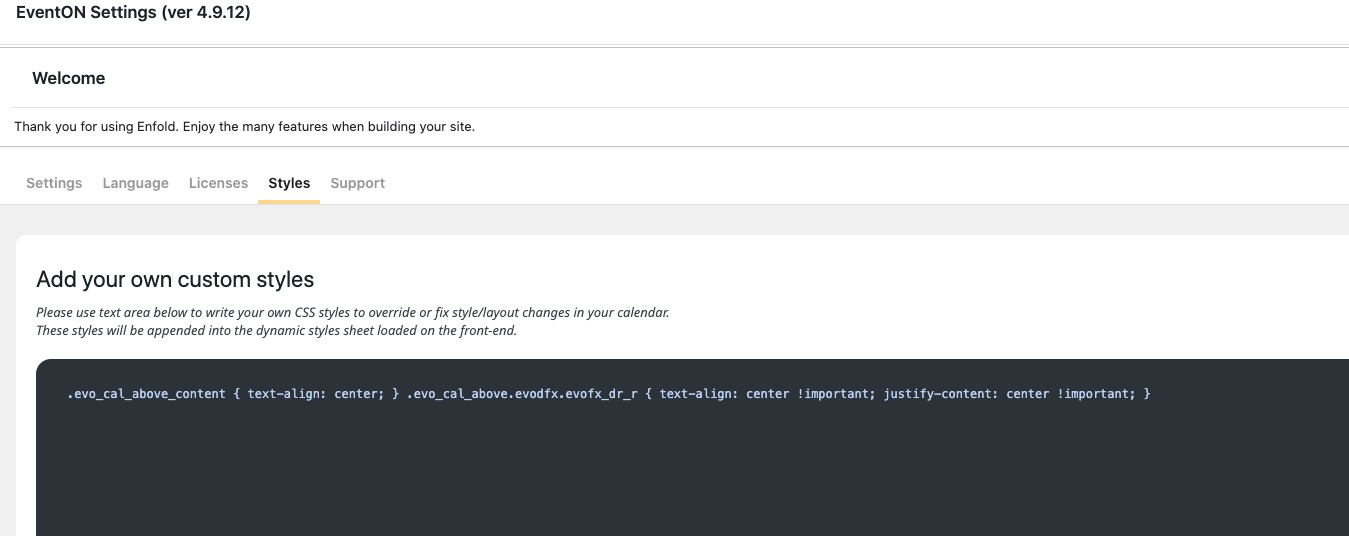
In order to align the text, please add this custom code
.ajde_evcal_calendar .eventon_sort_line, .eventon_filter_line { justify-content: center; }
to
Filter bar background color can be changed with this custom code:
.eventon_sorting_section, .evo_filter_bar { background-color: red !important; }
Arrows cannot be clicked on? Could you elaborate how they don’t work?
Done adding in version 5.0 🙂
Will you be making more changes in the future to improve this? I’ve not done extensive testing it’s just what I noticed when trying it out.
Please create a new ticket and select Feature Request as category so others can vote on your idea and get it moved into development faster.
We check new requests daily.
across the site we have an ID ‘page-content’ and this is missing from the event pages, is there a template where I can add this in?
Please follow this guide:
https://docs.myeventon.com/documentations/customize-single-events-page/
The code should be in single.php file of your current theme. I believe that you need to just copy it to the custom template.