I did post a link to the video. I t was created using loom. Video Link
Archives: Replies
Replies for tickets on suppota
Reply to: tickets(300781)
Hi thanks.
I think I understand the error : I used to put the code in a “html widget” instead of your (new) EventOn widget.
I pasted the code in an EventOn widget and so far so good.
You did the same with the Text widget and a modification of the code.
Just waiting for the test by the client, and I’ll close the case.
Thx for your support.
Jacques
Reply to: tickets(300788)
Hi Dan,
The ability to scroll through the months does not show when using the event list shortcode [add_eventon_list]. It only shows when adding the main calendar [add_eventon]
Even when I remove the CSS code I provided earlier, the text still remains black. I have added some custom CSS to change the color to white. Feel free to change to the color you want. The CSS is added on Eventon > Styles
Regarding the shortcode I provided, I added some more parameters including the number of months to show, please see hot it looks below:
[add_eventon_list tiles=”yes” tile_count=”3″ number_of_months=”20″ hide_empty_months=”yes” hide_month_headers =”no” ]
Reply to: tickets(300792)
Thank you, we really appreciate it. Happy new year and feel free to create a new ticket if you have any other questions.
Reply to: tickets(300792)
Thanks! No, the new feature is perfect and would actually make it super easy for me to make profile pages for my event organizers if it was a static page. Another bonus step would be if they could create their own event organizer profiles!
Totally happy with it as a lightbox in the meantime. Keep up the good work…
Reply to: tickets(300781)
I am not getting any errors
see video below of what I did
Reply to: tickets(300563)
post a link to the video- embed doesn’t work well
Reply to: tickets(300563)
Thanks for the reply. A few more questions about the links you sent. Here is video with my questions.
https://www.loom.com/share/4b6e9ac4d6ae4750898225a896a18fdc
Reply to: tickets(300781)
Hi
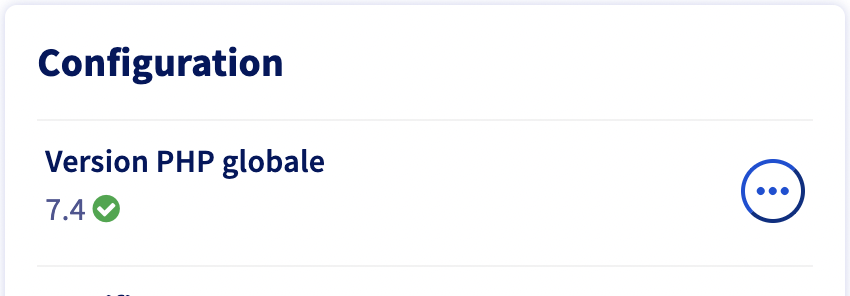
Upgrade to PHP 7.4 : done
Test on the same page : Error 500 still
Reply to: tickets(300846)
i have checked over your settings
you are good to go to deactivate and delete. your events wont vanish
you will most likely need to toggle on
- Hide past events for default calendar(s)
- possibly redo your appearance colors (so good to take a screenshot before you get rid of it)
- redo your timezone
and once you update to eventon from codecanyon
you will need to go to myeventon.>>>settings>>>>event top and make sure everything you need is displaying on the event top (theres more customization with the full version- similar to the event card design)