When you filter events on load by adding event_type=”1036,” to your shortcode, it stops showing All. The only way is to use Calendar Filter Type: Multiple Checkbox Filter by adding filter_type=”select”.
Archives: Replies
Replies for tickets on suppota
Reply to: tickets(257847)
We are glad your issue is resolved, if you have any further questions or concerns please create a new ticket.
If you have a moment, we would greatly appreciate if you could kindly leave us a review at codecanyon! from your account > downloads. Cheers!
Reply to: tickets(257847)
I could have sworn it was different when I checked it. And the next day when I walked in, it was the same. I don't know, maybe cookies? Hard to say.

Anyway, thank you very much for your help, I hope that there will be no need to bother you anymore :D All the best, best regards!
Reply to: tickets(299828)
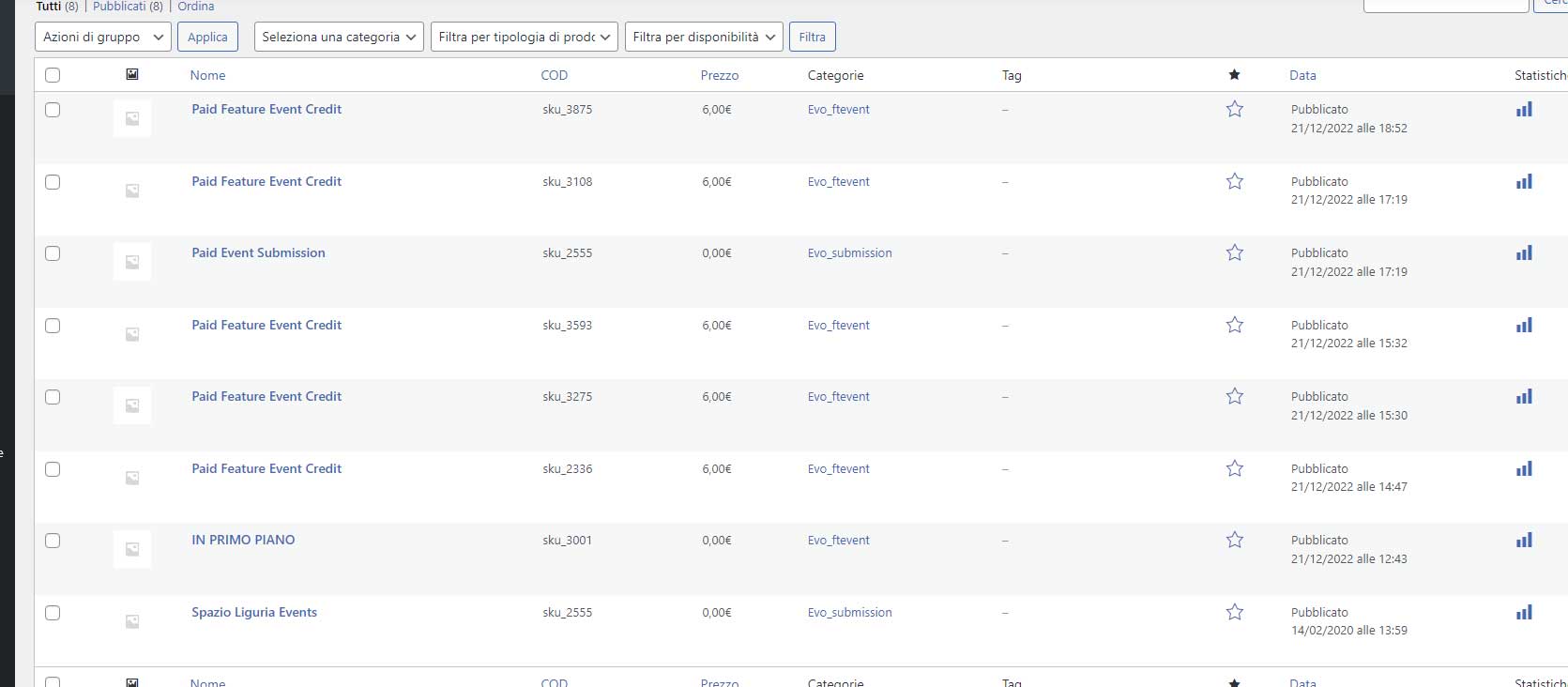
Great Ashan! We look forward to this useful update.
Another thing seems strange to me: the attached image shows the products. It seems that for every order a new product is generated! Rightly so? Also how can the product name be translated?
Thank you.
Reply to: tickets(300227)
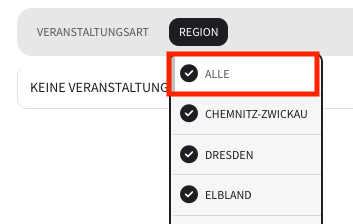
This only gives me the option to apply the filters. I was looking for an option to select “All” after I’ve narrowed my selection to one option. Just as it shows in the image attached (which is my second category).
How can I add this option “All” on the first category-filter as well?
Reply to: tickets(300322)
OK, solved thanks
Reply to: tickets(299928)
Hi Ashan and thanks for the response.
Im not familiar with how to deploy pluggable functions.
Can I hire you to change the slugs for both organizer and location pages?
Reply to: tickets(298570)
minutes has been fixed inside this video
here is the video page I created https://sm.pchublondon.co.uk/eventon-video-test/
Reply to: tickets(300394)
ok i have tweaked the code and its seems to be working now so
heres what I did