Hi Stuart,
Please add this CSS code to EventON > Styles (If you don’t see any change, EventON > Scripts & Styling > turn off Write dynamic styles to header > save settings > turn on Write dynamic styles to header):
@media only screen and (max-width: 768px){
.evosliderbox.ajde_evcal_calendar .eventon_events_list .eventon_list_event .hasFtIMG .evcal_desc {
margin-top: 20px;
}}
Feel free to adjust the margin value to one which works best for you.
Hi Nick,
That’s strange, because the credentials are still not working on our end. Could you check again?
Please follow the instructions in this documentation to activate debug in your site to see any PHP errors recorded that can provide insight on to what’s going on. Please reply with a link to debug.log file. If you are not able to do this please send us FTP access to your site so we can do this for you.
Hi Tara,
Thank you for your message, I am going to assign this ticket to Ashan and he will be able to take it from here. Please allow some time for him to get back to you, we greatly appreciate your patience and thank you for being a eventon customer!
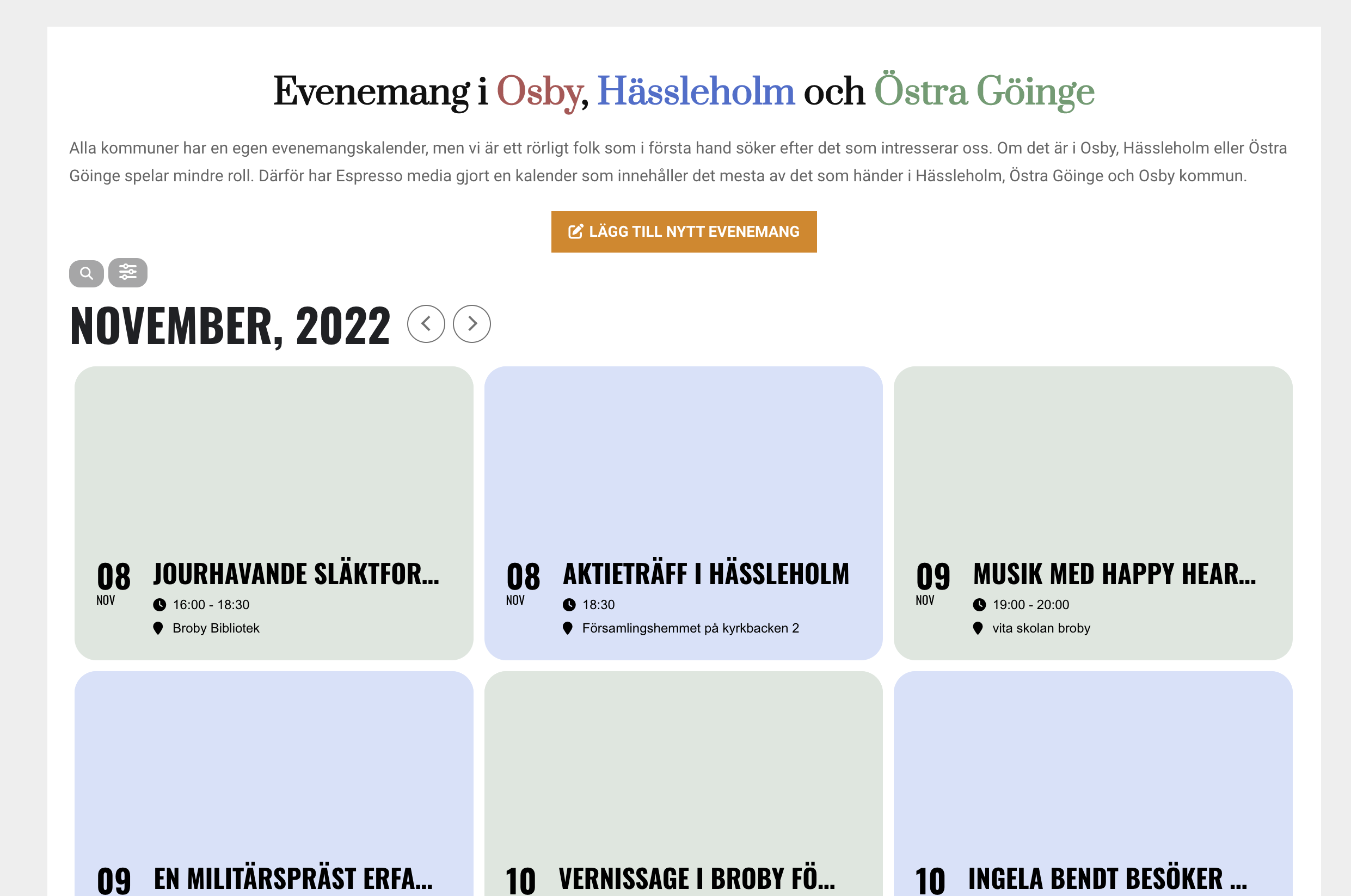
Hi!
All images are missing on https://espressomedia.se/evenemang
See screenshot
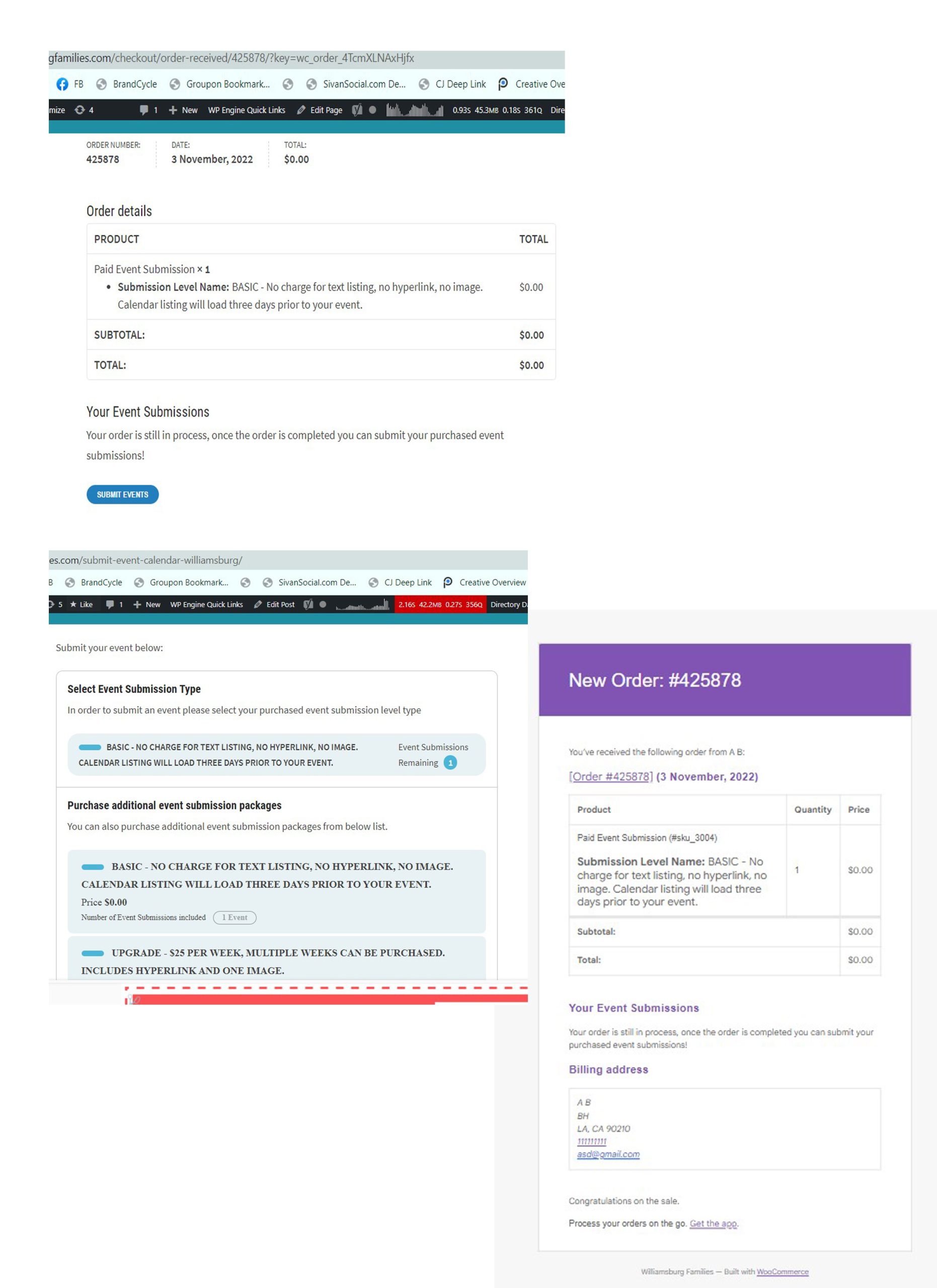
Yes, I see that button. Unfortunately the time line of events is they purchase the calendar listing. Then they are taken to the page that has the “submit your event button” but if they actually click that button they will see the original three options that they just picked from and paid for. The fillable calendar listing doesn’t appear until we manually approve the purchase (again without knowing what we are approving so if we have to cancel it we will be charged a fee from paypal or stripe). But the customer is taken to the page with the original information and no place to fill in their event. I imagine they will be frustrated. Then when they go to their email they will receive invoices showing they are billed but again no way to enter their listing. Once we approve it they can fill in their listing but this could be hours later and by then they would have closed their browser so how will they know where the fillable calendar listing is? The email that goes out telling them their payment was processed doesnt have a link for them to fill in the calendar listing. They would have to have kept the url for the page that didn’t allow them to fill in the calendar listing – do you see why we are struggling to implement this. Please let me know if we are missing a step
We have tested these credentials and they work
https://training-development.co.uk/wp-admin/
User = Manager pw = KzUXlQlTz3L
We would also like ot change our login detials to
info@strategy-training.com user nick 21 pw
Thank you
Unfortunately no, it’s a little bit more complicated because in our case we have restrictions per user role per event category. That means we are not able to use general User role settings in RSVP.
Maybe you want to consider this as extended functionality of Eventon:
1. In RSVP settings, decide which role can access which event category.
2. If user is not in approved/selected role then offer him payment (if payment is present) else display restriction message/redirect.
In this scenario user will get either RSVP or Payment
Thank you
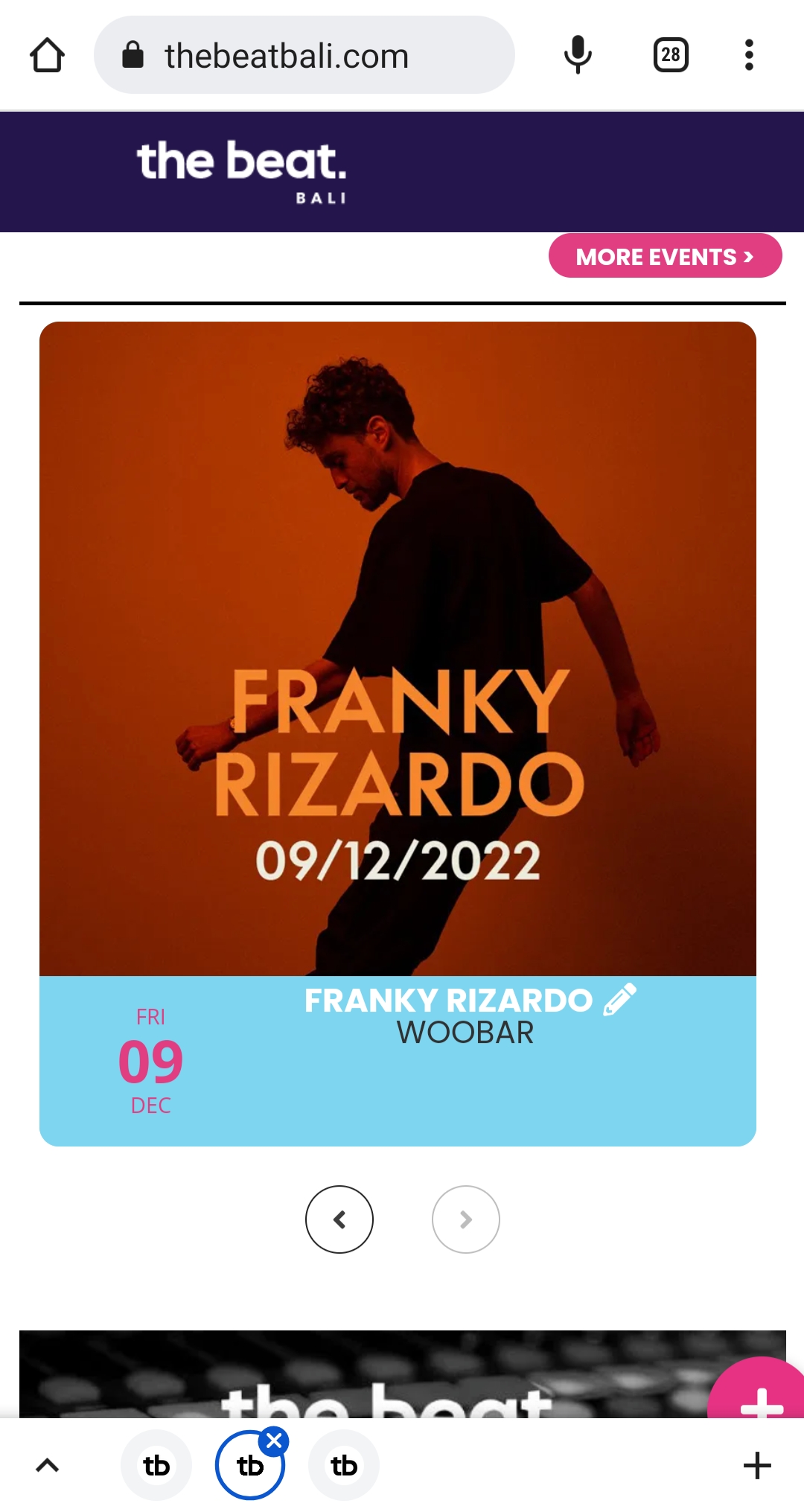
and this mobile version/slider/home page
Text too far to the top
thebeatbali.com
Ok that seemed to work well on that page.
There are a couple more pages need some attention, though.
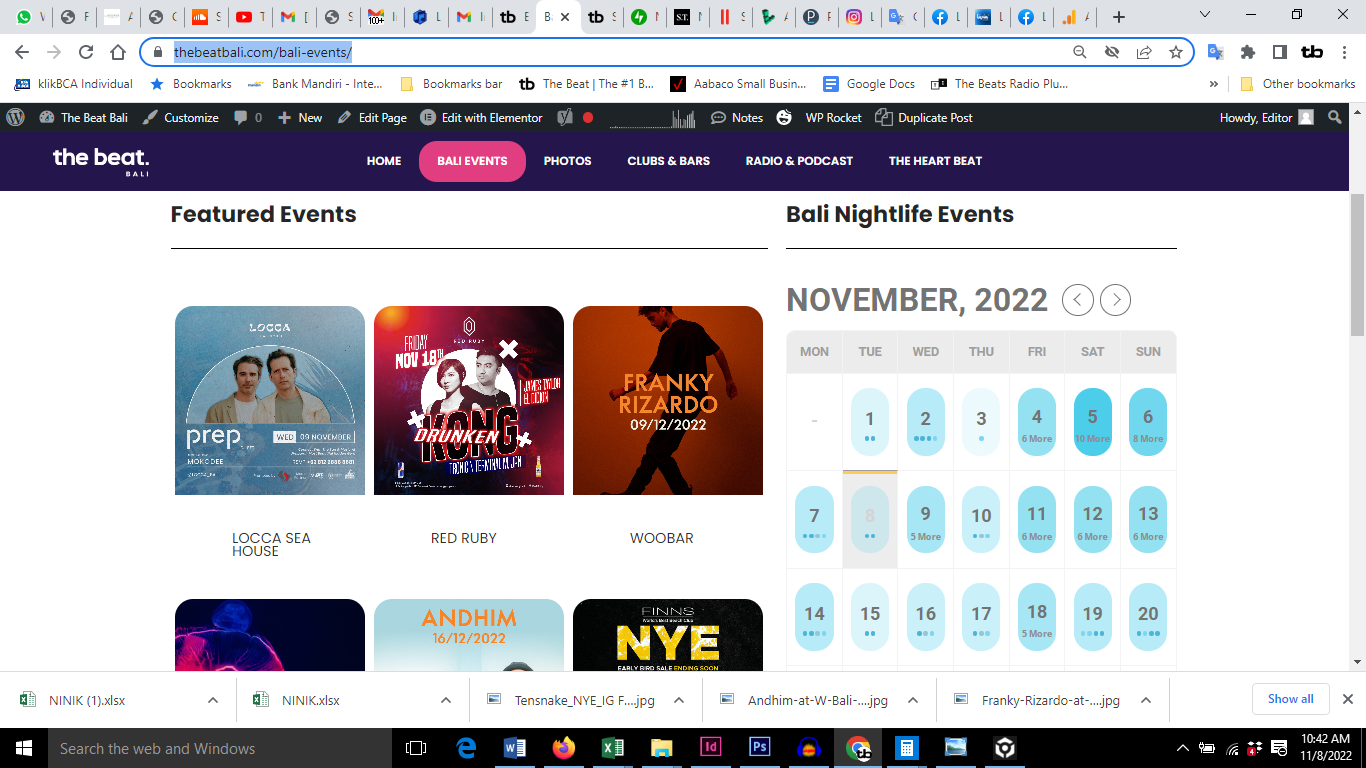
This screenshot shows the missing text and alignment on this page. Maybe because the color box background is missing
https://thebeatbali.com/bali-events/
Ah, now I found out too. Are additional fields offered? In my calendar I have a field for external ticket service providers (buy tickets ONLINE) and a price. Can they also be taken over there, so that the creators can then specify it?
I found and tried most of them. The only thing I don’t understand is the registration of the creators. Somehow I can’t find anything where they can log in/register.
The registration has been hidden on my site so far because I don’t want to allow any comments either.