Hi Johnathan,
The shortcode displays events which are event type 2 with the ID 104. Are the new events assigned to that event type? I have tried to login to your site for further investigations but the credentials you have provided do not seem to work.

These events are not showing for me on the front end, only a direct link will work.
This is the original shortcode, here it does not display these events.
[add_eventon hide_past=”yes” show_et_ft_img=”no” etc_override=”yes” eventtop_style=”0″ tiles=”yes” tile_count=”4″ tile_height=”250″ tile_style=”1″ tile_bg=”1″ event_count=”7″ show_limit=”yes” show_limit_ajax=”no” event_type_2=”104″ hide_so=”yes” show_limit_redir=”https://torahactionlife.com” ]
I can not see any difference in the setting from events that are showing. Please help this is extremely urgent
This is my customised shortcode that just filters by department, you do not need to test that.
[dina_course_event department=””]
Maybe this is a setting for the event issue that I cannot notice, please help this is urgent.
It is already disabled.
Could you try to access again now?
OK, many thanks! And good luck in finding a solution.
Hi there, further to this ticket, we attempted to update when 4.2 was released and we’re still experiencing these issues.
You can see on our live site, via the three example links below (live site still is running 4.1.1) how they are meant to look. Our theme builder, Oxygen, outputs the shortcodes and displays them fine within the templates we have set up for those page types.
https://www.wmfs.net/events/fire-marshal-course-online-131222/
https://www.wmfs.net/events/practical-fire-risk-assessment-240123/
https://www.wmfs.net/events/
However, on our staging site, where we’ve got it up to date and now running EventOn 4.2.2, something in EventOn is overriding our theme/builder templates and although the shortcodes are outputting on the page (on the top two examples, it doesn’t render at all on the main events page), it’s missing the styling that comes with the templates that were working fine on the previous version. We have run tests deactivating all plugins except EventOn to ensure there are no other conflicts and the output is the same. Please see the same links below (as above, but on staging) to see how they display since EventOn version 4.1.3 onwards.
https://staging.wmfs.net/events/fire-marshal-course-online-131222/
https://staging.wmfs.net/events/practical-fire-risk-assessment-240123/
https://staging.wmfs.net/events/
We’d appreciate any help you can offer in rectifying this issue, caused since your 4.1.3 update so we can update our live installation without these technical issues.
Thank you.
Cannot access /wp-admin:
Forbidden
You don’t have permission to access this resource.
Could you also try:
EventON > Scripts & Styling > turn off Write dynamic styles to header > save settings > turn on Write dynamic styles to header
https://julemarkedet-trondheim.no/wp-admin/
ID: info@myeventon.com
PW: NLJA1oBYa
Ashan,
The same on dev2:
Reply to: 296449
Page with the shortcode:
https://dev2.myeventon.com/wp-admin/post.php?post=31950&action=edit
Featured repeating event:
https://dev2.myeventon.com/wp-admin/post.php?post=31952&action=edit
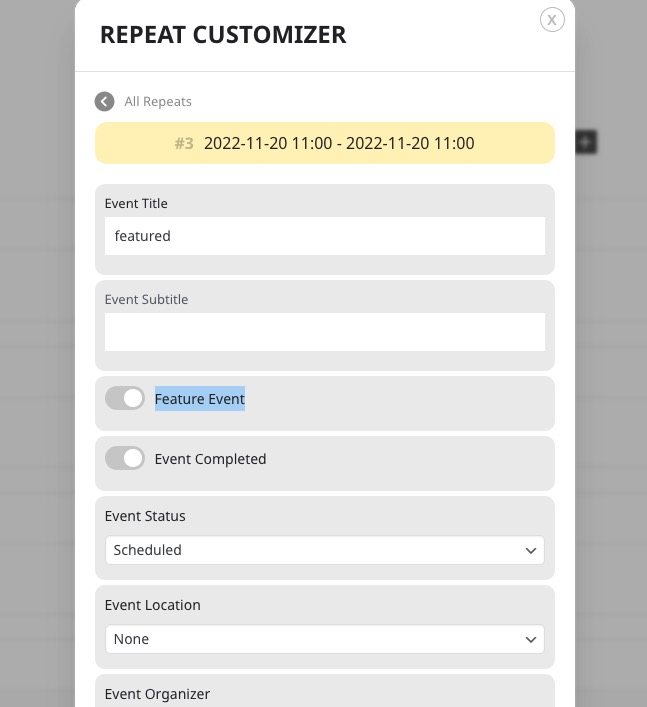
It seems that you cannot event save “Feature Event“:
Thank you for your messages, I am going to assign this ticket to Ashan and he will be able to take it from here and find you a solution. Please allow some time for him to get back to you, we greatly appreciate your patience and thank you for being a eventon customer! Also please disable any IP blocking on your site if there are any.
Ashan,
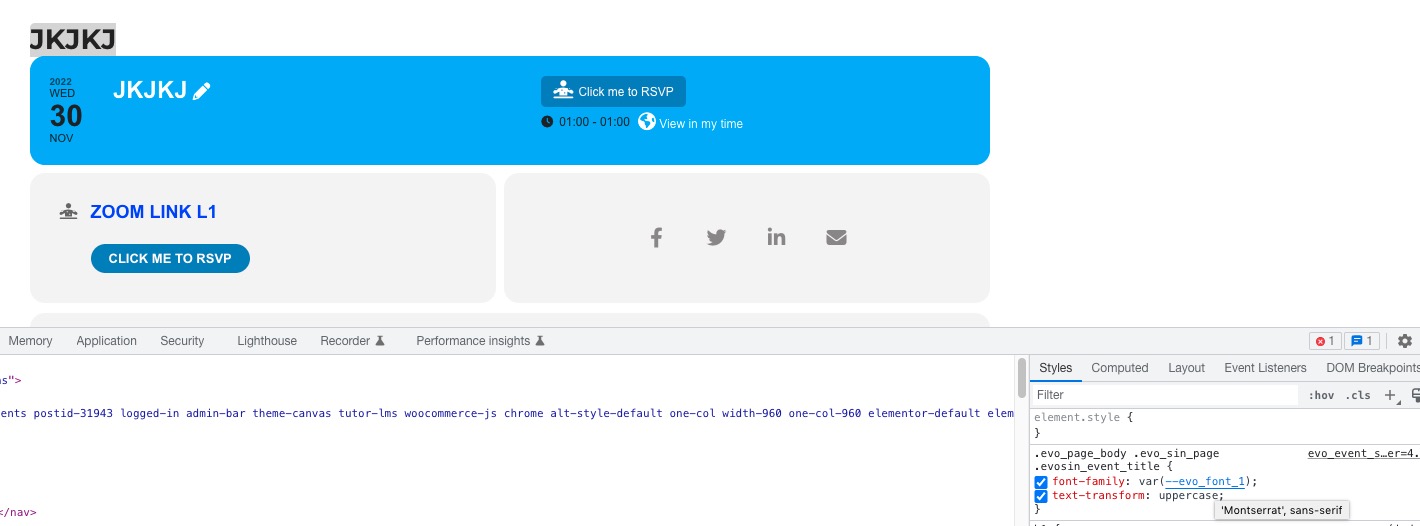
You cannot change Singe Event Template H1 title’s font-family using EventON > Appearance:
https://dev2.myeventon.com/wp-admin/admin.php?page=eventon#evcal_002
Event:
https://dev2.myeventon.com/events/jkjkj/