Hi Artem,
I’m looking to use a webhook in Zapier that will trigger every time a new event is created in EventON so we do additional tasks in Zapier.
Why it’s so hard to undertand my request? It’s been 2 days trying to solve this…
Replies for tickets on suppota
Hi Artem,
I’m looking to use a webhook in Zapier that will trigger every time a new event is created in EventON so we do additional tasks in Zapier.
Why it’s so hard to undertand my request? It’s been 2 days trying to solve this…
Hello,
Is it possible to receive the invoice with our VAT?
thank you for your support.
Kind regards,
Noemi
Thank you for your messages!
I am going to escalate this ticket to development to help in here. Please allow us some time to address this, and we truly appreciate your patience. Thank you for being a valued EventON customer!
Additionally, if your site has any IP blocking or security restrictions in place, kindly disable them temporarily to facilitate our support process.
Ashan,
When one user purchases event credits (e.g., “Start 1 Event”), all users on the site see the same number of remaining credits in the “Add Event / Submissions” page.
The same on dev2:
https://dev2.myeventon.com/test-105/
You can use this user:
AuthorTest
^OZ5&Mx)Mam8*@0L7VSV4KP9
I purchased ”Start” and it showed for both me as admin and author:
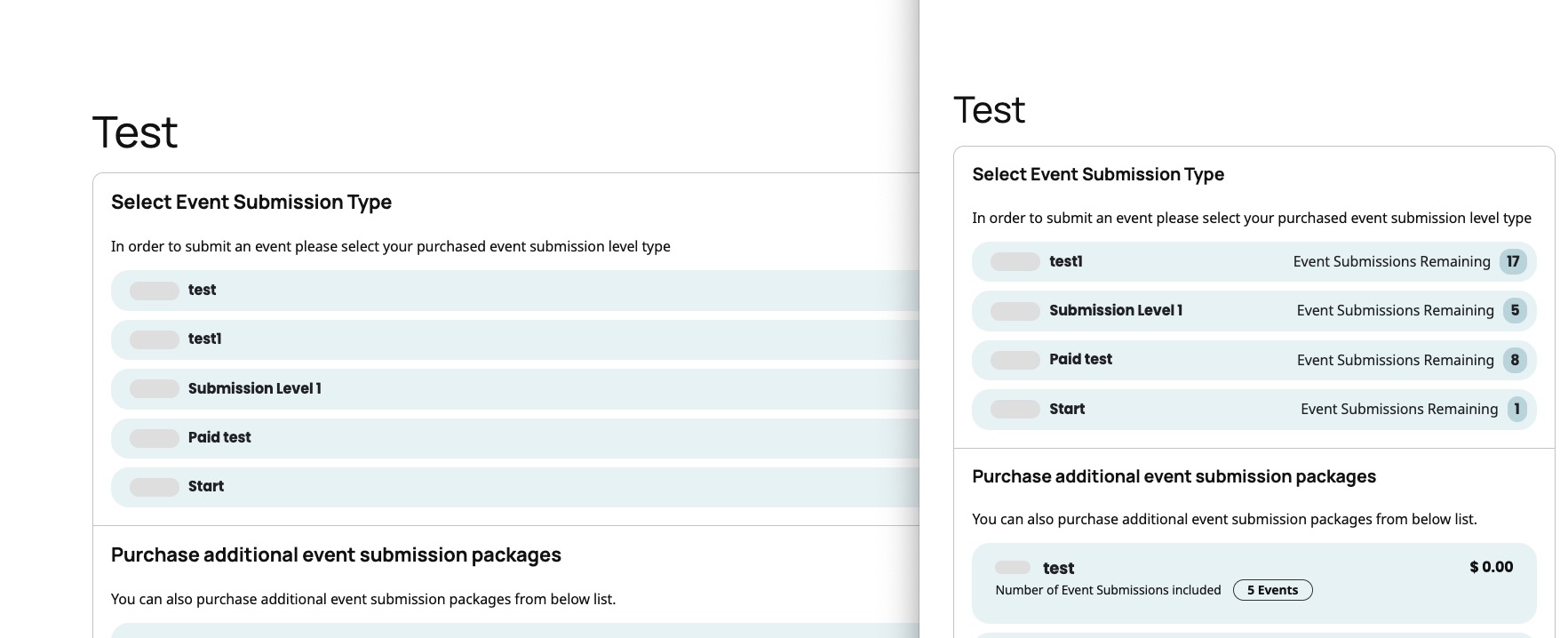
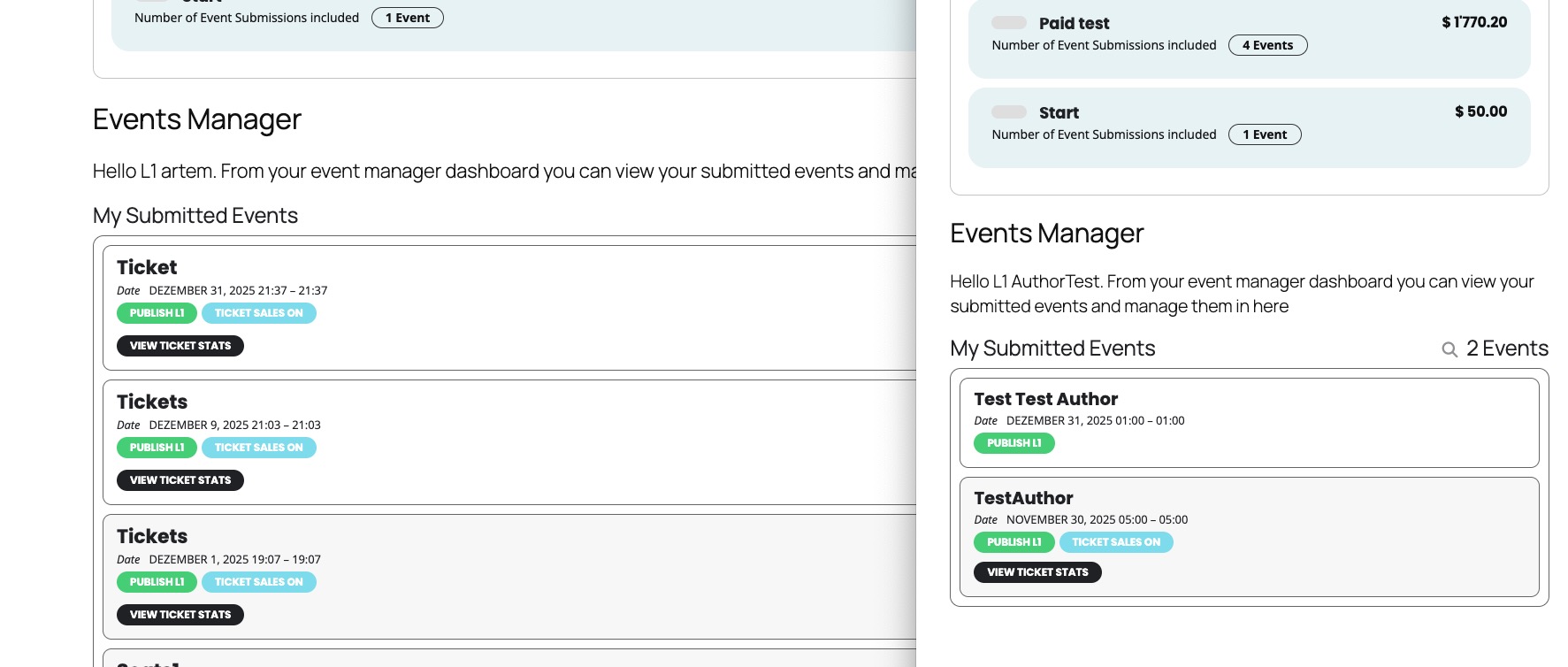
Additionally, the Event Submission list shows events from all users, not only the events of the user who is currently logged in.
However, I cannot recreate this issue. Events are only visible for users who submitted them:
Hello,
Thank you for your messages!
I am going to escalate this ticket to development to help in here. Please allow us some time to address this, and we truly appreciate your patience. Thank you for being a valued EventON customer!
Additionally, if your site has any IP blocking or security restrictions in place, kindly disable them temporarily to facilitate our support process.
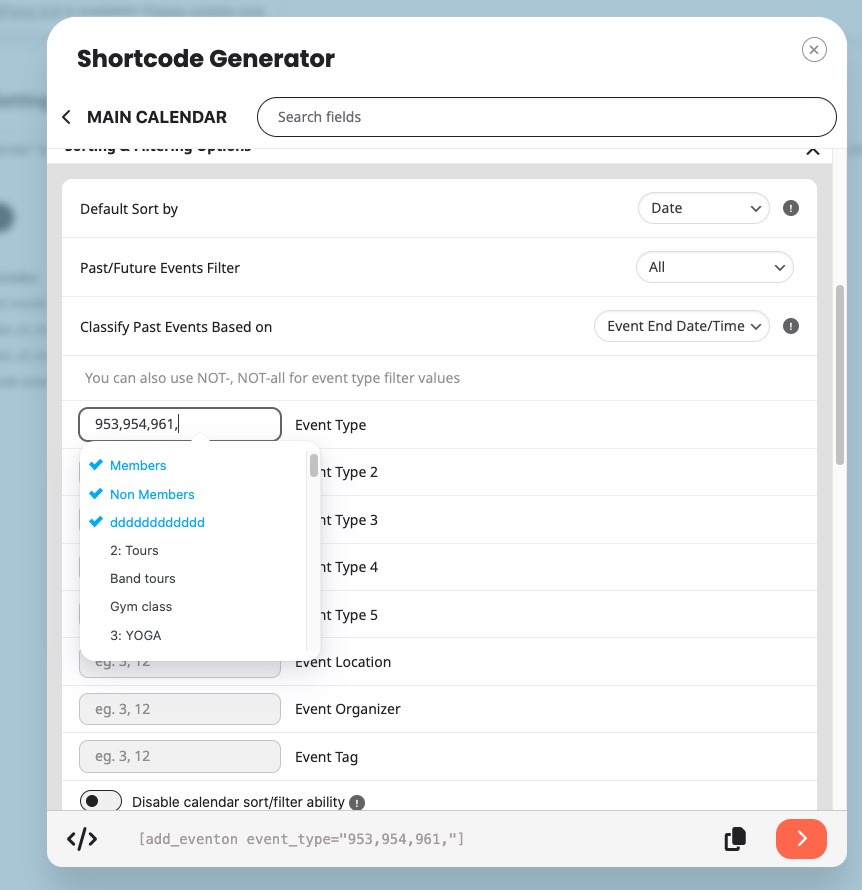
Schedule View generator has limited number of options, but you can try taking options from Main Calendar and put in directly into a shortcode:
event_type=”953,954,961,”
To hide the time please add this CSS code to EventON > Styles (If you don’t see any change, EventON > Scripts & Styling > turn off Write dynamic styles to header > save settings > turn on Write dynamic styles to header).
.evosv_time.llxvl { display: none !important; }
How do you want to use webhooks? Which app would you like to use them for? Could you tell us more?
You can completely disable editing by going to EventON > Action User > Event Manager > disable Allow event assigned users to edit those events in event manager. (Override above)
also, i dont want events that span more than 1 year from the current date. so, is there a way to prevent that from happening?
Thank you for your great suggestion, at the moment it is not supported. However please create a new ticket and select Feature Request as category so others can vote on your idea and get it moved into development faster.
I am sorry, the access information you have provided did not work for us. Please check them and post the correct login information as a private message, thank you!