Hello,
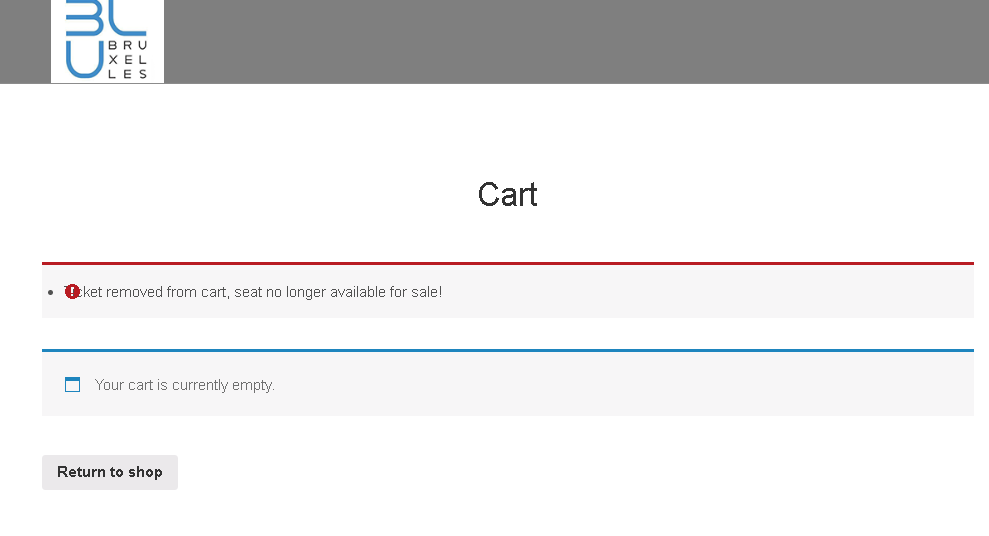
the seat is there but dont add to cart please check
Replies for tickets on suppota
Hello,
the seat is there but dont add to cart please check
Hi Carmen,
We are glad your issue is resolved, if you have any further questions or concerns please create a new ticket.
Hello,
thank you so much for fixig the problem. It does work now!
Best
Carmen
Ok, so this is still happening – I have to manually hide the events from shop-page. Any solution yet?
Hi there 🙂
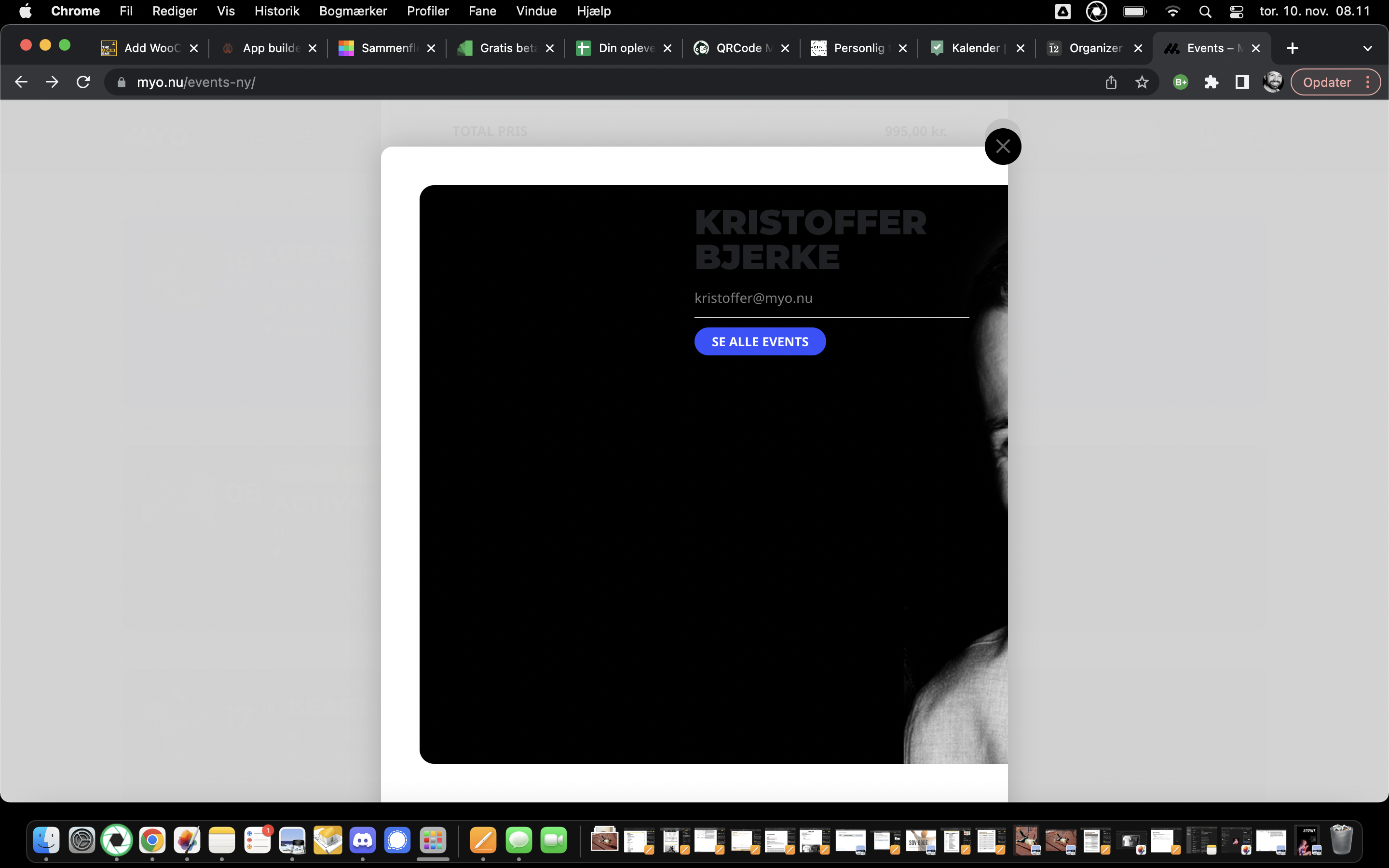
I would like to remove it myself or maybe a fix, because the profile-picture does not align correctly in the pop-up (see attached)
Thanks and keep well 🙂
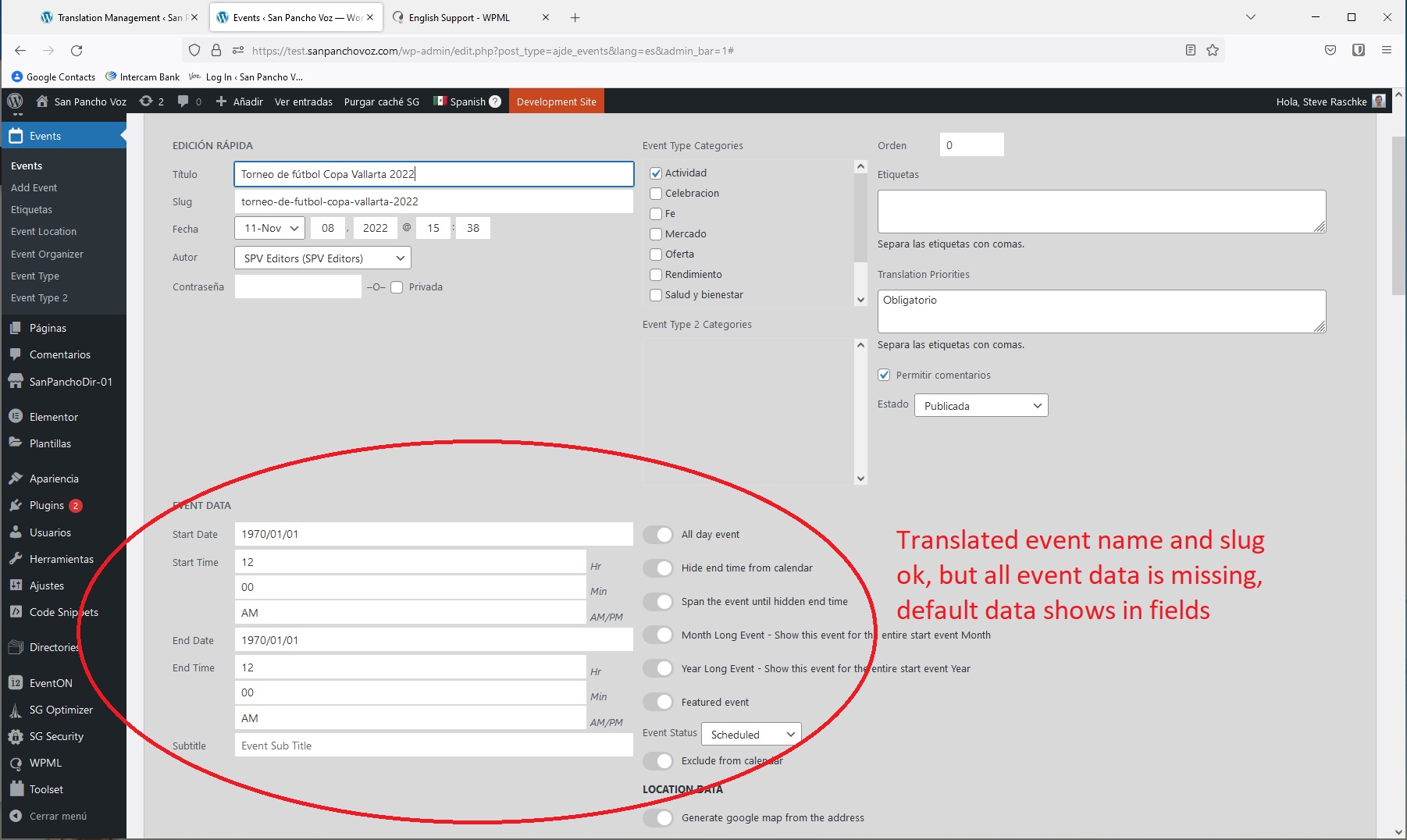
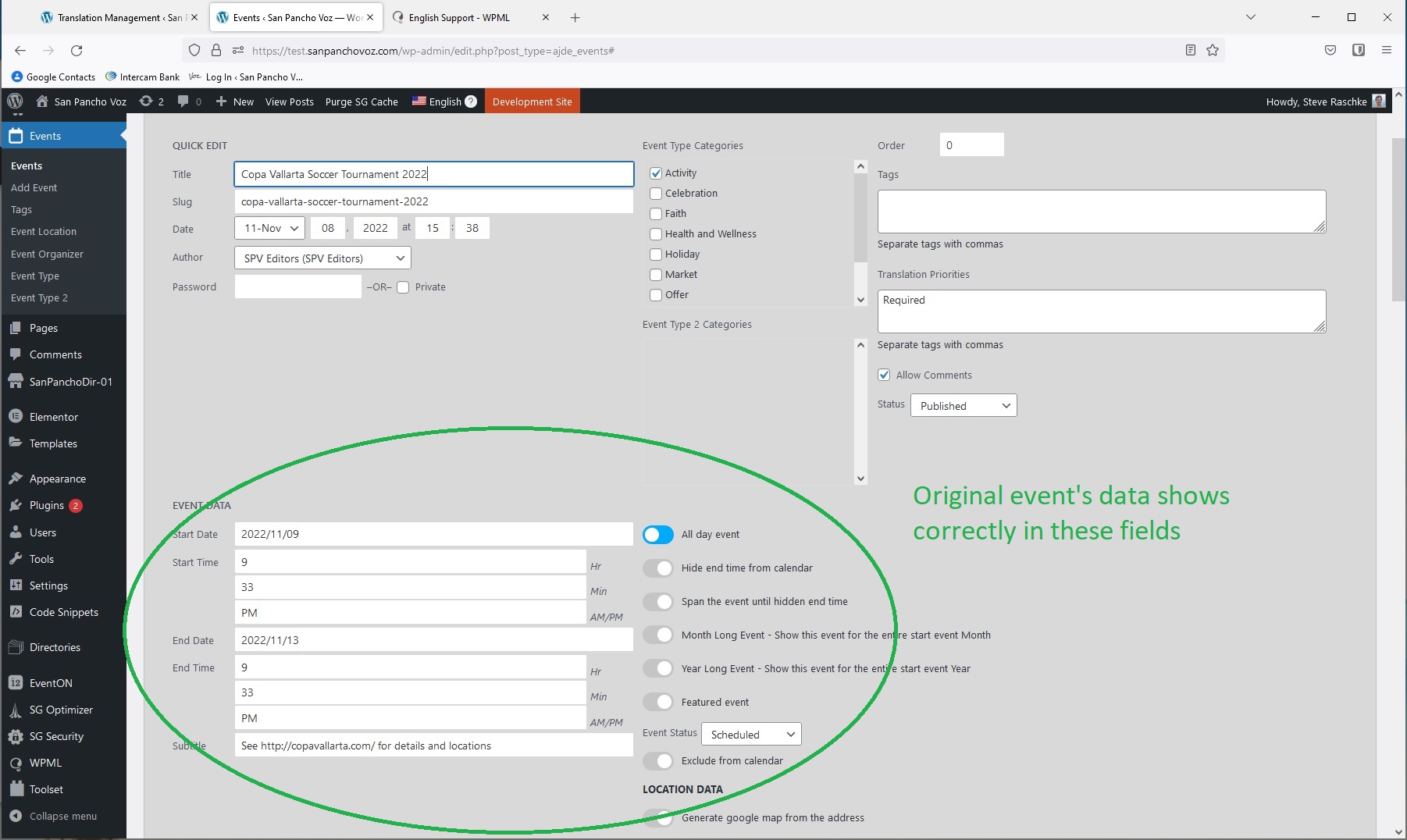
Or alternately, how can I translate EventON L1 events to L2 and L3, while transferring all event data and details in the translation process?
Correct, EventON L2 and L3 event dates are missing, as well as all event data is missing. Apparently the source of the problem is that when I use WPML to translate an EventON event from L1 to either L2 or L3, the Event Data is not transferred.
I do not have this problem with other WPML translations (posts, pages, authors, categories etc). WPML translations on other parts of the system carry all data across. Is there some setting that I’m missing which engages WPML to transfer all event data from the original L1 event to the newly created L2 and L3 copies?
Ashan
So I have done a whois search and its hosted on simply.com
their security is causing the issue
https://www.simply.com/en/support/faq/php/586/
but the question is why?
read up more here: https://hostadvice.com/how-to/how-to-fix-406-or-not-acceptable-error-using-htaccess-from-cpanel/
so in anycase theres a way to bypass via editing the htaccess it which the host wont like or in fact eventon is doing something incorrectly and I am too dumb to know what its doing if anything. i suspect their security is too strong
if theres a way to edit the htsaccess to only allow eventon to work- that would be a better solution to simply turning off the entire security