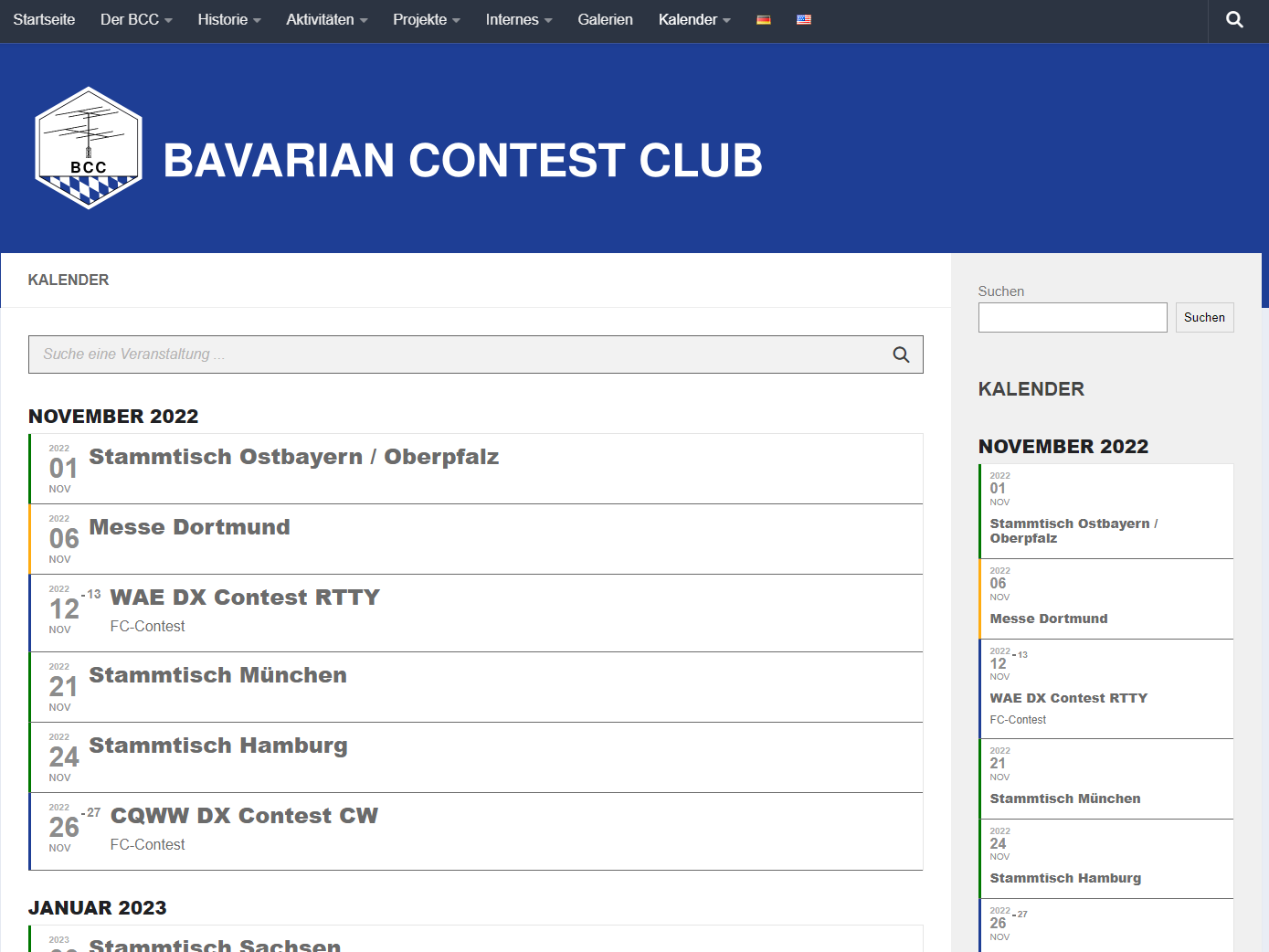
Here 4.2.2. Also the same on Chrome and Edge. This version I never viewed on this computer, so clearing the browser cash won’t have any influence. And there is no cashing in WordPress right now. At least I didn’t see any plugin or setting about it.
Replies for tickets on suppota
Here 4.2.2. Also the same on Chrome and Edge. This version I never viewed on this computer, so clearing the browser cash won’t have any influence. And there is no cashing in WordPress right now. At least I didn’t see any plugin or setting about it.
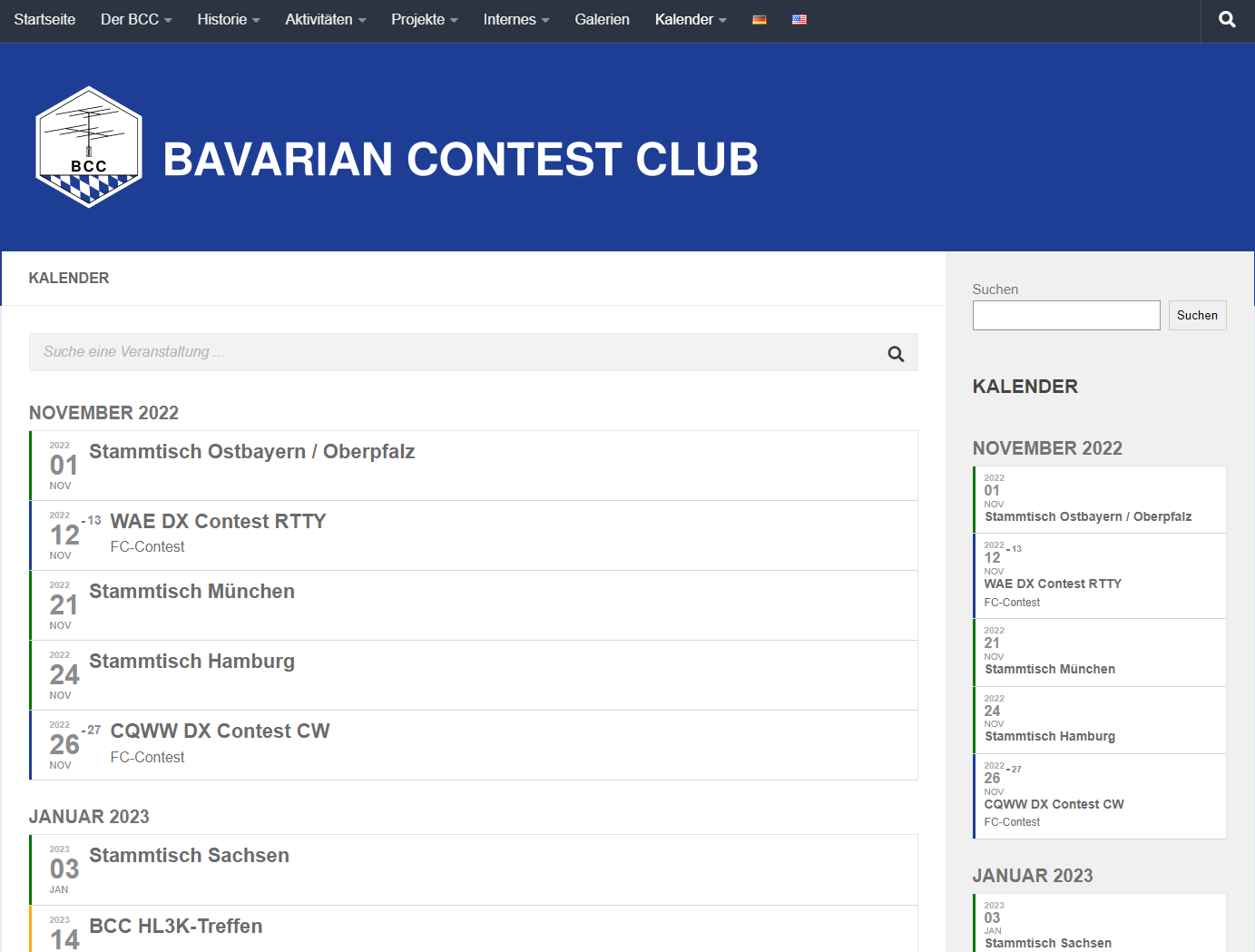
4.1.3 looks like this. The same in Chrome and Edge.
I will delete the add on and the products. I’ll then reinstall.
Yes I will.
sorry I have no idea how to login
I get
You will need to provide us with the right link, username and password to login to diagnose
So the theme has its own events display which is overiding eventons display
https://training-development.co.uk/wp-admin/themes.php?page=ot-theme-options#section_event
I cannot seemt o find a way to deactivate that overide (as I am not familiar with your theme)
but it could be as simple as adding code from eventon into the body of https://training-development.co.uk/wp-admin/options-general.php?page=wp-headers-and-footers
but at this point I am unfamiliar with these themes and plugins
artem https://helpdesk.ashanjay.com/ticket/our-event-pages-have-no-content-on-them/
Sorry to say no but I do like the idea
Thank you for your great suggestion, at the moment it is not supported. However please create a new ticket and select Feature Request as category so others can vote on your idea and get it moved into development faster.
but to clarify- did you want a HUGE list of all attendees from all events or to display individual events (the reason I ask is there might be a way to hook the info in- it wouldn’t be a shortcode and it might not be possible but it depends on exactly what info you want to display (be it all events or individual events)
Hi,
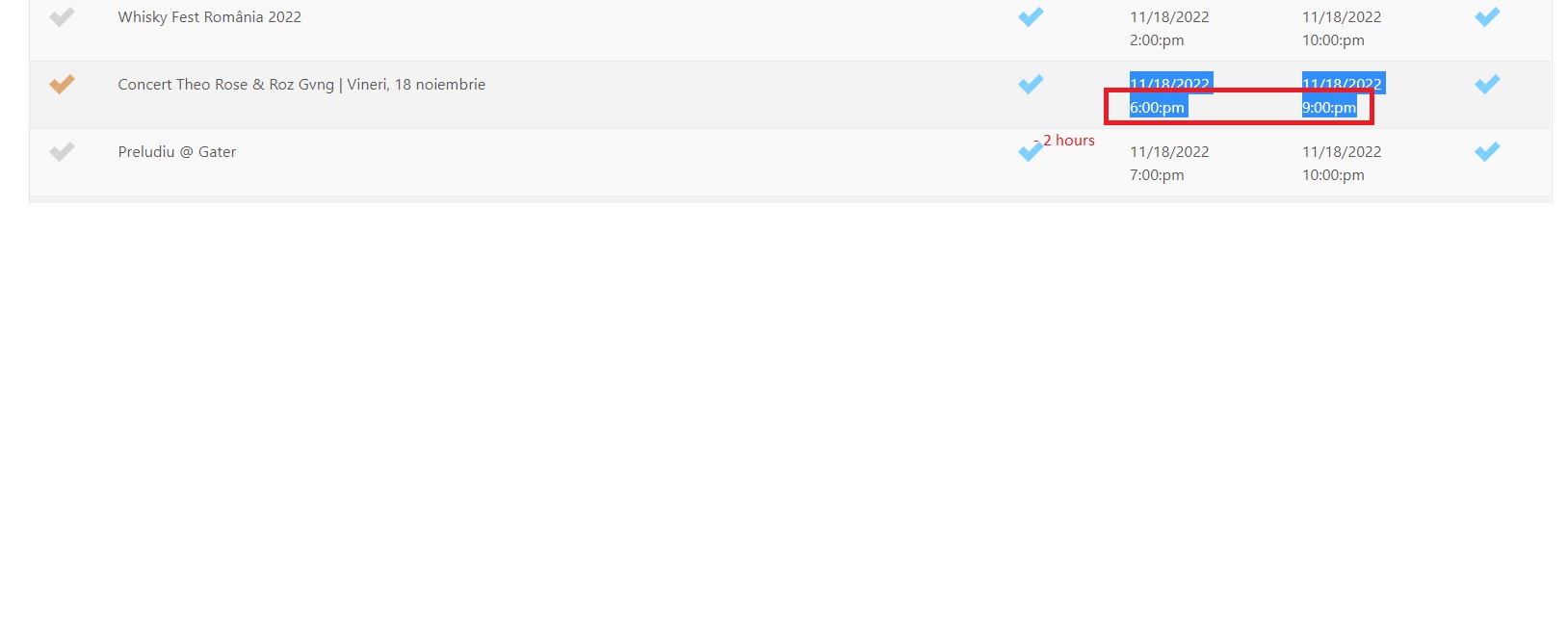
I’m back with another problem, I changed the import link It comes default in this format, I cannot change it. The events are imported with a difference of 2 hours
Etc/GMT (GMT+00:00)
https://www.facebook.com/events/ical/upcoming/?uid=100072261342209&key=b2iHGfdm5YTXDRF6
https://calendar.google.com/calendar/ical/ba8r83n0b1s8gjhqiksk036rhrj4la3k%40import.calendar.google.com/public/basic.ics
I tried all the methods to fix those 2 hours in the minus (Event processing timezone method) but it is still imported incorrectly.
Please come up with a fix as soon as possible
Dear Support,
Are you getting confused.
You already have our wordpress access credentials, but you were using the wrong email address, we have now corrected this. We used our paid for support license number to access this.
Best Regards