Unfortunately no, it’s a little bit more complicated because in our case we have restrictions per user role per event category. That means we are not able to use general User role settings in RSVP.
Maybe you want to consider this as extended functionality of Eventon:
1. In RSVP settings, decide which role can access which event category.
2. If user is not in approved/selected role then offer him payment (if payment is present) else display restriction message/redirect.
In this scenario user will get either RSVP or Payment
Thank you
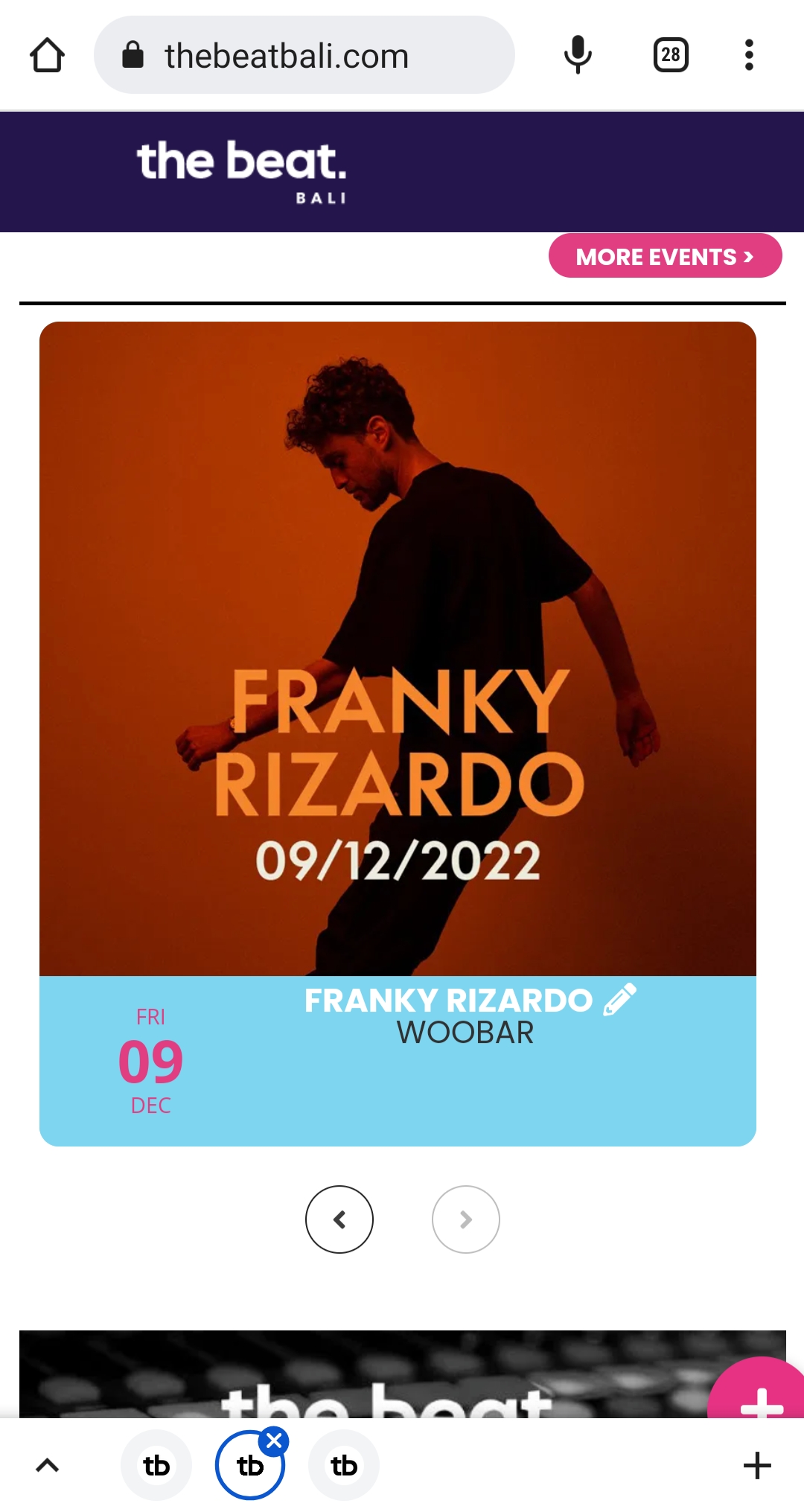
and this mobile version/slider/home page
Text too far to the top
thebeatbali.com
Ok that seemed to work well on that page.
There are a couple more pages need some attention, though.
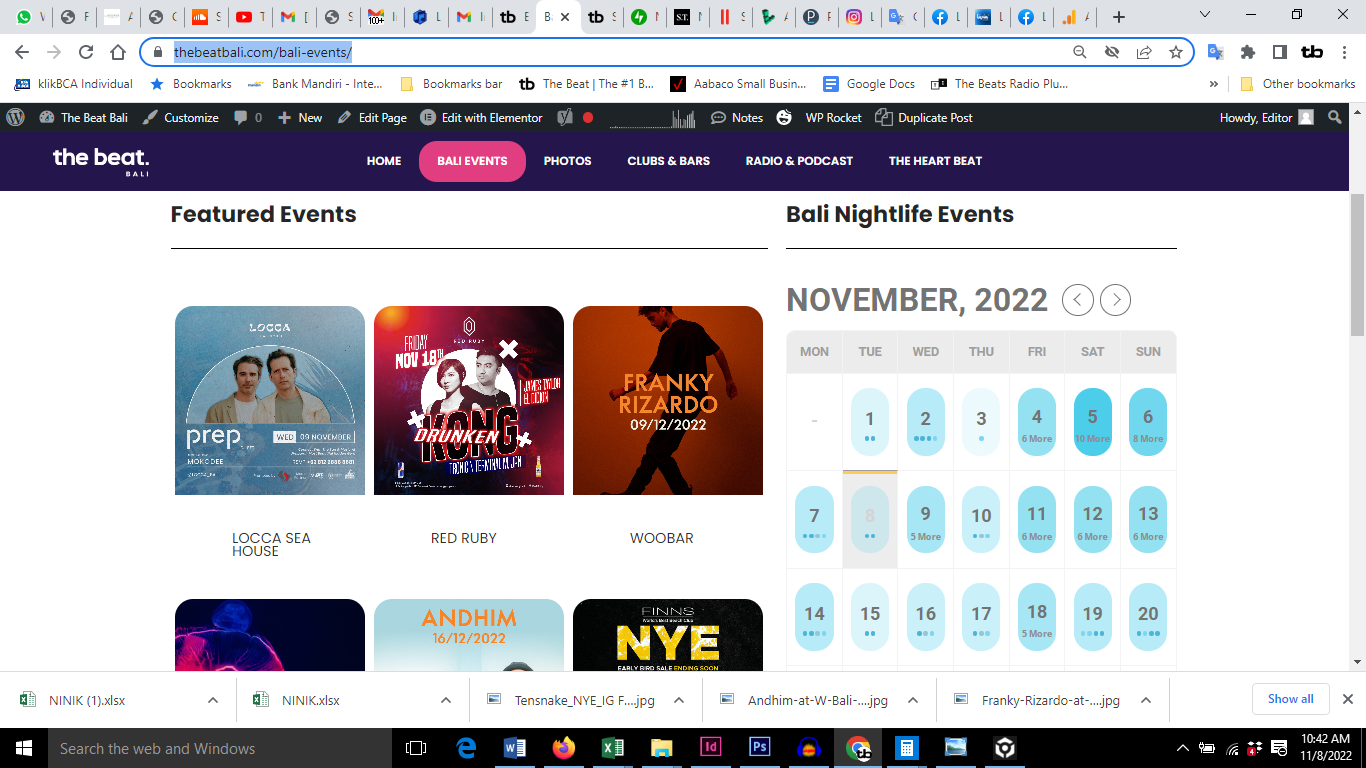
This screenshot shows the missing text and alignment on this page. Maybe because the color box background is missing
https://thebeatbali.com/bali-events/
Ah, now I found out too. Are additional fields offered? In my calendar I have a field for external ticket service providers (buy tickets ONLINE) and a price. Can they also be taken over there, so that the creators can then specify it?
I found and tried most of them. The only thing I don’t understand is the registration of the creators. Somehow I can’t find anything where they can log in/register.
The registration has been hidden on my site so far because I don’t want to allow any comments either.
Hello,
not that I know. The problem existed a dozen updates ago. Your support fixed it. Unfortunately, I am not a programmer and therefore do not know what exactly was done. Only after that it worked again.
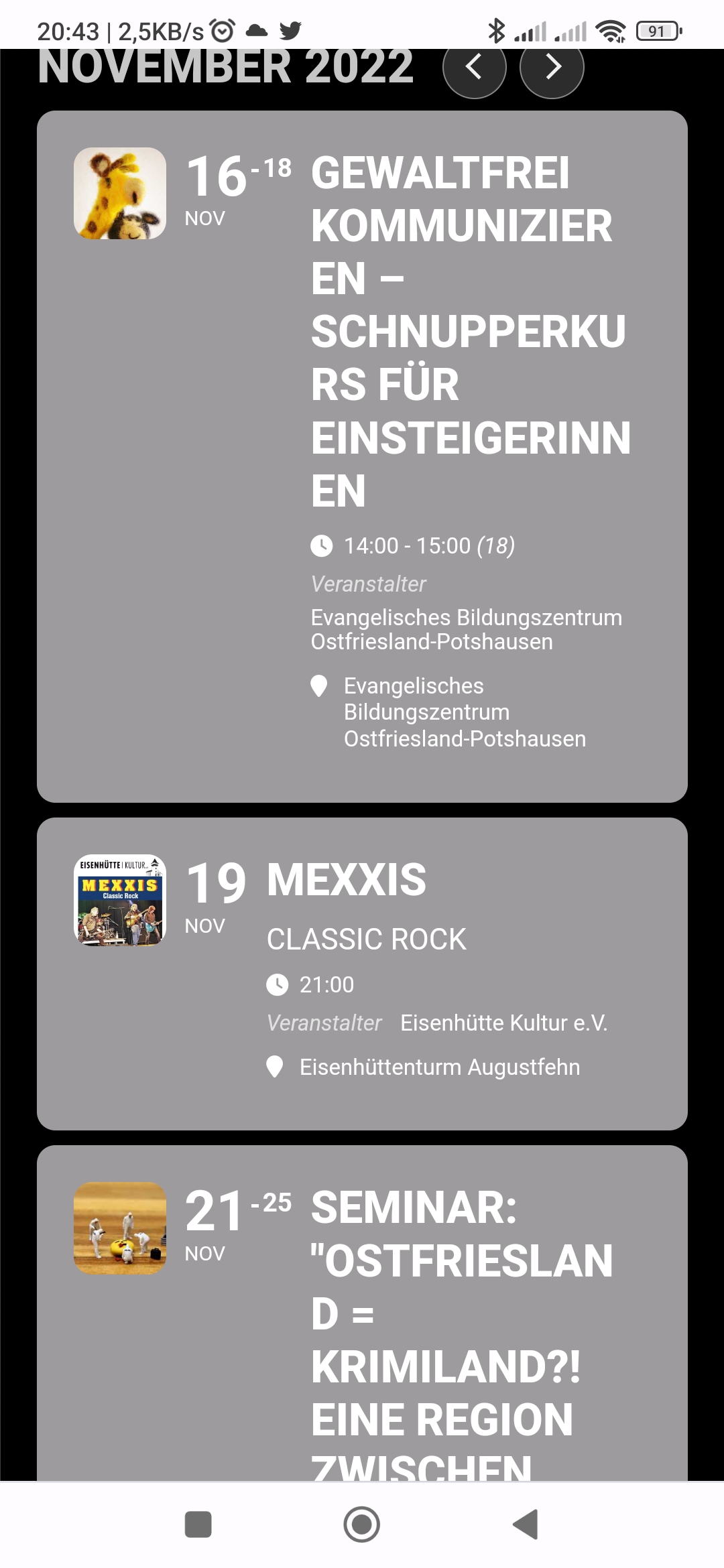
I put the time under the subtitle now. This fixes some things, but the words in the title are still simply cut off and continued on the next line.
Countdown is ok
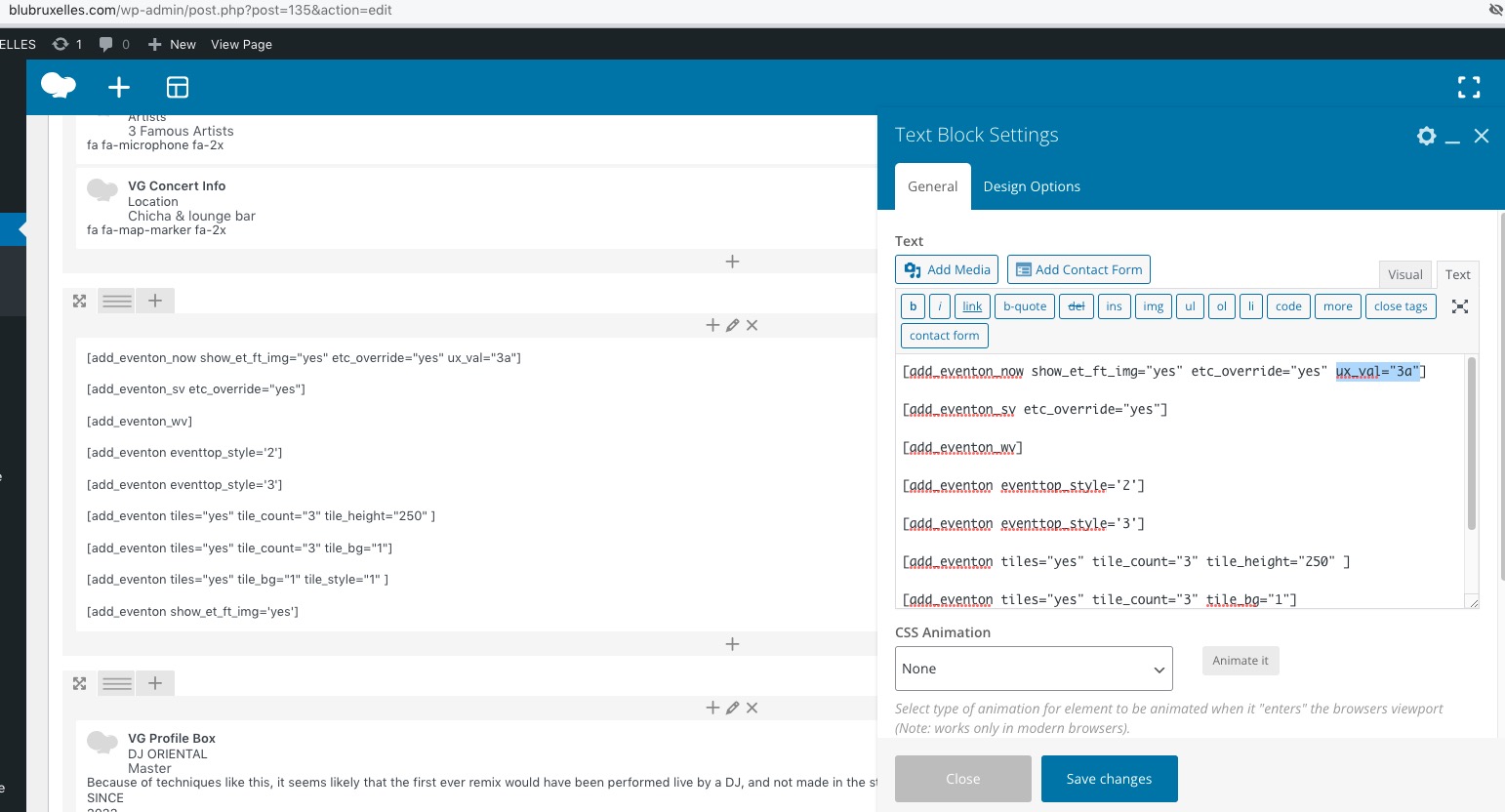
ux_val=”3″ i did change for google map in event is displayed as a popup. but not working yet
and
the seat problem not resolve yet alwaye tourn in the event is displayed as a popup. also if this not working then client cant buy the ticket
thanks
Hello,
Please add this CSS code to EventON > Styles (If you don’t see any change, EventON > Scripts & Styling > turn off Write dynamic styles to header > save settings > turn on Write dynamic styles to header):
#evcal_list .eventon_list_event .evoet_cx em, .evo_lightboxes .evoet_cx em { color: black !important; }
The shortcode on this page:
https://blubruxelles.com/wp-admin/post.php?post=135&action=edit
 Countdown. Please add this CSS code to EventON > Styles (If you don’t see any change, EventON > Scripts & Styling > turn off Write dynamic styles to header > save settings > turn on Write dynamic styles to header):
.eventon_events_list .eventon_list_event .evoet_cx span.evocd_timer span, .evo_pop_body .evoet_cx span.evocd_timer span { display: flex; flex-wrap: nowrap; }
After moving the title and subtitle to the 3rd column, it shows up correctly. is this a bug?
Hello,
Please add this CSS code to EventON > Styles (If you don’t see any change, EventON > Scripts & Styling > turn off Write dynamic styles to header > save settings > turn on Write dynamic styles to header):
.ajde_evcal_calendar.boxy .eventon_events_list, .ajde_evcal_calendar.boxy .eventon_events_list.sep_months .sep_month_events { justify-content: center; } .ajde_evcal_calendar .evcal_month_line { text-align: center; }