Hello,
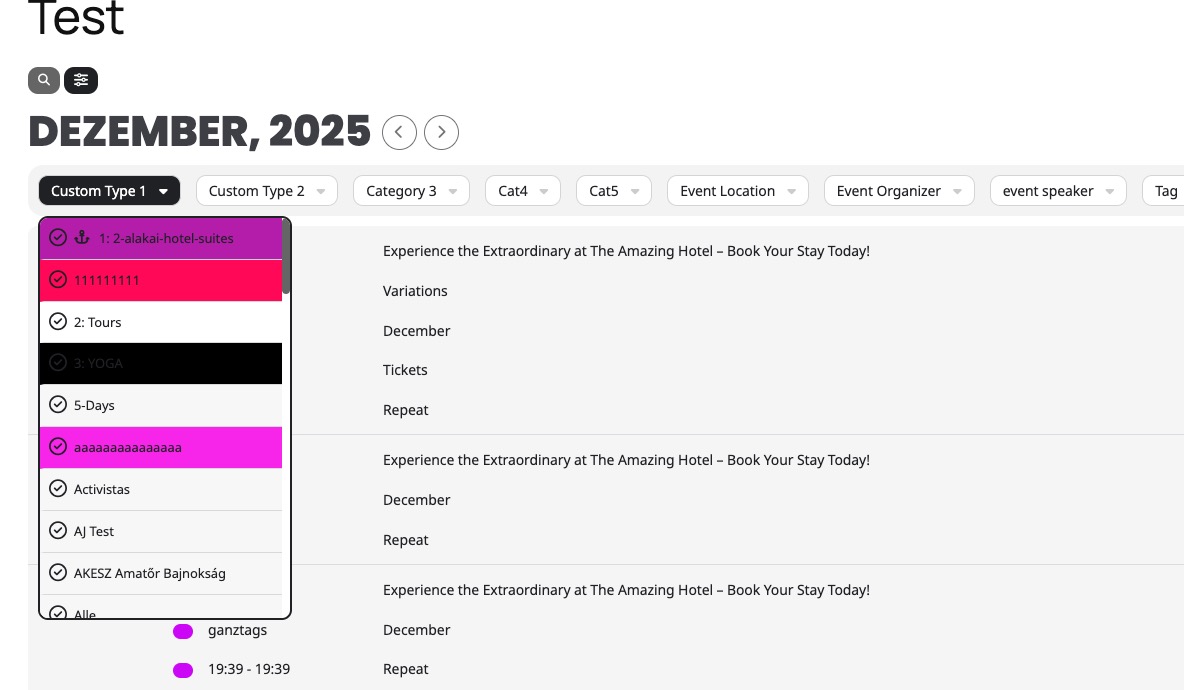
It should be available by default when you enable it on EventON > Sorting and Filtering:
Please check and let me know.
Replies for tickets on suppota
Hello,
It should be available by default when you enable it on EventON > Sorting and Filtering:
Please check and let me know.
I’ve managed to RSVP to the event (no waitlist message):
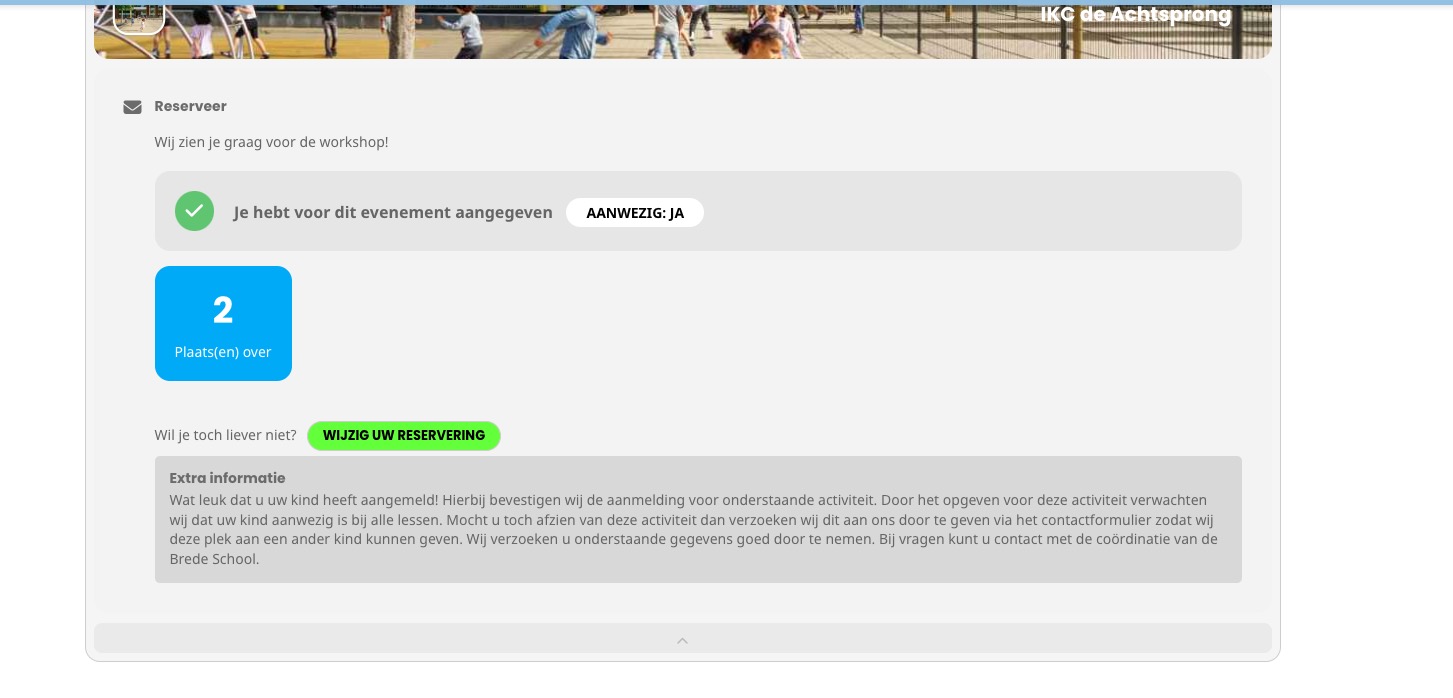
When you tried to RSVP, were you logged-in?
Are there any events that aren’t available to admin?
I will update the permissions for my staff.
Perfect! Please keep us updated.
Hello,
We are sorry for the delay. I was waiting for the login info in your other ticket.
I enabled EventON’s Autocomplete functionality, however, it’s not working at the moment:
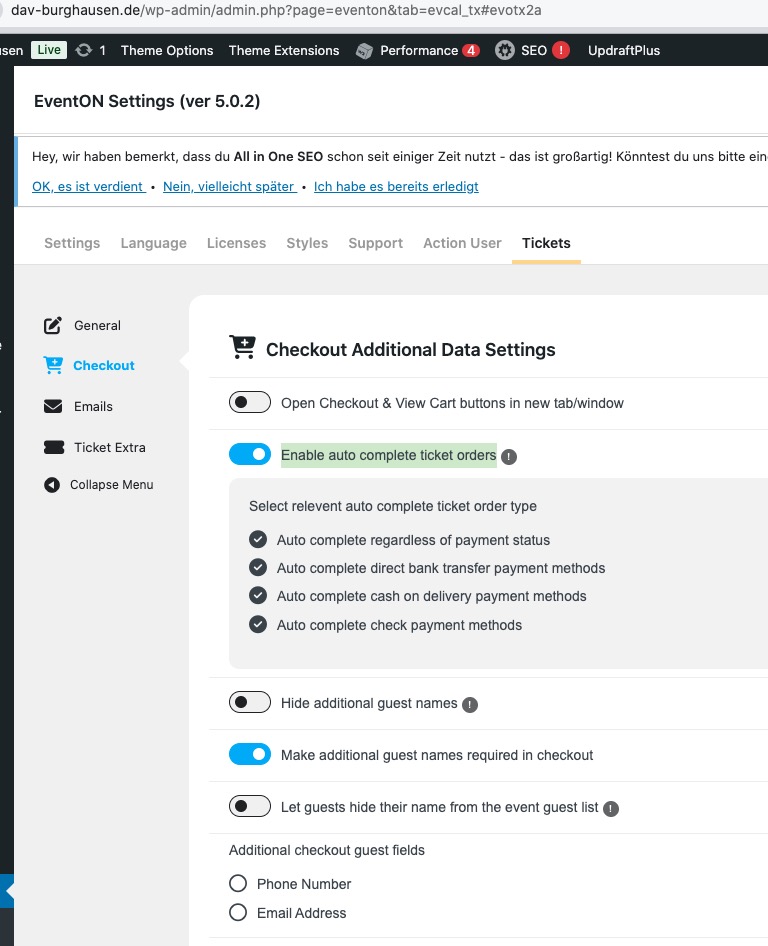
Could you disable your current autocomplete, so EventON can use it’s own?
It seems that when you set tickets as variable, ”Place ticket on out of stock” cannot be enabled:
https://docs.myeventon.com/documentations/set-variable-prices-tickets/
I am going to escalate this ticket to development to help in here. Please allow us some time to address this, and we truly appreciate your patience. Thank you for being a valued EventON customer!
Additionally, if your site has any IP blocking or security restrictions in place, kindly disable them temporarily to facilitate our support process.
Also, will there be a feature soon to show how many tickets are remaining on the event title?
Please create a new ticket and select Feature Request as category so others can vote on your idea and get it moved into development faster.
Also, why is Apple Pay not showing? It’s been selected as an option, but only Google Pay is there?
Please take a look at:
https://libertyphotography.co.uk/wp-admin/admin.php?page=wc-settings&tab=checkout§ion=woocommerce_payments&method=payment_request
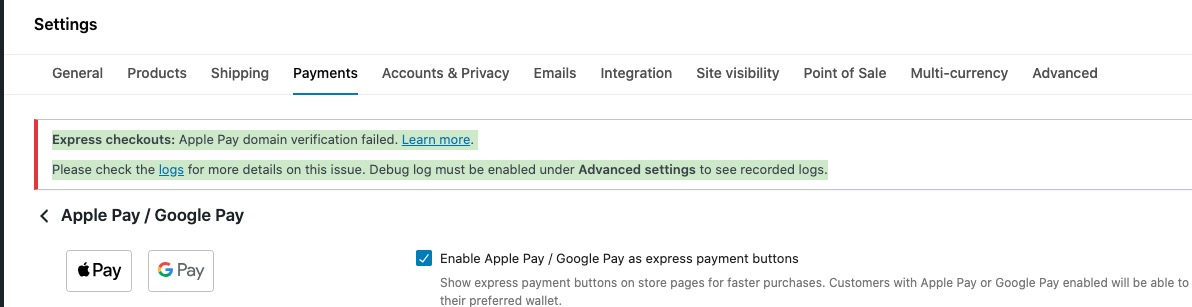
It seems that you need to fix the issue with Apple pay.
In order to request a refund, please create a new ticket under Billing & Accounts and be sure to include the order ID for which you need a refund for and the reason for requesting a refund.
I’ve managed to login to wp-admin.
I created this event, but don’t see it in your manager:
https://www.dav-burghausen.de/wp-admin/post.php?post=22822&action=edit
Do I need to assign it to certain types?
Which version you updated from (EventON, Tickets and so on)?
ok thanks!
The easiest solution is to clone the whole website:
https://wordpress.org/plugins/wp-clone-by-wp-academy/
If you need to transfer events, you need to use CSV Import add-on. But for the styling, please go to EventON > Import/Export General EventON Settings.
The username is support@emavio.com and the password is password123
Hello, Artem.
Thank you so much for the swift and clear response. We will be transferring the website today, on the same domain (new.decunzo.com).
One last question: In order to import the same concerts and the visual format in the new website, would we need your CSV Import plug-in or could it be done straight on from the installed (EventOn) plug-in?