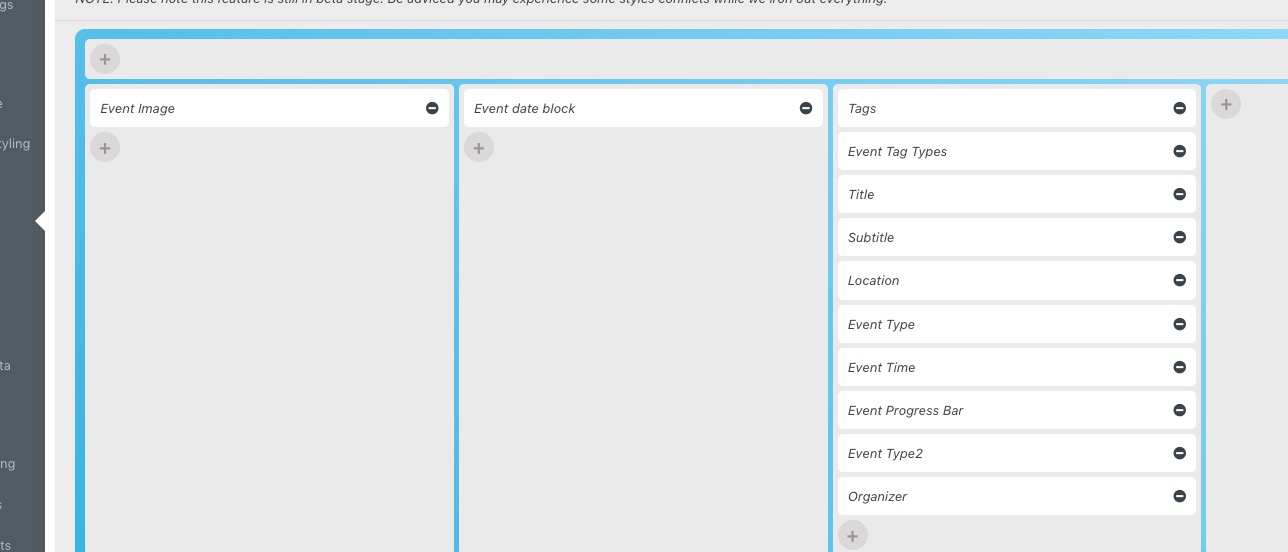
Hello,
You needed to add Event Image field:
https://nevadacounty.consciouscommunity.net/wp-admin/admin.php?page=eventon#evcal_004aa
Please check now.
Also note that Event Top font is black now, so please go to EventON > Appearance > Event Top > change Event Title font color and so on. If you don’t see any change, EventON > Scripts & Styling > turn off Write dynamic styles to header > save settings > turn on Write dynamic styles to header.
Hello,
…their calendar…
Google Calendar? After the purchase, they receive an email containing their ticket, where they can click on Add to Calendar.
Try on https://dev.myeventon.com/wp-admin/
Hello Lars Hansen,
EventON 4.2.1 fixes the issue, so you don’t need to manually add the patch. Please update.
To update eventon to latest version: If you are unable to do autoupdate, you can go to codecanyon your account > download and get the latest eventon version as zip file. Then you can go to your website > make sure “Delete eventon settings & data when EventON is uninstalled” is Deslected from eventon settings, delete old eventon, install new one and activate. This link will further explain the process it. Also you can follow us on twitter to get real-time announcements on updates!
I don’t see the issue. Could you try EventON > Scripts & Styling > turn off Write dynamic styles to header > save settings > turn on Write dynamic styles to header?
Or, even better, please send us wp-admin access to your site as a private message. We are going to remove your fix for a quick test.
The best solution is to either EventON > enable Auto move events to trash when the event date is past OR EventON > enable Hide past events for default calendar(s).
This way all past events will be excluded.
We are glad your issue is resolved, if you have any further questions or concerns please create a new ticket.
Please also add this code:
.tax-event_location .ajde_evcal_calendar.color #evcal_list .eventon_list_event .evcal_desc em,
.tax-event_organizer .ajde_evcal_calendar.color #evcal_list .eventon_list_event .evcal_desc em {color: #6b6b6b}
.tax-event_location .ajde_evcal_calendar.color .evoet_cx em i, .tax-event_organizer .ajde_evcal_calendar.color .evoet_cx em i { color: #6b6b6b }
Previous code can be changed to:
.tax-event_location .eventon_events_list .eventon_list_event .evcal_list_a { background: #e7e7e7 !important; }
.tax-event_organizer .eventon_events_list .eventon_list_event .evcal_list_a { background: #e7e7e7 !important; }
We will look into this more. So please use my code as a temporary solution for now.
Thank you for quick reply! I switched WP Query to last month only and it worked! 😀
I used to delete old events to avoid this memory problem but Im guessing I dont have to be that paranoid about it now since it will use only last month events for loading calendar?
Thank you again!
Hi,
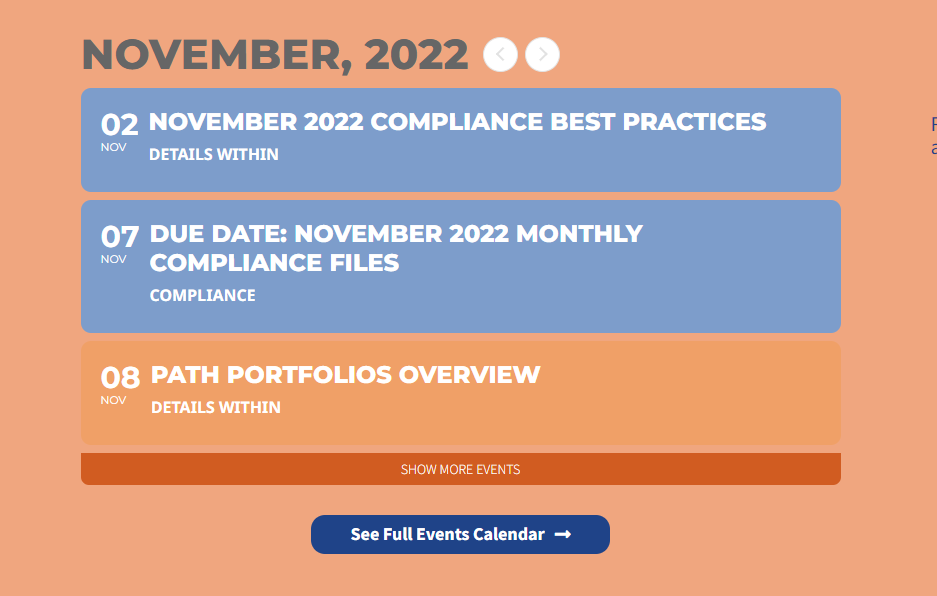
I’m following up on this issue as the newest update have made the fonts even bigger (see attachment). I’m no longer working from a staging site, so you can log-in using the following credentials
Website: Iaaconnex.com
Username: Support_User
Password: sB!lf&9^kBBWvOS#j1QkRI2G
Hello,
Could you go to EventON > try switching Select event calendar WP Query method?
Please also follow
https://docs.myeventon.com/documentations/why-my-site-and-eventon-page-loading-slow/