Hello,
Thank you for your messages, I am going to assign this ticket to Ashan so he can check your fix and include it in the next version. Please allow some time for him to get back to you, we greatly appreciate your patience and thank you for being a eventon customer!
We are glad your issue is resolved, if you have any further questions or concerns please create a new ticket.
If you have a moment, we would greatly appreciate if you could kindly leave us a review at codecanyon! from your account > downloads. Cheers!
Hello,
Date or “Add to calendar” section?

If you are referring to the section, please go to EventON > Event Card Design > remove one Add to your calendar.
We are glad your issue is resolved, if you have any further questions or concerns please create a new ticket.
If you have a moment, we would greatly appreciate if you could kindly leave us a review at codecanyon! from your account > downloads. Cheers!
Hello,
Go to https://www.forge-china.de/wp-admin/admin.php?page=eventon&tab=evcal_2 > translate one word > save. Now go to “Export- und Import-Übersetzungen” at the bottom > press EXPORTIEREN MIT TEXT.
Translate the file, import it with IMPORTIEREN.
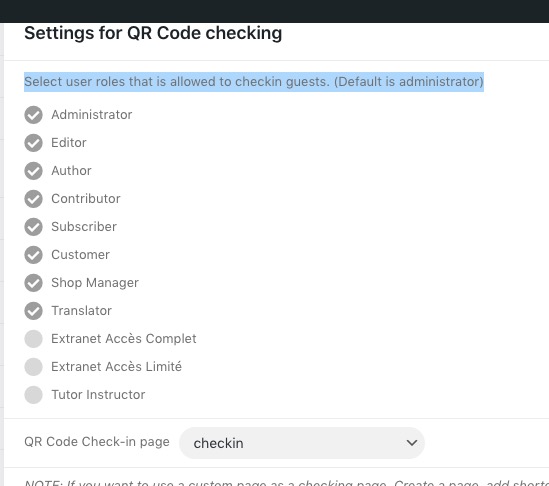
With QR Code you can select which roles can check-in guests:
Just choose the role that doesn’t have any capabilities, except login and check-in.
Hello,
Even if you put
all_day
yes
you still need to put time as well. For example,
02/26/2022,7:00:AM,02/26/2022,7:00:AM,yes
Also make sure to put right column headers for the added time:
event_start_time & event_end_time – Start/End time in format h:mm:AM/PM
Hello,
There is a typo in files. It says 4.1.2, but the latest 4.1.3 version is downloaded.
We are working on the issue. The fix will be included in the next version of the plugin.
Could you give us an example? Event link, for example.
I fixed the problem removing the “” on line 8
But you should fix the code.