Hello,
The issue happens when one of HTML tags isn’t closed:
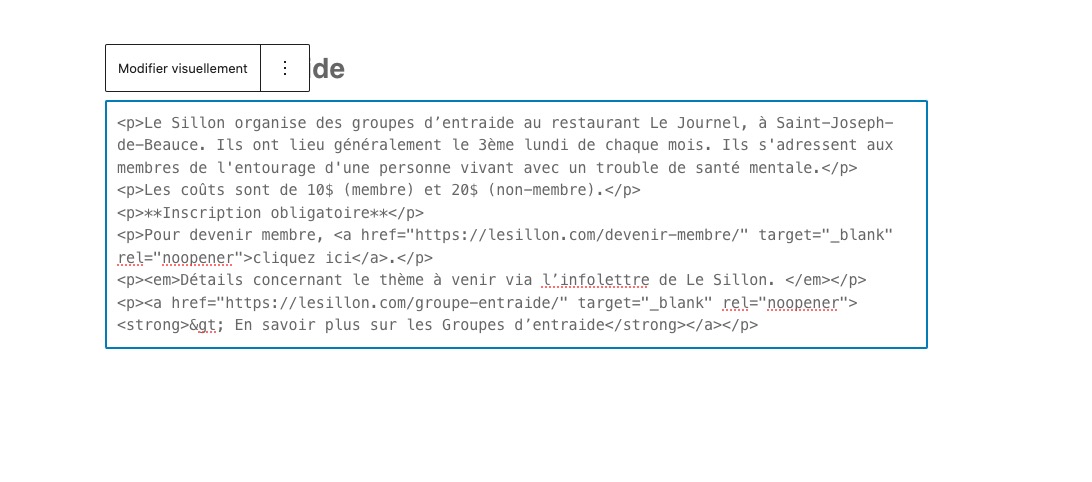
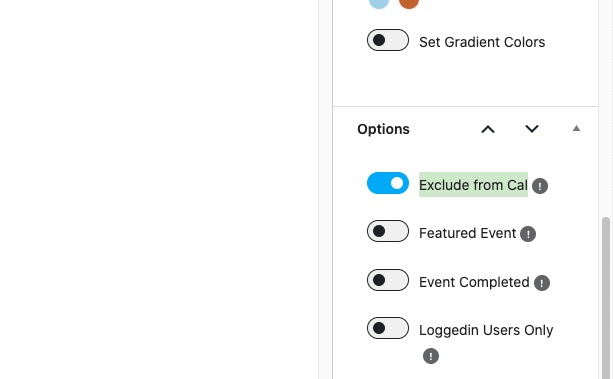
Could you create a new event with the issue, but make sure to exclude it from the calendar, so I can check the HTML:
Replies for tickets on suppota
Hello,
The issue happens when one of HTML tags isn’t closed:
Could you create a new event with the issue, but make sure to exclude it from the calendar, so I can check the HTML:
Closed as duplicate.
Future/Past event can be filtered with the setting you mentioned. But when I activate them only shows the future events of the same month.
We are now in september, so if I filter for future events only shows me the events of september, but not for the next one (october, november, december…). Why is that?
Main Calendar [add_eventon] applies most of it’s functionality to the current month only. But if you switch between months you should see filtered results for each month.
So for example, if you select “Past Events only”, all future months will be empty. The same with Future events only, can you see events from October if you switch to it?
Sorry for my English but I don´t understand. What do you mean with “Jumper” (but only for Main Calendar)? Is a filter I can or a filter I can´t do with my license?
This is Jumper I was referring to:

You can select year and month to show events from. It’s available in Main Calendar and doesn’t need a special license to use.
How filters the events this web with buttons for months and years? https://ajedrezdiagonal.es/calendario/
Could you tell me if any of add-ons I sent to you allow your customers to see events the way you like?
EventON doesn’t allow to select a date range to see events dynamically. Users need to go by year, month, week or day, depending on the add-on or shortcode (Main Calendar with enabled Jumper) you use.
We are glad your issue is resolved, if you have any further questions or concerns please create a new ticket.
If you have a moment, we would greatly appreciate if you could kindly leave us a review at EventON WordPress Page OR Codecanyon. Your review helps us a lot in continuing EventON improvements!
Please take a look at this screenshot:

If it worked on the desktop and safari on iPhone it has to be cache that is causing it to not work on other locations. Please try clearing chrome data in iPhone and give it a try.
BTW, we will be including this fix in the next version update to eventON!
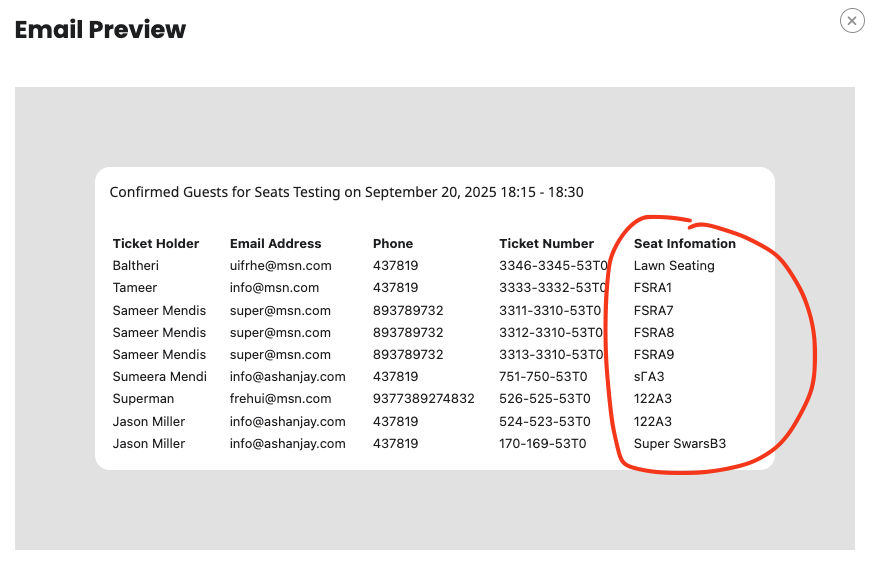
Just wanted to update you the latest version will look something like this for the attendee list in the email.
We have refunded and cancelled the subscription for you.
Also sorry to hear you found the responses “rude” and not useful. You must understand my friend, if we can not replicate the issue on our end, we will need to see it on your website to see what is going on to help you. If the necessary information is not provided, it makes it difficult for us to find a solution.
If you have more questions, kindly send us a new ticket and we would be more than happy to help you resolve your issues!
I am sorry Dan, it is not possible at the moment to create combined bundles of selected addons.
If you upgrade today, it will use today as renewing date for future, and you will pay the difference to next level.
If you would like, you can also cancel this license and re-purchase both licenses as 5 sites and use coupon code EVO20T at the checkout and that will get you 20% off 1st year of subscription.
Hello There, I assume you proceed with “Resubscribe” button from My Account at myeventon.com when the license is pending cancellation. Unfortunately the way our system works, if you resubscribe it will generate a new license as pending cancellation is already tied to the expiring license.
It seems you have only 1 website activated with that license. You should be able to deactivate that and re-active with the new license.
Terribly sorry about this confusion and we hope this work around will work for you.