We can only hide it with CSS, we cannot enable it.
Archives: Replies
Replies for tickets on suppota
Reply to: tickets(286774)
Hello,
Please add this CSS code to EventON > Styles (If you don’t see any change, EventON > Scripts & Styling > turn off Write styles to header > save settings > turn on Write styles to header):
.evoet_cx em i { color: black !important; }
Reply to: tickets(286405)
We are glad your issue is resolved, if you have any further questions or concerns please create a new ticket.
Reply to: tickets(286774)
Hello,
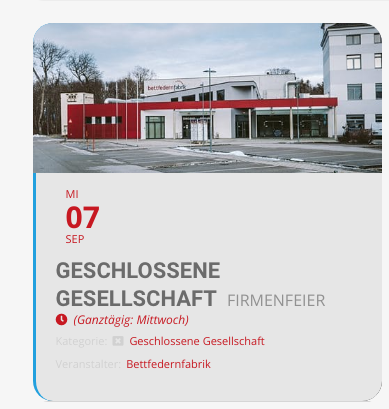
Thanks for the information in private mode. this looks like this. >see image.
Please adjust “Kategorie” and”Veranstalter” font color as dark grey, as those are barely readable.
Thanks for you help.
Reply to: tickets(286907)
the warning i could work around (the array error) by browsing the forum
Reply to: tickets(286907)
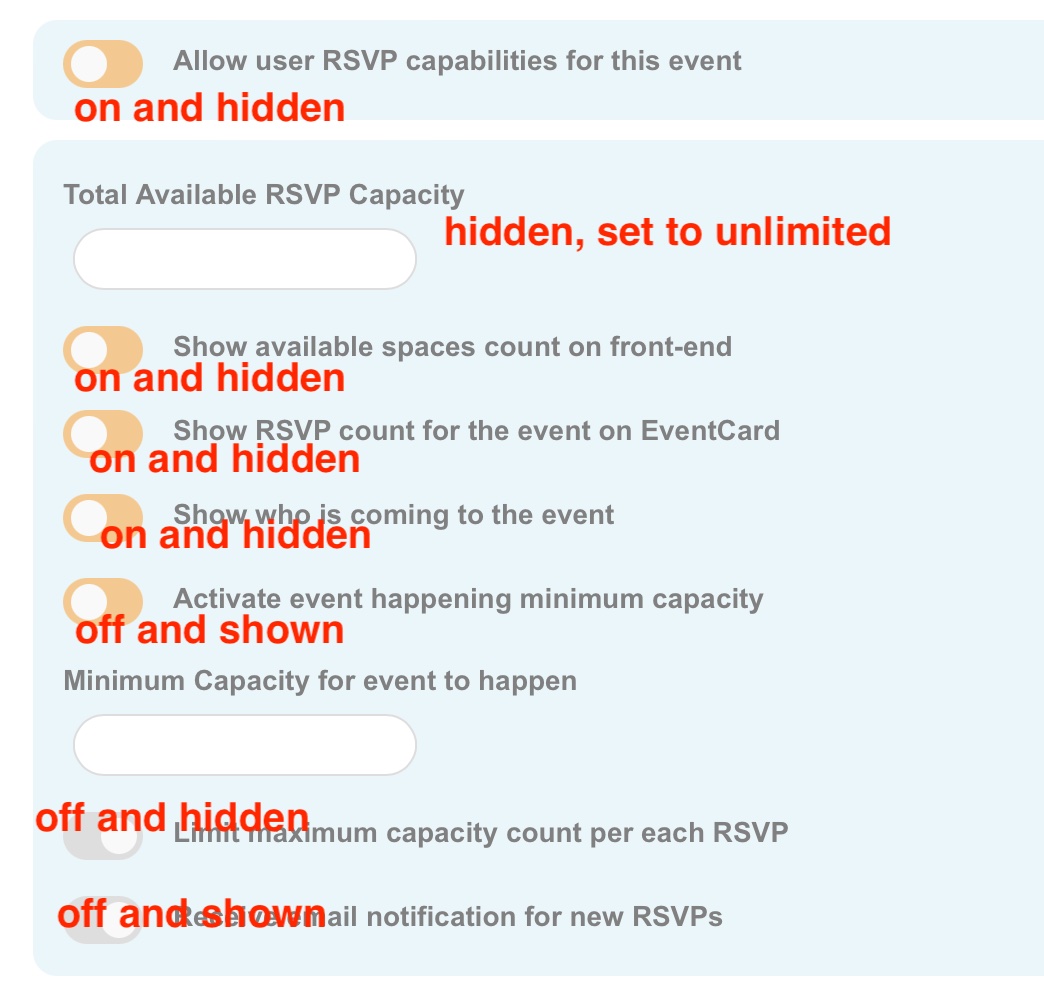
predefinitions it is then 🙂
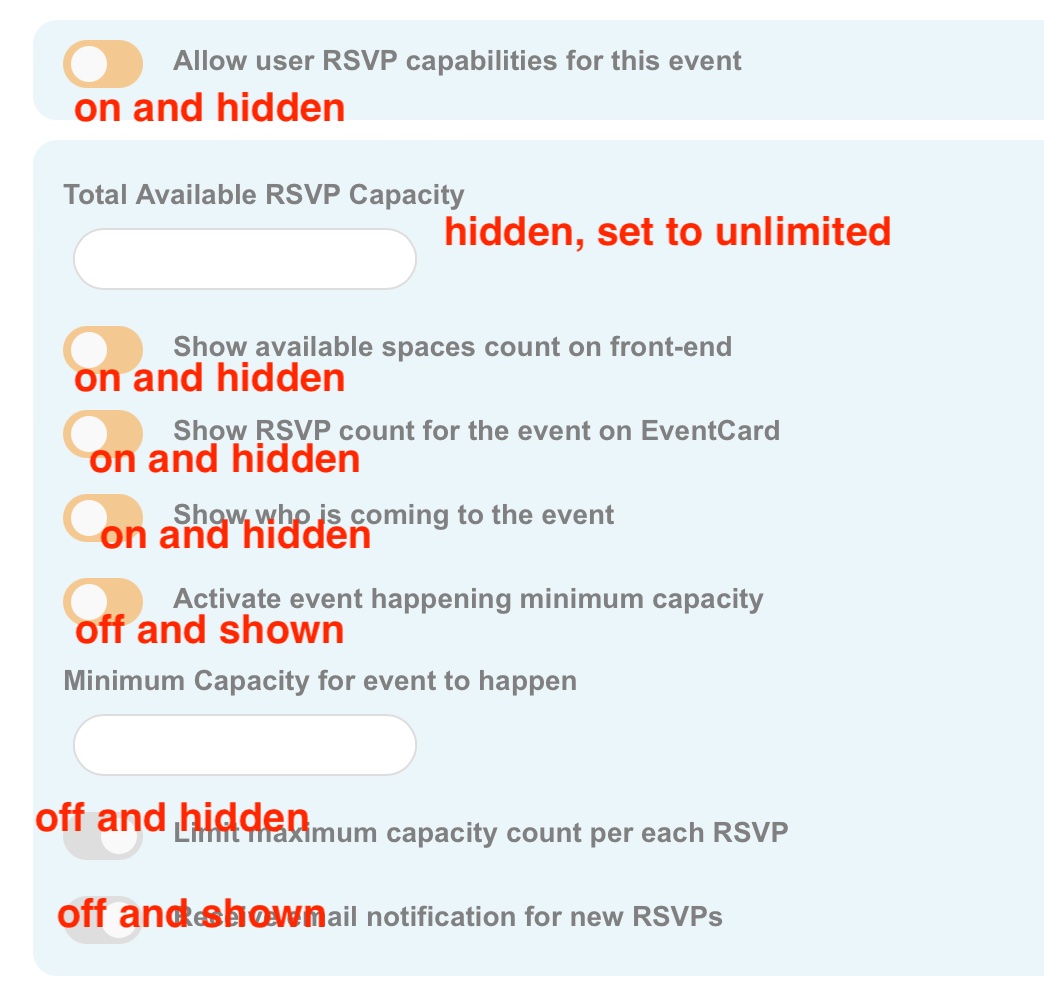
For which RSVP options, see screenshot
Reply to: tickets(286819)
Thanks. There are two Gert Ziel in the system (one admin gert@ziel-ict.nl and one buyer ziel.gert@gmail.com). But I meant exactly what happened in the second video. I also noticed the other options to publish a link through email so that would be a good workaround. Thanks for checking and the screen recordings.
Reply to: tickets(286405)
we solved it.. we were too stupid.. sorry..
Reply to: tickets(286768)
Thank yes that will probably work but as events expire different event will show and would be impossible for me to add all ids, is there any other way please, many thanks
Reply to: tickets(286928)
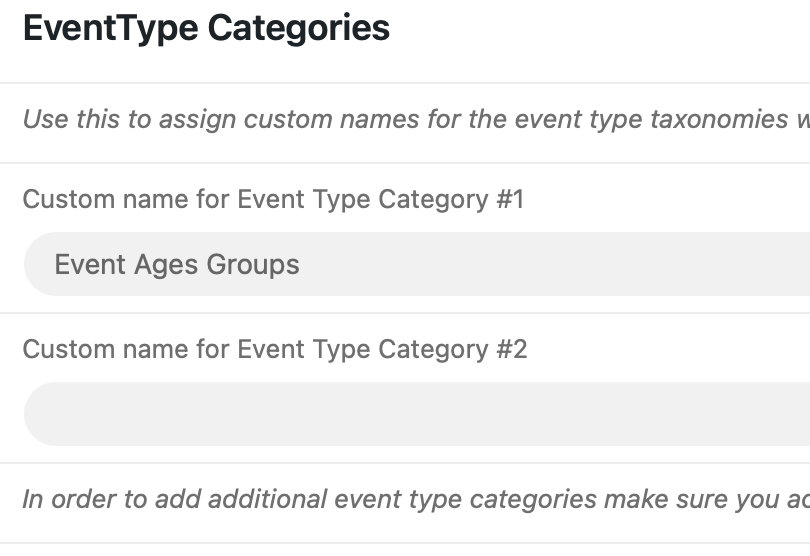
Yes that is correct. It’s was working before and now I removed the Event s to try and add them with the newly installed “Action User” front-end form and the “Event Location” is still working but the “Event Ages Groups” custom category that I had previously added (as was working), no no longer shows up.
I tried turning off and then back on the toggle you mentioned along with clearing the cache, but it is still no longer showing.
How can I fix this? Thanks!