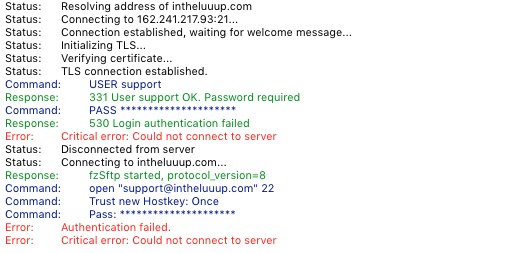
I am sorry, the access information you have provided did not work for us:
Please check them and post the correct login information as a private message, thank you!
Please also send us wp-admin access to your site as a private message for us to further assist your situation.
Hello,
The only way you can purchase our add-ons is from
https://www.myeventon.com/addons/
Unfortunately, we unable to help with products bought on other websites.
But i am unable to complete the shopping process.
Could you tell us more about the issue?
FTP access:
username: support
password: Thanksforthesupport.4
host domain: intheluuup.com
Most of our products don’t really need any tutorial to use, since you can customize the through Shortcode Generator:
https://docs.myeventon.com/documentations/shortcode-generator/
Please also note that you can use any of these options in all calendars:
https://docs.myeventon.com/documentations/shortcode-guide/
However, some may not work, but most will work.
Hello. I have purchased the plugin and soon you will begin to enjoy its potential. I was wondering if there is a tutorial? Thank you
Hello,
Even if you add “All Day” to the file, you still need to add a some kind of time similar way:
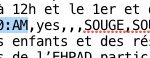
Added event with the correct time:

We are glad your issue is resolved, if you have any further questions or concerns please create a new ticket.
That works perfectly.
Thankyou very much for your help