Host: 3.7.141.168
User: ubuntu
Link to the PEM file: 2021_07_28__WoW__TEST__KP.ppk
Password: Tfl@123
Plugin file location: /var/www/tfltest.wellbeingontheweb.com/wp-content/plugins
Replies for tickets on suppota
Host: 3.7.141.168
User: ubuntu
Link to the PEM file: 2021_07_28__WoW__TEST__KP.ppk
Password: Tfl@123
Plugin file location: /var/www/tfltest.wellbeingontheweb.com/wp-content/plugins
we would need wp-admin access to know what cache plugin you are using and to look over the settings
as for images you want to look for caching plugins that do “lazy loading” which is loading when the image comes into view (so if they click one event only that image loads where as all the other events are waiting for you to click the event top before loading each image
there are other ways to speed up the page:
you can limit the number of events that load first- so that they click a button to load more
you can also look at the weekly view addon that will show this weeks events, the daily view might also work
but for now we would need to see the wp-admin to check settings within eventon, and what cache plugin you are using as theres load of different ones out there
Hi Ashan, thank you for getting back to us. I am glad you see the issue. I guess not many people have used the wishlist plugin on multi language sites.
And yes, I do understand that it is based on unique post ID’s. I do think however that it should be possible to have a database where you can look up the corresponding events – as pairs. I think that is what the translation plugins like Polylang and WPML do. You have a “base” language, and then you have other language versions connected to that event / post / page. So if I create an event in English first, then create the same event in Danish, i can connect them using the language plugin.
You ask: Are you using language corresponding events? Yes – I am using that. An event is basically just a custom post type and Polylang (which we are using) just adds this functionality to all post types, pages, taxonomy etc. You have a base language and then you add another language to that. So I guess whenever you are on a post / page in language A and you switch to language B, there is a lookup in the database asking “Hey, does this post have a corresponding version in language B? Yes – it does, and here is the corresponding post ID”, and it is then served to you
I get that it’s not easy to implement – and that it the queries will slow down loading times a little bit, but I think it’s worth the trade off so EventON can fully support multi languages. The user experience is much better this way I think.
Thank you Ashan. That sounds great. And thank you for listening. I am looking forward to checking out the update when it is released.
kindly try it now
can you provide a link to the page that has the calendar pop up events?
in myeventon>>>>settings>>>>event card I changed the image to direct image- its appears right to me on the single eent page but cannot see your pop ups
Thanks for this. I was able to download it.
Also, I sent a messaged you via Envato a few days ago, but haven’t heard back yet. Somehow, the site registered that I bought three copies of the base calendar. I was hoping to have two of them refunded, as they were accidental purchases. I did a refund request, but it hasn’t come through yet. I haven’t downloaded any of them yet, as I want to be sure the refund goes through on the right two licenses first.
Thanks so much!
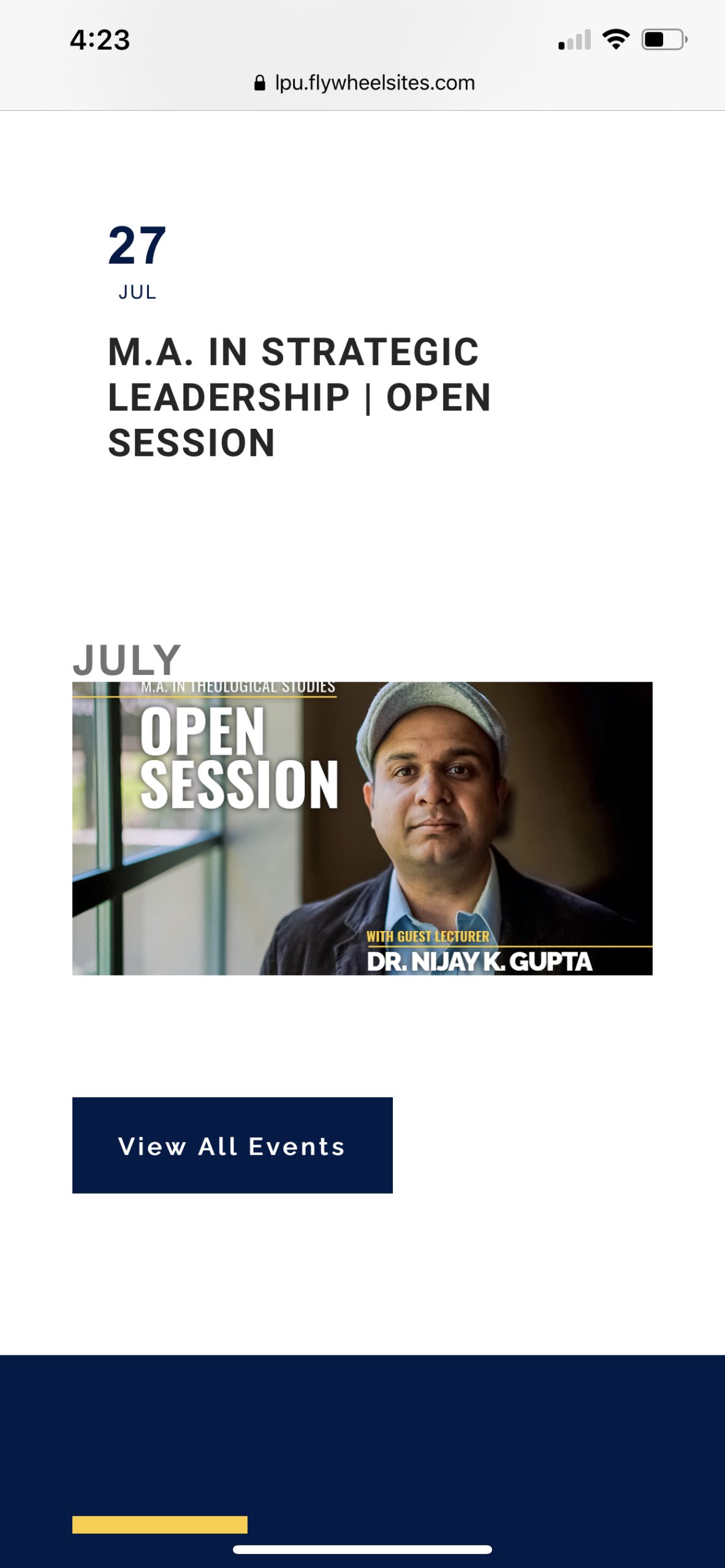
We are super close! The top of the photo is getting cut off and the date/title text are no longer showing up.
You are no pain, we are happy to help 🙂
I have made some changes to the code, please take a look if it’s showing fine on your end now. FYI I have added the code in Appearance > Customize > Additional CSS
Also, please remove the code below, it’s affecting the single event page image
@media (max-width: 960px){
.evcal_evdata_img.expanded {
background-size: 100% !important;
margin-top: -25% !important;
margin-bottom: -25% !important;
}}
Unfortunately that didn’t work either. It created a blue bar on top and bottom and cut the photo off.
Also – looking at the home page now, the photo is currently being cut off on desktop as well.
Sorry to be a pain. This is the last piece of this website for me to finish up.