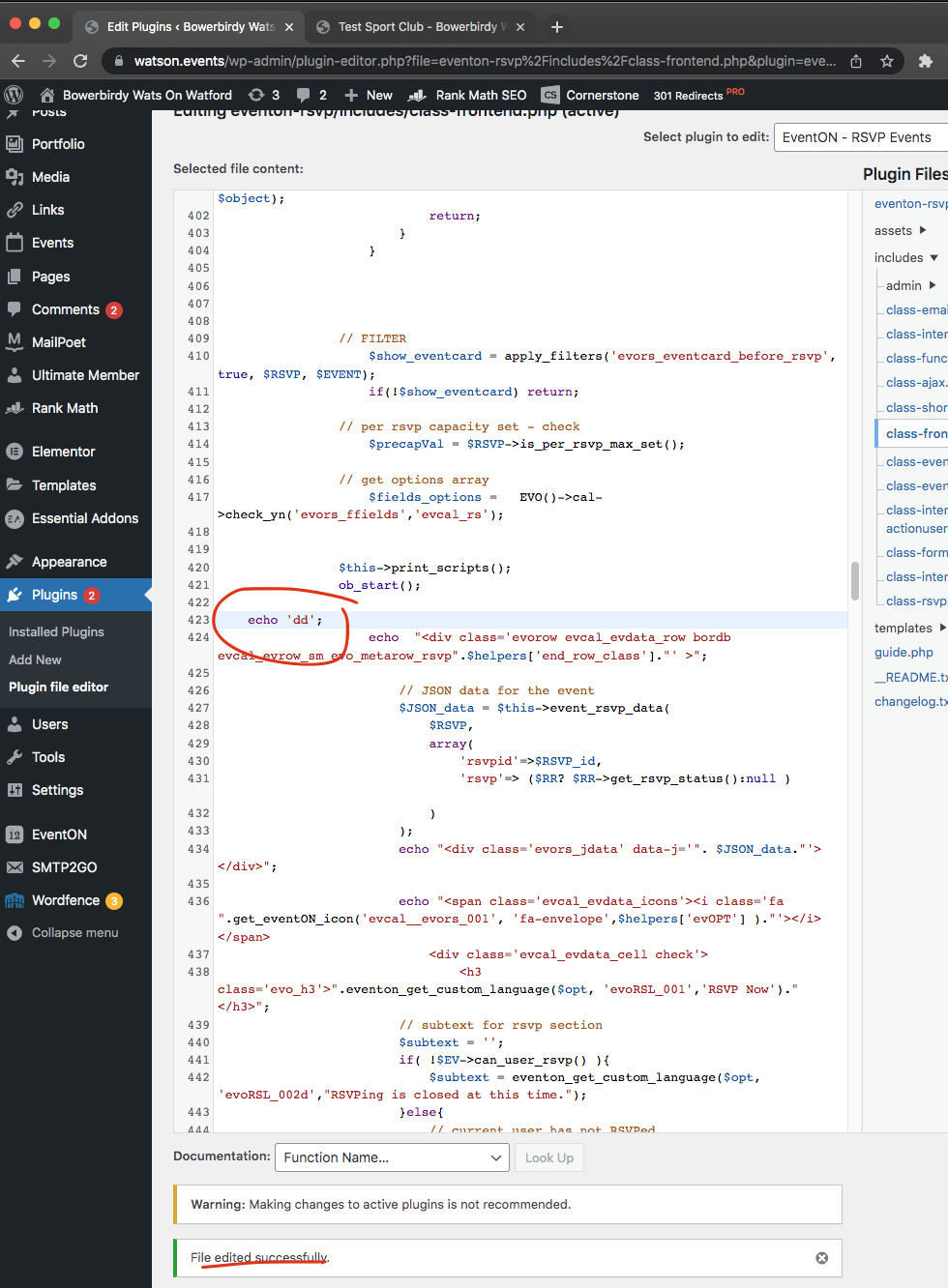
It should show change your RSVP and the rest items. But the biggest problem is whatever changes I made in your code are not reflected on front-end. It should show “dd” in rsvp section as my code change. but it is not.
https://watson.events/wp-admin/plugin-editor.php?file=eventon-rsvp%2Fincludes%2Fclass-frontend.php&plugin=eventon-rsvp%2Feventon-rsvp.php
May be you can share FTP access to your rsvp addon folder? and I can try to see if I can send code changes that way to work?
Ok Lain I added a javascript based quantity max correction method and uploaded files to your site. My tests look like everything is working smoothly. Let me know what you find out 🙂
Thanks for sorting it.
I pulled a few maneuvers to make tickets available for the next few days.
the changes you made looks like normal for all events, no out of stock message and customers can add to cart. Thankfully.
Sometimes event on has a mind of its own.
The plug is great for our business, but there are some things that make it very difficult and time consuming to work with. I’m not being rude. I’d just like it to be one less thing to worry about. It does somethings really well, and it would be great if we could sort the few issues that we experience.
Is it possible to have video chat one time? Emailing and making videos of issues pulls me away from the other tasks that I have at hand. It would good to show you the issues. It may be we are using the plugin in a way it’s not intended.
Thanks
Iain
Ok this event is now working https://rollerstop.co.uk/6-skate-tuesday/
Crap sorry about that working on your site now.
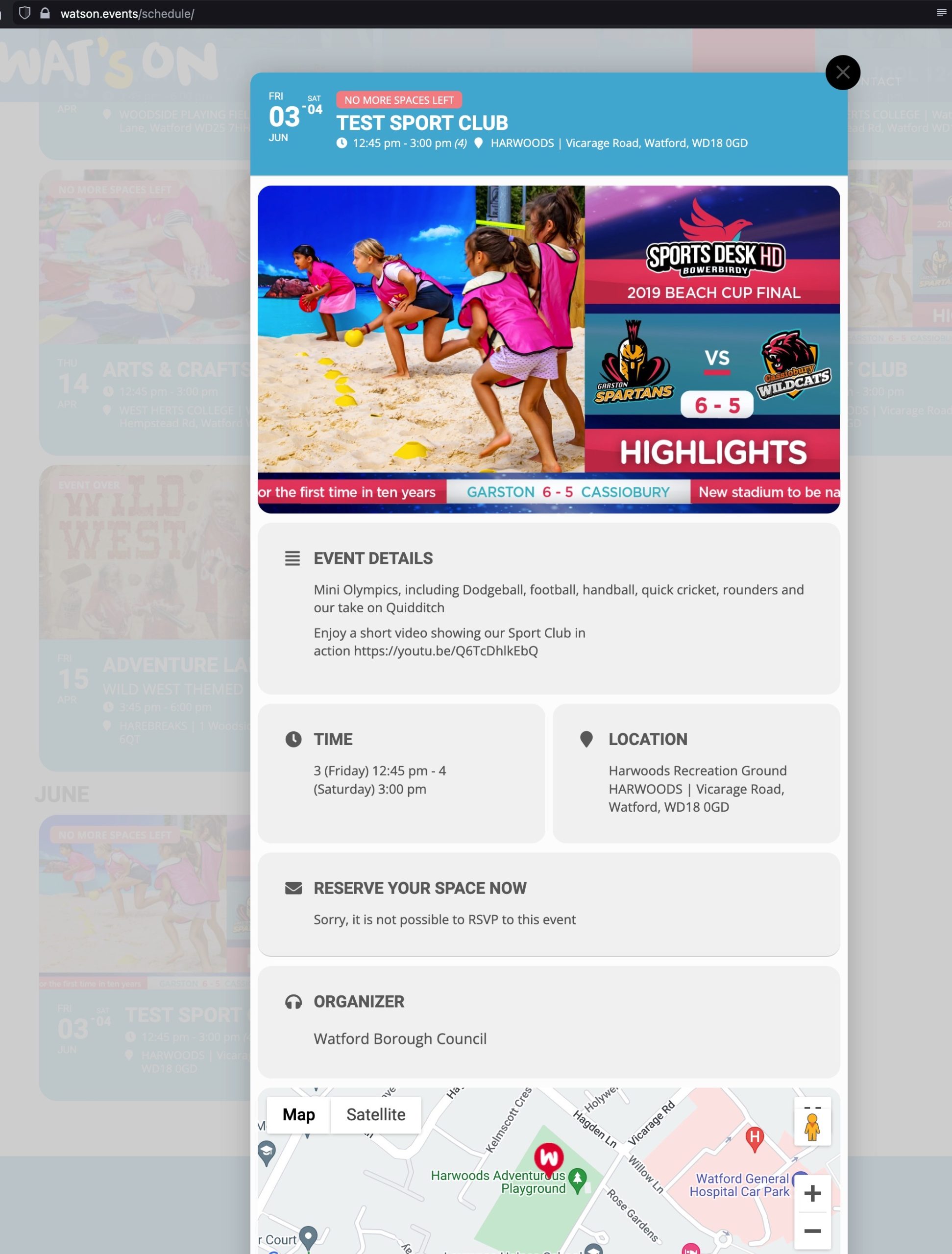
I have just tested the site, and there is still a problem.
I have registered for the event with 3 children and the event is now fully booked. I have added the screenshot and it shows:
RESERVE YOUR SPACE NOW
Sorry, it is not possible to RSVP to this event
Is this a problem because we are using a lightbox for the event?
Hi. We are hosted on WPX.net
You are correct, they do have a CDN Cache. I have just cleared it now.
Christian much apprecaite your patient kindly try this patch fix.
https://docs.myeventon.com/patch-fixes/ics-download-event-time-not-correct/
see i made code change in your site but it is not showing anything on frontend. anyway to check to see if there is server cache enabled via cpanel on web host?
https://watson.events/events/test-sport-club/
is it possible to create a clone of your site and then allow access just to eventon folder?