Hello,
Unfortunately, we unable to help with customizations, since it’s against CodeCanyon’s Support License policy.
Replies for tickets on suppota
Hello,
Unfortunately, we unable to help with customizations, since it’s against CodeCanyon’s Support License policy.
yes sorry you have to manually copy that organiser page and paste it into the URL field of the edit organiser section
one of the ideas we are thinking about is reworking that organiser page to include more info about the organiser (bio, links past events, future events reviews etc ) but we have not started the code work as yet
no, sorry. i don’t want to go to another url or organizer website, but into the organizer page created with EVENT ON.
this is an example
this is the event
https://civilweek-vivere.it/eventi/cosa-sappiamo-fare/
i want to click on ORGANIZER and go to
https://civilweek-vivere.it/event-organizer/a-f-g-p-centro-padre-piamarta/
is it possible? or i have to insert manually it on
Events > Event Organizer > press one > add Link ?
see video below
that page link is https://amn.imcreative.ro/eventon-test/
so you pointed to the main calendar which shows one month at a time and we didn’t realize the events go back so far
you might need to tweak the shortcode from -144 to -400 and show 700 months – which sounds like alot but means you don’t have to edit the shortcode for a few years
Hello,
Add this custom CSS to Appearance > Customize > Additional CSS
@media only screen and (max-width:768px){
.evoaup_slevel .slevel_details b{margin-left:4px;}}
I suspect that when you purchase the event ticket from https://www.yogainverness.co.uk/product/ticketbeginners-class-beauly2022-03-08-2/ then it would change the paypal address to the other person but when you are doing it on the event itself it wouldn’t
on the link above theres the option to add to basket and then a huge paypal button which goes to paypal then and there. why is that?
hitting the big paypal button bypasses checkout. is that big paypal button added via the angel eye plugin? or does the angel eye require the customer to go through the full checkout
elementor is causing that word to break
so you have 2 choices- modify elementor to stop breaking word
Or add this to
appearance>>>>customize>>>>additional css
.evoaup_slevel .slevel_details b {
margin-left: 150px;
}
now you’ll have to play around with that 150 to get the right fit for you
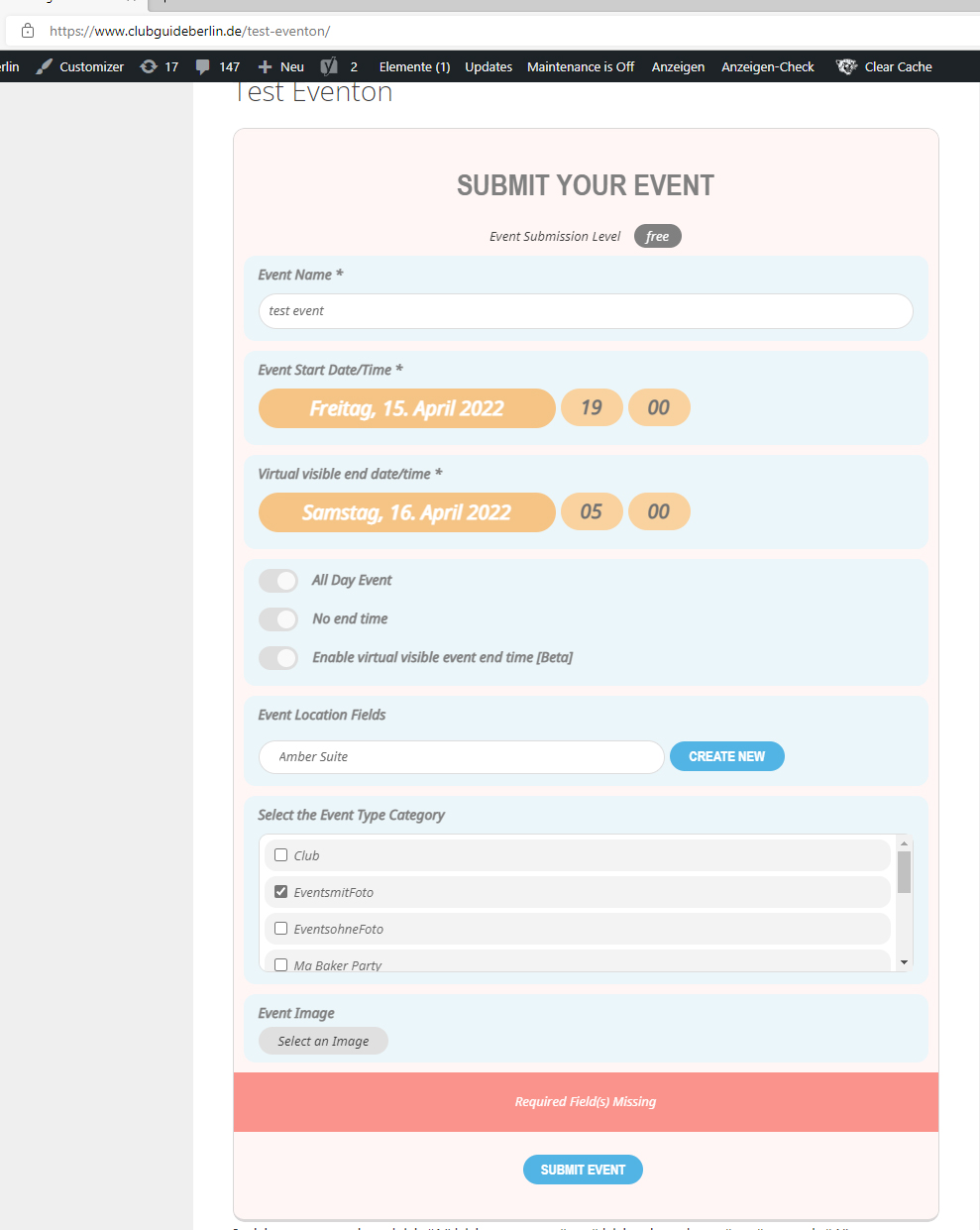
Hello,
I have discovered another problem with the css solution.
if i hide the end date date via css and entering the virtual end time as customer then i get the prompt “required field is missing”.
the virtual end time cannot be used in this way
It would be better, for example, if the use of the end date time could also be selected via the submission form settings.
2 ways on each event or globally
see video below
We are glad your issue is resolved, if you have any further questions or concerns please create a new ticket.
If you have a moment, we would greatly appreciate if you could kindly leave us a review at codecanyon! from your account > downloads. Cheers!
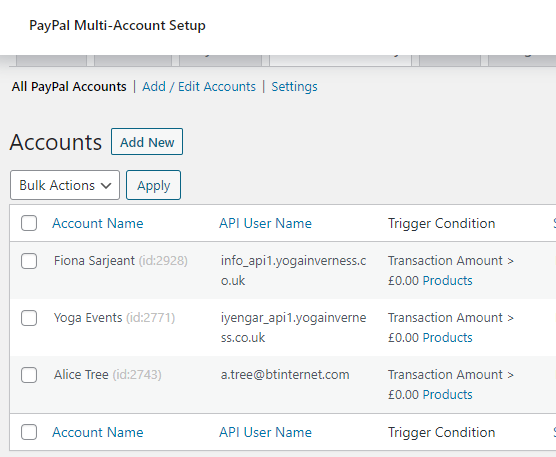
The plugin is probably similar to Dokan, you set trigger conditions for the payments to be directed to different accounts. In this case, the payments for any product are not split, and there is no commission, simply some products (tickets) are paid to the default account, some are directed to a different account. In the account set-up, you can define by SKU which products trigger the account to receive the payments. There are other trigger conditions which can be selected but none of these are needed (I think).