Hello,
Please go to EventON Settings > Time > enable Allow universal event time format on eventCard > add this to Date/Time Format
F j(l) g:ia {Uhr}
Replies for tickets on suppota
Hello,
Please go to EventON Settings > Time > enable Allow universal event time format on eventCard > add this to Date/Time Format
F j(l) g:ia {Uhr}
Could you try going to EventON > Time Settings > enable Use UTC offset time globally on calendars (BETA)?
Hello,
1. Thank you for your great suggestion, at the moment it is not supported. However please create a new ticket and select Feature Request as category so others can vote on your idea and get it moved into development faster.
2. Try RSVP – User RSVP Manager [evo_rsvp_manager]
Hello,
It’s 16px on my side:
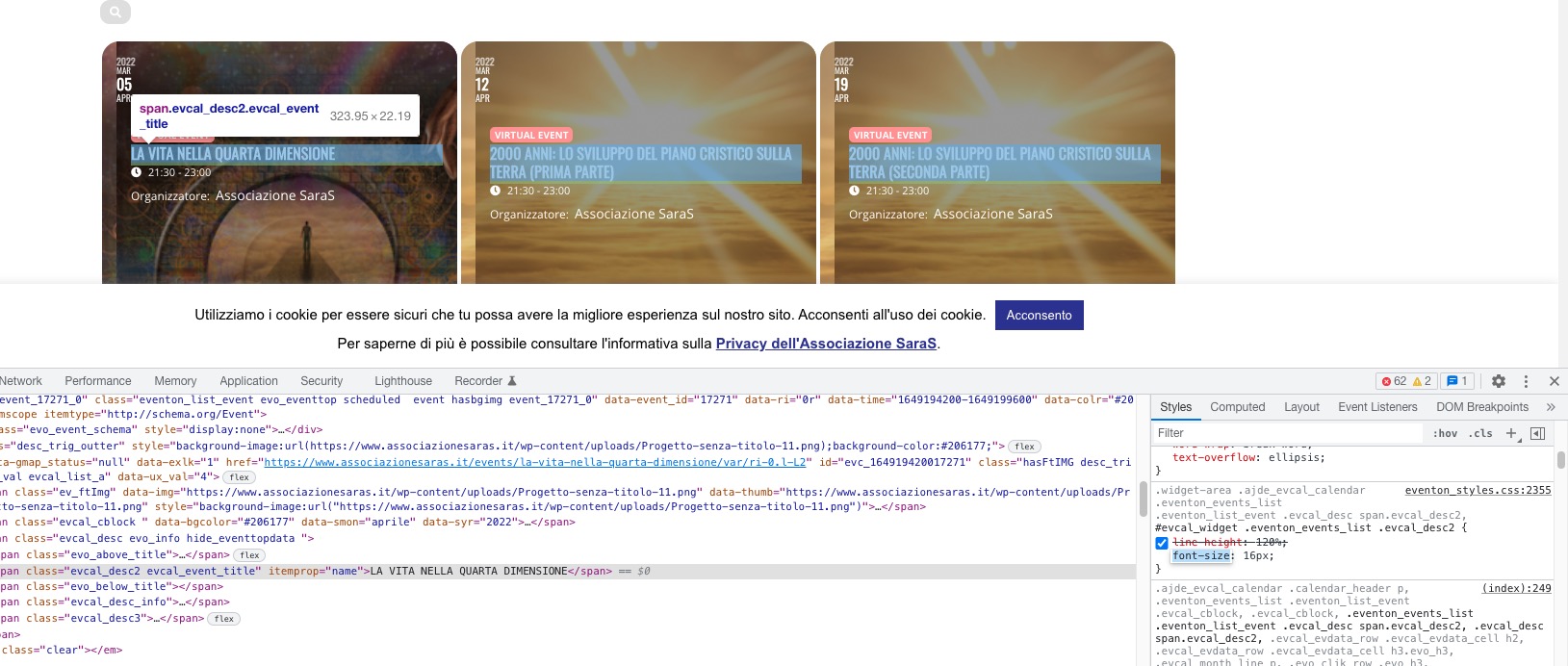
I would like to try to put the title at 16px, now it is at 14px…
Do you want font-size: 16 or 14?
We are glad your issue is resolved, if you have any further questions or concerns please create a new ticket.
If you have a moment, we would greatly appreciate if you could kindly leave us a review at codecanyon! from your account > downloads. Cheers!
Hallo!
No I have not solved!
For safety I entered this code:
.widget-area .ajde_evcal_calendar .eventon_events_list .eventon_list_event .evcal_desc span.evcal_desc2, #evcal_widget .eventon_events_list .evcal_desc2 {font-size: 16px! important; }
Where I put the “font-size” at 16 so you can see the difference but nothing has changed.
Not even by deactivating and reactivating the write dinamic style to header command.
Hi,
Indeed, it works far better like that.
Thanks,
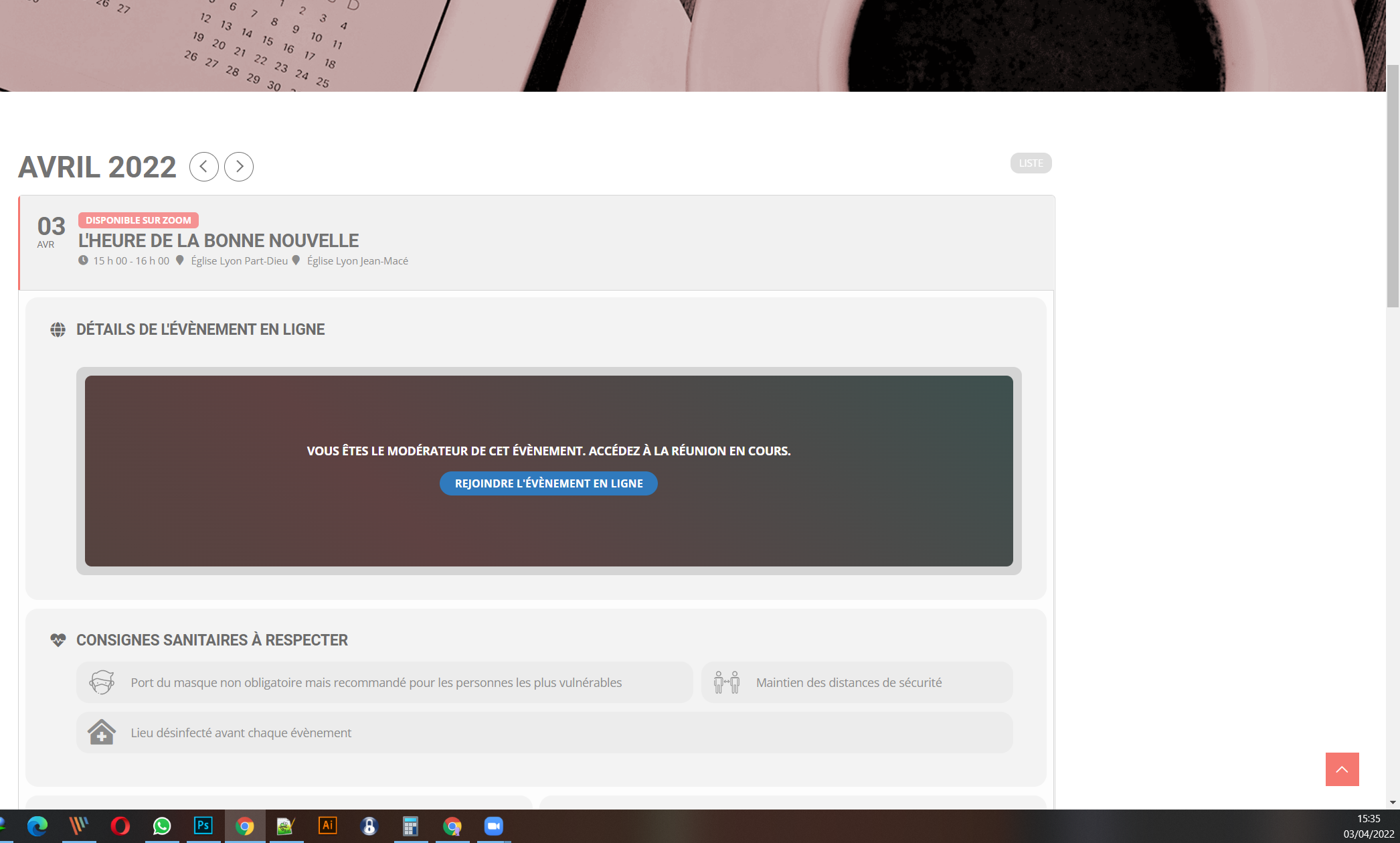
hello there !
Maybe you can check on your side first ? Right now I can’t give you access to admin.
Here is another example the event isn’t shown active while running!! We are on GMT+1
Thanks! Regards,
Guillaume
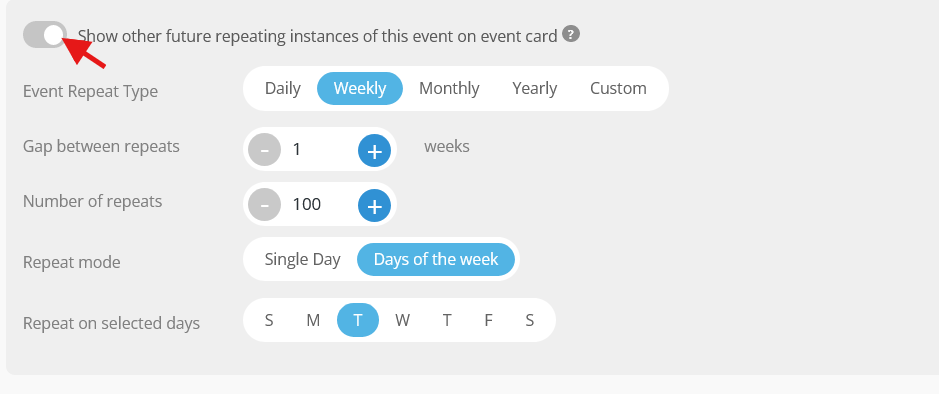
As I explained to you, I do not want to show the scheduled courses in automatic repetition but only the courses of the current week. I selected the option but it doesn’t seem to work (see screenshot)

Time