When I include any option to the shortcode, the map reverts back to the extremely zoomed out version.
Archives: Replies
Replies for tickets on suppota
Reply to: tickets(262713)
Hello Ashan, thank you for resolving the issue. The eventon map works with the eventon tab now but I noticed it does not accept options to customize the map shortcode.
Sample of options below:
eventtop_style=”0″ show_et_ft_img=”yes” filter_relationship=”AND” accord=”yes”
Reply to: tickets(270064)
And one more time: I just updated plugin on another website with RSVP and wait list addons active and received a file not found error for a different file:
eventON/includes/admin Again, I hit continue. Events seem to be displaying properly.
Reply to: tickets(270437)
tickets does
Reply to: tickets(270064)
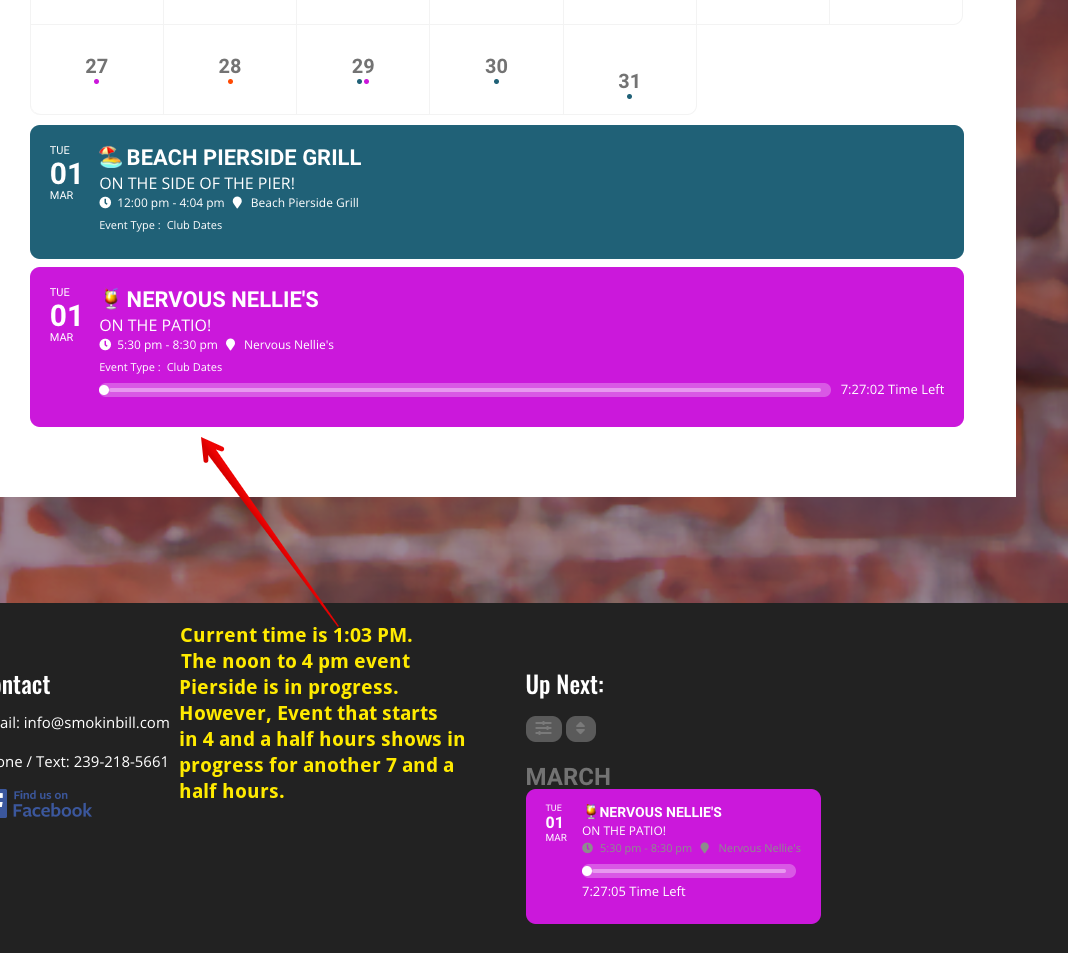
Ashan, I just noticed this on the front end and thought I would alert you. See screen shot.
Reply to: tickets(270064)
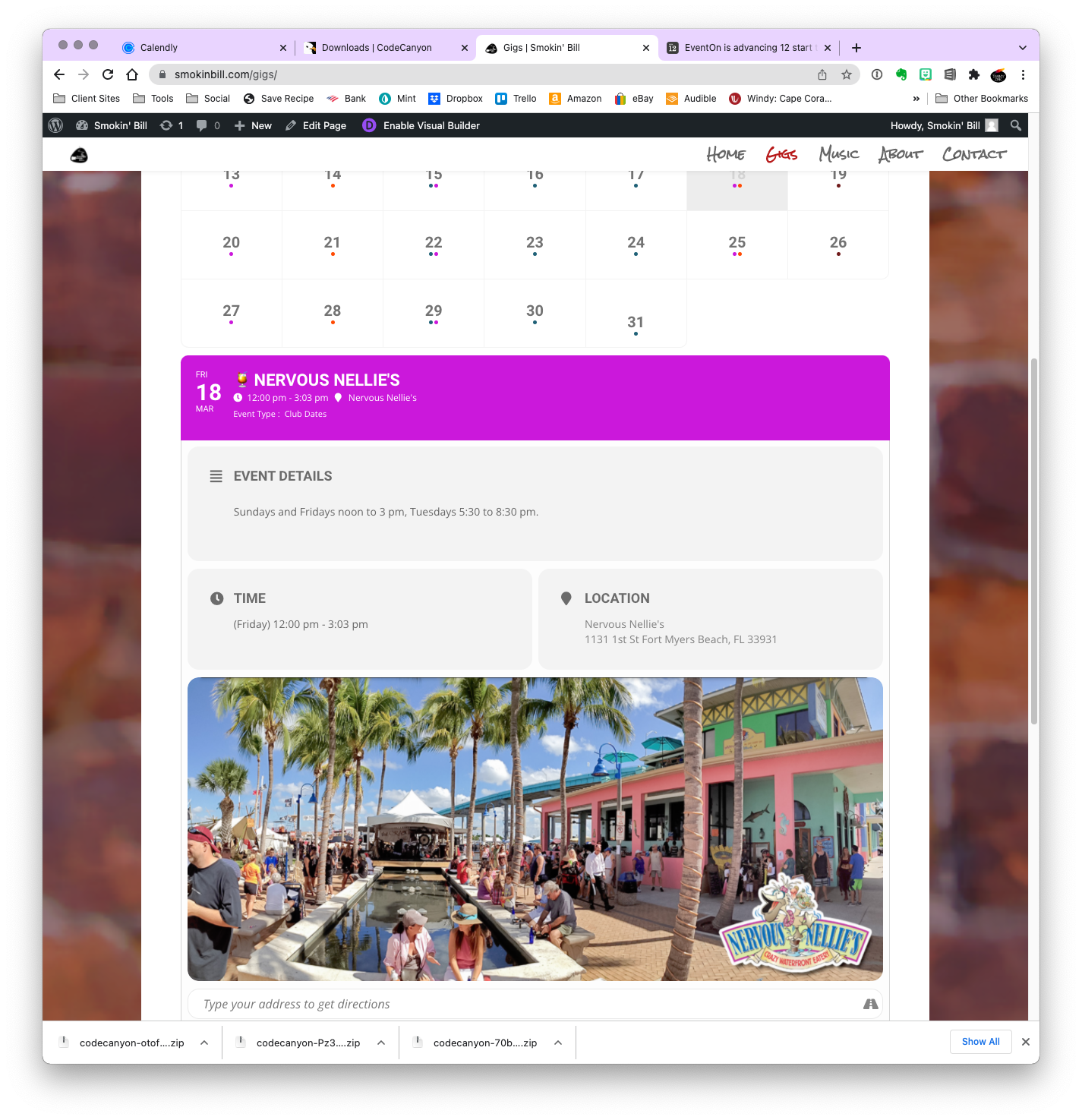
Hi Ashan, thank for this, and for the code fix. I updated the plugin to the newest version and made the time correction and it seems to be working – although now the end times are advanced by 4 minutes for the 4 pm end time Tuesdays thru Thursdays – and by 3 minutes for the events ending at 3 pm on Fridays and Sundays. I didn’t know if I should add the code first, or do the update and not the code – but in any event – Close enough! I thank you!!
On another note, I received a “file not found” error when uploading the new plugin to the website: File not found. eventON/includes/elements/class-lightboxes.php I just hit continue.
Reply to: tickets(269661)
Hi again.. So we did a copy of all the events manually and saved in in a way that we can reimport it anytime..
We checked again with our hosting provider and found out, that we actually have 1gb per instance memory. But the plugin should not need 1GB Memory to show 200 events ?!
By unpublishing the events we found out, that it stops working as soon as it is more then 100 events.
We installed the newest version of the Plugin is it still not working ?
Is there a limitation for the number of events possible ?
Is it possible to have a video conference to get it running together ?
Reply to: tickets(268824)
Hello Artem,
you replied yesterday.
I can not see the answer here
Reply to: tickets(269718)
See attached.