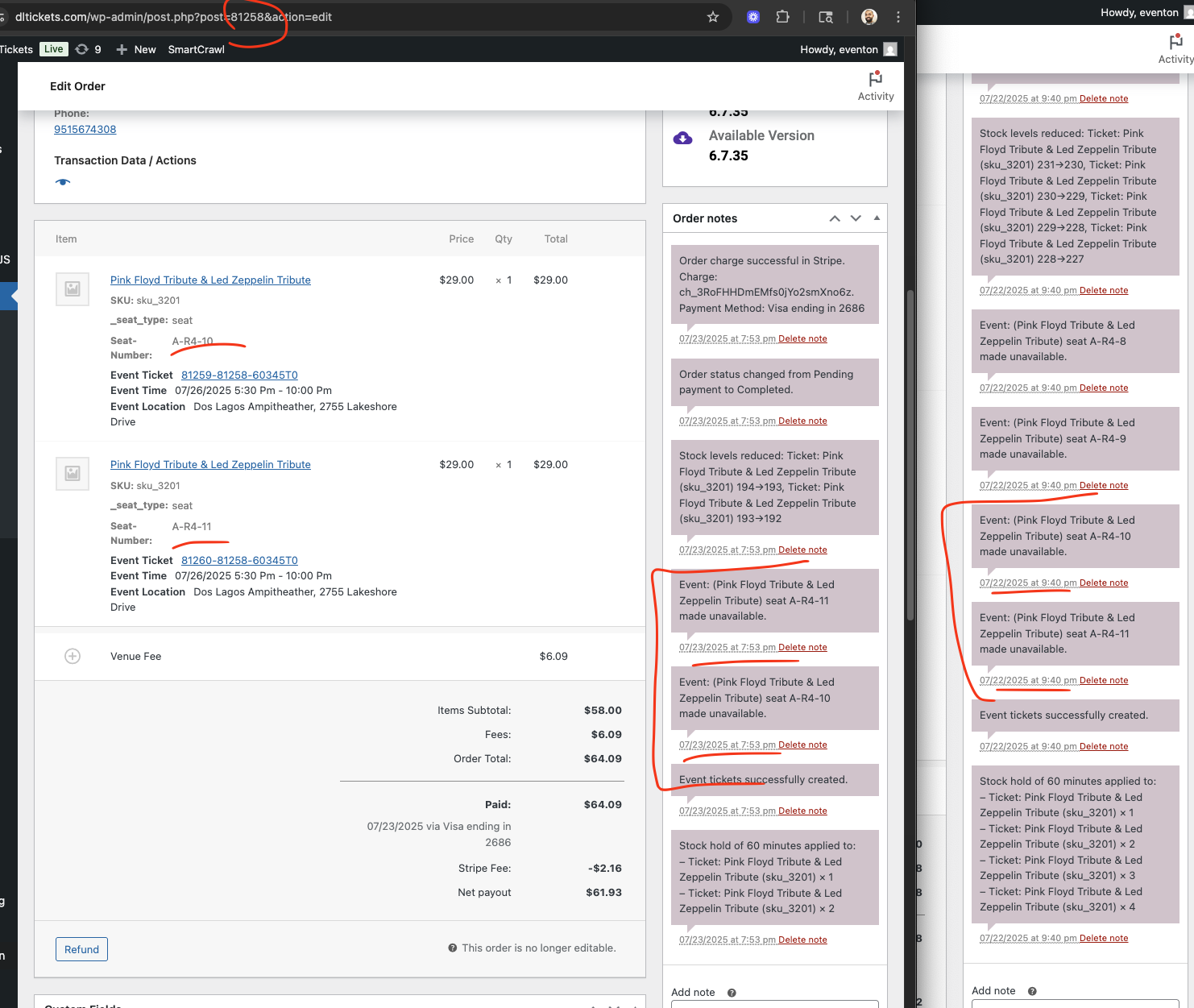
Shervin just checking on system logs for the ticket purchases and example i am looking at is order ID 81258 and 81117. 81117 bought the tickets 24hr+ ago. It seems 2 of the tickets from their 4, were available for someone else to purchase.
Replies for tickets on suppota
Shervin just checking on system logs for the ticket purchases and example i am looking at is order ID 81258 and 81117. 81117 bought the tickets 24hr+ ago. It seems 2 of the tickets from their 4, were available for someone else to purchase.
Yes, sure! This is a copy of our live site, which I obviously patched with the code I suggested to you.
Shervin we are terribly sorry this happened. Please allow us to see what is going on and see how the same seats are possible for purchase by more than once customer… looking into this now.
ok, I checked the event (Sista Marybeth & Robyn Lobe – JUL 31), the “lightbox window” was already enabled. I refreshed the config and updated the event. No change, the seat map does not load.
Ok, the wp config file has been updated. I will try the setting
this error “Uncaught ArgumentCountError: Too few arguments to function EVOQR_Checkin::show_qr_code_TX3(), 2 passed“
comes from older version of Tickets addon but you have the new version 2.4.18 — i think updating may have resolved that issue for you.
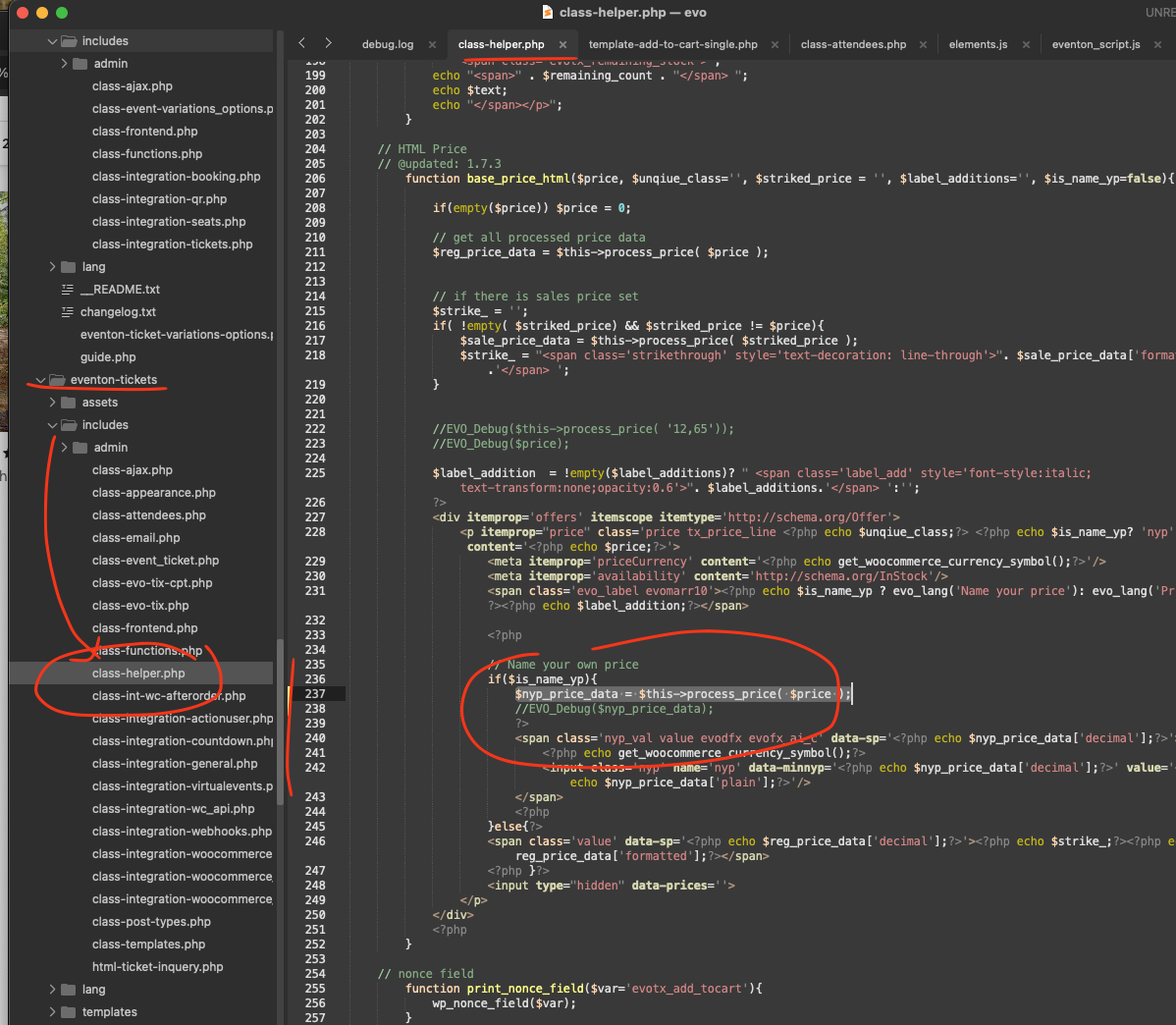
About name your price. Can you please make this code change?
code: $nyp_price_data = $this->process_price( $price );
Hello,
Please send us wp-admin access to your site from “Access Info” box on right side menu, to further assist your situation.
How I set it on our test site:
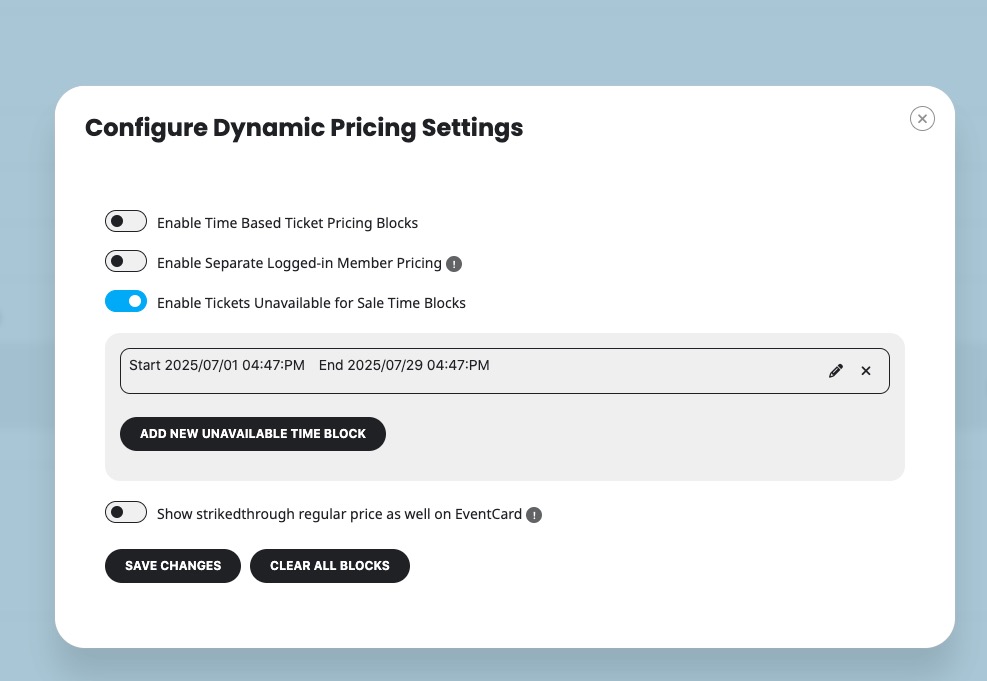
No issues:
https://dev2.myeventon.com/events/tickets-2/
Hi there, I made a video here: https://www.loom.com/share/1f0e6eda957c4bf3971ba8f80195585b?sid=d008622e-7e0b-4583-a79c-633ba2c8f5d2
thanks,
Rachel
Did you try changing “Seat Map Area Size (px) *”?
The map is much bigger when I set it to “650 x 350″:
https://dev2.myeventon.com/events/seats-21/
Could you check and let me know?
Following up on this since I really need this to be functioning.
Looks like it’s a conflict with Enfold WP theme. So added the below filter to my functions.php
Now the select image button opens the media library (which is not ideal – should be opening a browse files window).
add_filter( ‘avf_enqueue_wp_mediaelement’, ‘avia_always_load_mediaelement’, 10, 2);
function avia_always_load_mediaelement($condition, $options)
{
$condition = true;
return $condition;
}
And when I choose an image to upload I get following error in Media Library:
An error occurred in the upload. Please try again later.