What documentation you are reffering to? Are you refering to tickets 2.0?
Archives: Replies
Replies for tickets on suppota
Reply to: tickets(264892)
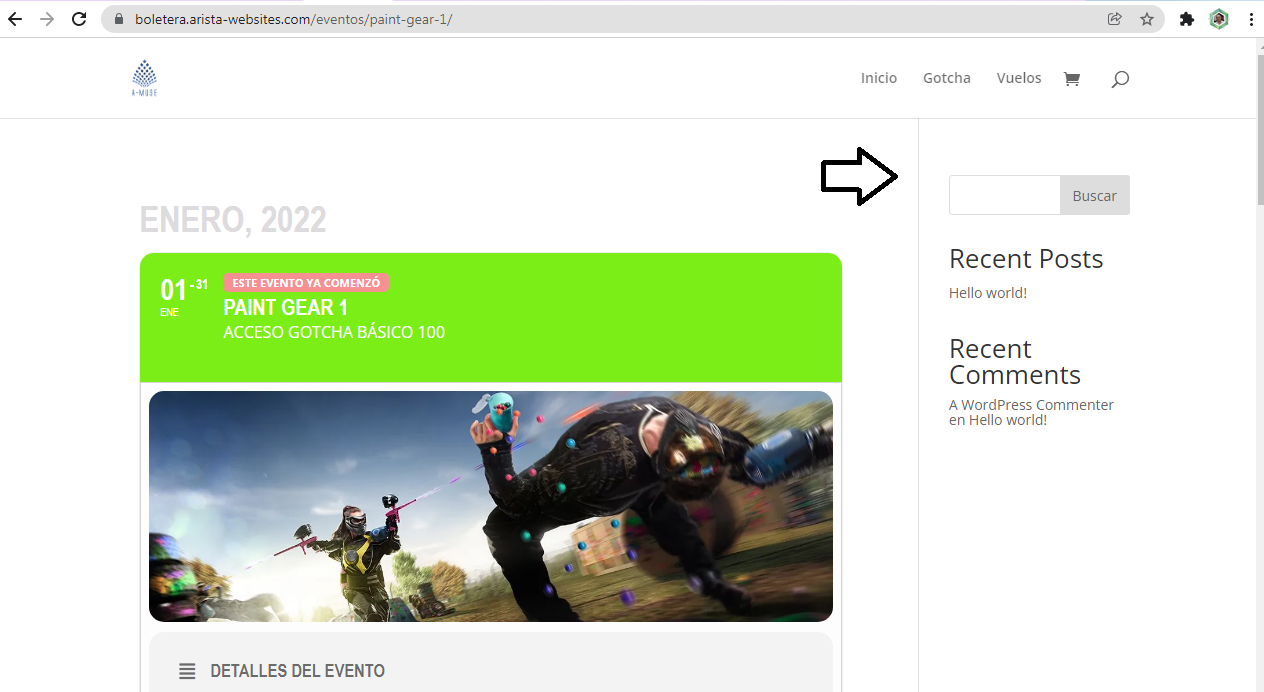
This is the image of what I need to eliminate…. I already set DIVI to not show this and it works in products and events that doesn’t include the tickets option…. but whan I activate the tickets option it appears…. hope I made myself clear…. tks for your support
Reply to: tickets(265004)
Sorry about that:
https://necanews.org/account-login/
eventon
#buKGeyeJLIc%z$!VrP9mh7x
Reply to: tickets(264974)
Unfortunately Artem, they don’t work… I’m afraid we have to stop using the slider addon. Or we will not do the updates. How bad! 🙂 We will find a solution, thank you for your interest…
Reply to: tickets(265029)
Client would like it to also show Preview time and Pickup time.
Reply to: tickets(264439)
Great! If you have any further questions or concerns please create a new ticket.
Reply to: tickets(264969)
It is installed. Please take a look at https://dev.myeventon.com/139854-2/
Options: https://dev.myeventon.com/wp-admin/admin.php?page=eventon&tab=evcal_sb#evosb2
As I understand this is a subscribe button only? Is it possible to have this feature in a automatical pop up on hompage? Or embed the form in a pop up?
Subscriber add-on adds it’s form as a shortcode, so you should be able to add it to a popup window. Just make sure that you popup supports shortcodes.
Reply to: tickets(265020)
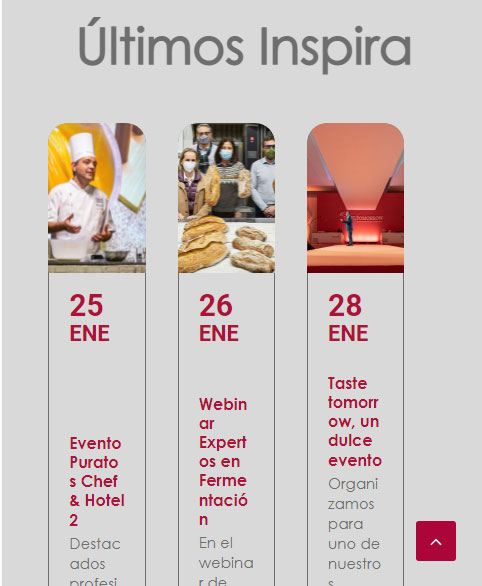
Mobile image
Reply to: tickets(265020)

Desktop image
Reply to: tickets(264994)
Hello,
Please take a look at
https://docs.myeventon.com/documentations/setting-up-repeating-events/
Check Custom Repeats.