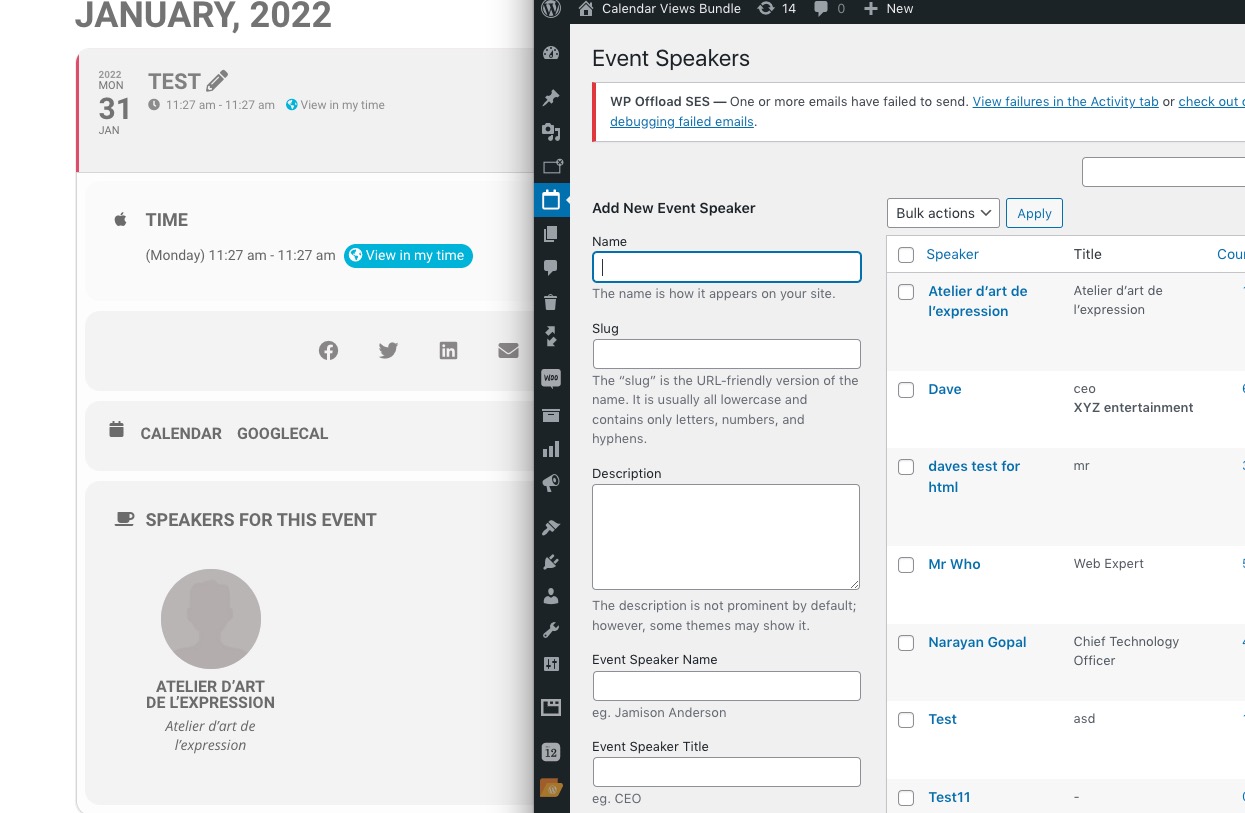
Reply to: tickets(264448)

Sorry for the long response.

This might be the difference between a Mac and a PC and how they interpret keystrokes.

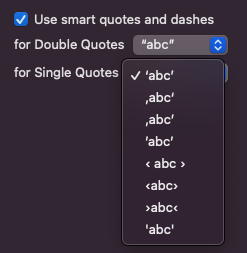
I’ve noticed that on PC’s when you hit the single quote key (usually next to the Enter/Return key), it does a single “curly” quote (known as a ’ in the HTML character entity chart), where as Mac’s do a single “straight” quote (known as a ' on the HTML character entity chart).

The difference is subtle, but makes a difference when being encoded by PHP or HTML.

https://dev.w3.org/html5/html-author/charref

The ' cause the problems I have been having, because we have a lot of them in French and I’m working on a Mac. When coding in HTML or PHP, usually single quotes are interpreted as the '. But as you can see from the name, they are technically more grammatically correct as they are actually apostrophes (apos), whereas the other is a right-single-quote (rsquo). My guess is that the PC’s way of using the rsquo is probably smarter as to avoid this exact problem I am having, but whatever.

The problem is you can tell me to switch to using rsquo by changing the setting on my Mac (see attached image) but that won’t solve the problem for others in a similar situation.

I am still a noob to coding (6-month bootcamp), so my solution might be totally wrong, but it might be wiser to encode all EventOn text fields using the PHP function htmlspecialchars or htmlentities with ENT_QUOTES before sending it to the database to prevent this issue. Of the two, htmlentities seems wiser as it takes into account more HTML entities, whereas htmlspecialchars only does the big 5 (“,’,&,<,>). https://www.php.net/manual/en/function.htmlentities.php.

Then when retrieving the code from the database, use the htmlentities with ENT_QUOTES to decode those same HTML character entities, though that might not be necessary if they were already encoded as HTML entities before sending them to the database, and the client side browser should then be able to correctly convert the &apos; to ‘ when displaying, thought I’m not 100% sure.

Hope that makes sense, and again, sorry for the long response. Let me know your thoughts.
Reply to: tickets(264529)

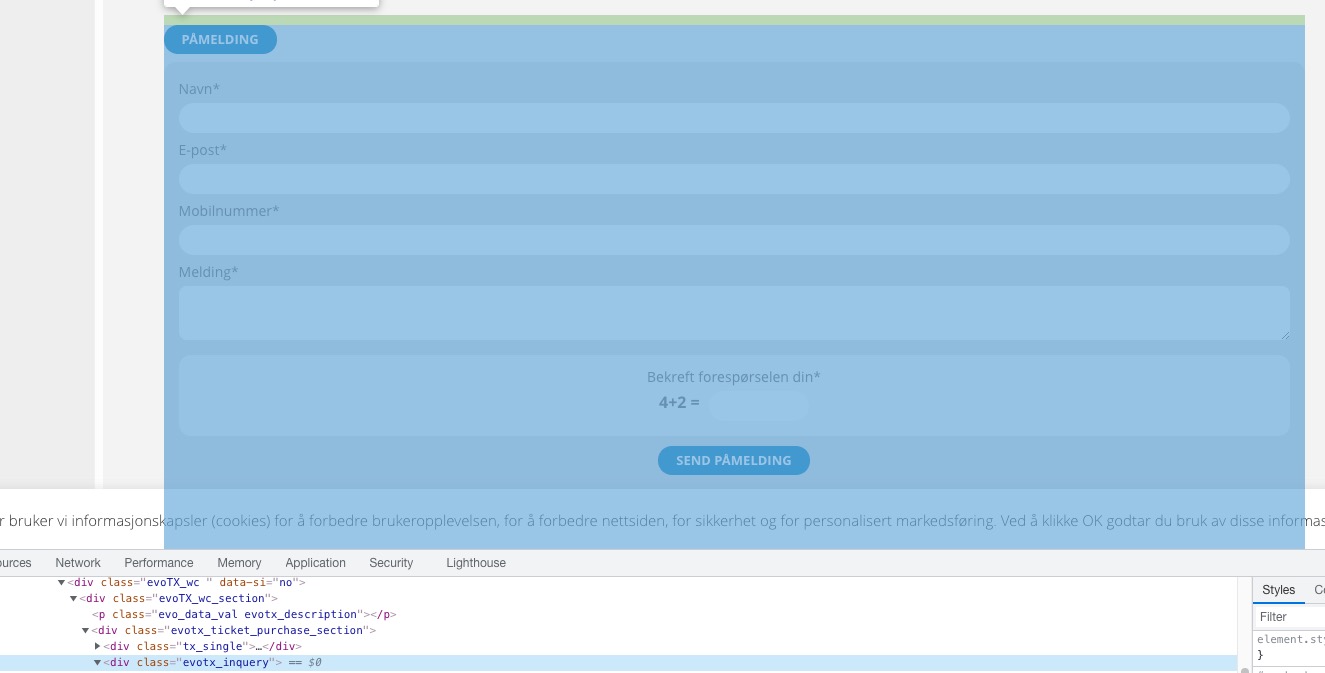
Hi, ok, thank you for your quick answer. Just to be clear, so what you are telling me is that we have to change the plugin directly? Or can we use hooks trough functions?

We have tried using the tutorial on this site, but I’m starting to think this is for a different form (because the example has no effect). Is this site the wrong tutorial? Since we where going nowhere fast, we taught maybe we can pay the developer, so it’s sad to hear that thats not a possibility. Let us know if you change your mind.

The problem for us is that our customer has a difficulty with interpeting the forms he receives, what is the surname in names like for example “Ali Muhamed” (somtimes people put the wrong name first), and related isusses – So we need to add some fields so that he can know who orders what. Anything you can do to help us in the right direction whould be much appreciated.

Kind Regards

Olav A.Dybdahl
Web & graphic designer 

(+47) 411 03 386
olav@call2action.no
www.call2action.no


Reply to: tickets(264454)

I’ve had a similar problem before and this was the solution

https://helpdesk.ashanjay.com/ticket/continuation-of-ticket-167502-use-of-single-quotes-in-event-title-causes-error-in-related-events/

Reply to: tickets(264454)

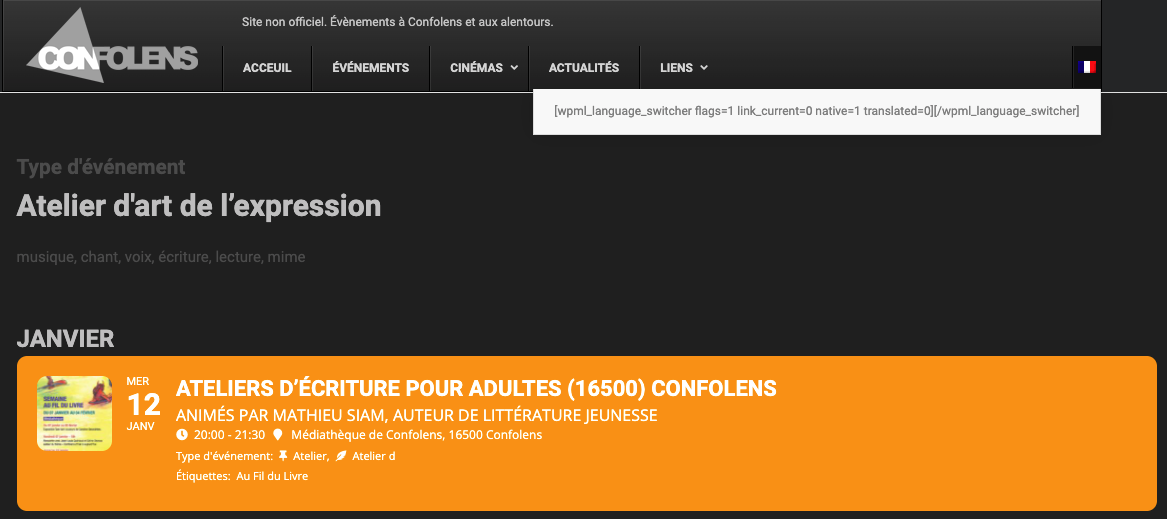
I tried and no change. You can see the screen shot attached. Notice the language switcher in the menu is only a shortcode because I disabled ALL the WPML plugins and then cleared the cache and did a full reload of the site.

French is the default language on the site, so when viewing content in French, it should be essentially the same as when viewing the content without WPML.

Reply to: tickets(264448)

Hello,

Similar issue as with event types. No issues on our test server:

Could you please try the instructions mentioned in this documentation to make sure your issue is indeed coming from eventon.

Reply to: tickets(264449)

You can try going to EventON Settings > enable Enable RTL (right-to-left all eventon calendars).

Reply to: tickets(264454)

Could you try disabling WPML plugin? It seems that is the only difference between your website and our test one.

Reply to: tickets(264449)

Hello Artem,

Have almost everything done.

Can you just tell me if I can also place the featured image on the right and how?

I know you have a lot of work,

for this last info I would be grateful, because I understand very little of css.

Regards

Mark

Reply to: tickets(264529)

Hello,

Unfortunately, the only way of changing the inquiry form is to customize the source code. The thing is that currently we don’t provide customizations of any kind.