You can find them all in EventON Settings > Appearance. Unfortunately, guide is not available, however everything should be quite straighforward.
If you’ll have any questions, please let us know.
If you don’t see any changes in appearances of your calendars please try EventON > Scripts & Styling > turn off Write styles to header > save settings > turn on Write styles to header.
Hello,
Thank you for your great suggestion, at the moment it is not supported. However please create a new ticket and select Feature Request as category so others can vote on your idea and get it moved into development faster.
We are glad your issue is resolved, if you have any further questions or concerns please create a new ticket.
If you have a moment, we would greatly appreciate if you could kindly leave us a review at codecanyon! from your account > downloads. Cheers!
I Understand where you are coming from
I am going to assign this ticket to the Boss to look through your emails to see if there is in fact an account
who designed your website and who installed eventon? they would have access to the update. our addons are on a yearly subscription, – your current version is from 2018
Don’t get me wrong I understand where you are coming from- I too am in Sydney Australia- an Entertainer- we just opened up again and Burst SMS my contact system decided to upgrade their website and all enquiry forms stoped working- but they didn’t tell us so since September the 1st I only found out 2 days ago. I thought it was dead- I just lost thousands- I have not done a show since June. So i understand. the staff here don’t have access to the emails within our system only the boss Ashan does- so I have assigned this ticket to him and sent a priority for him to let you know if your email addresses can get access to the update- otherwisae you would have to go through the web designer or re-purchase the latest version
OK have a look at the event card now- is that right?
as for the list view background color- what part of the event are you refering to
the tile top of the event card?
because from what I can see in myeventon>>>>settings>>>>appearance the event card matches
Depends on your theme builder and what options you have with regards to creating your menu sometimes known as a heade builder
instead of using the pop up from button- perhaps create your pop up using your own theme and put the shortcode in that
with Xtheme pro I probably could do it, I’m affraid I am not familiar with Qode
Alternatively simply create a new page with the action user form on it and add that page to the menu as you would any other page
This is just it – we don’t have access to the licenses which are clearly installed on our server. The web developers never provided us with any information and now we are left with a non functional tool.
our email addresses are timmy@kissfm.com.au, admin@kissfm.com.au, kate@kissfm.com.au and kissfmaustralia@gmail.com
None of those accounts seem to be associated with your site.
I re-purchased the main license from codecanyon and even that isnt registering at your site!?
Can you please help! We are in peak events time here in Australia and our users cannot use the app. We have provided login details, so you can plainly see that we have the rights to the tool.. Is there no way you can see the license information for event user from your end or from it hidden somewhere on our site??
Thank you, that helps.
However, I’m finding your styling options to be confusing. Is there a guide that explains where each styling option is?
Like the more button, or the different featured colors, etc?
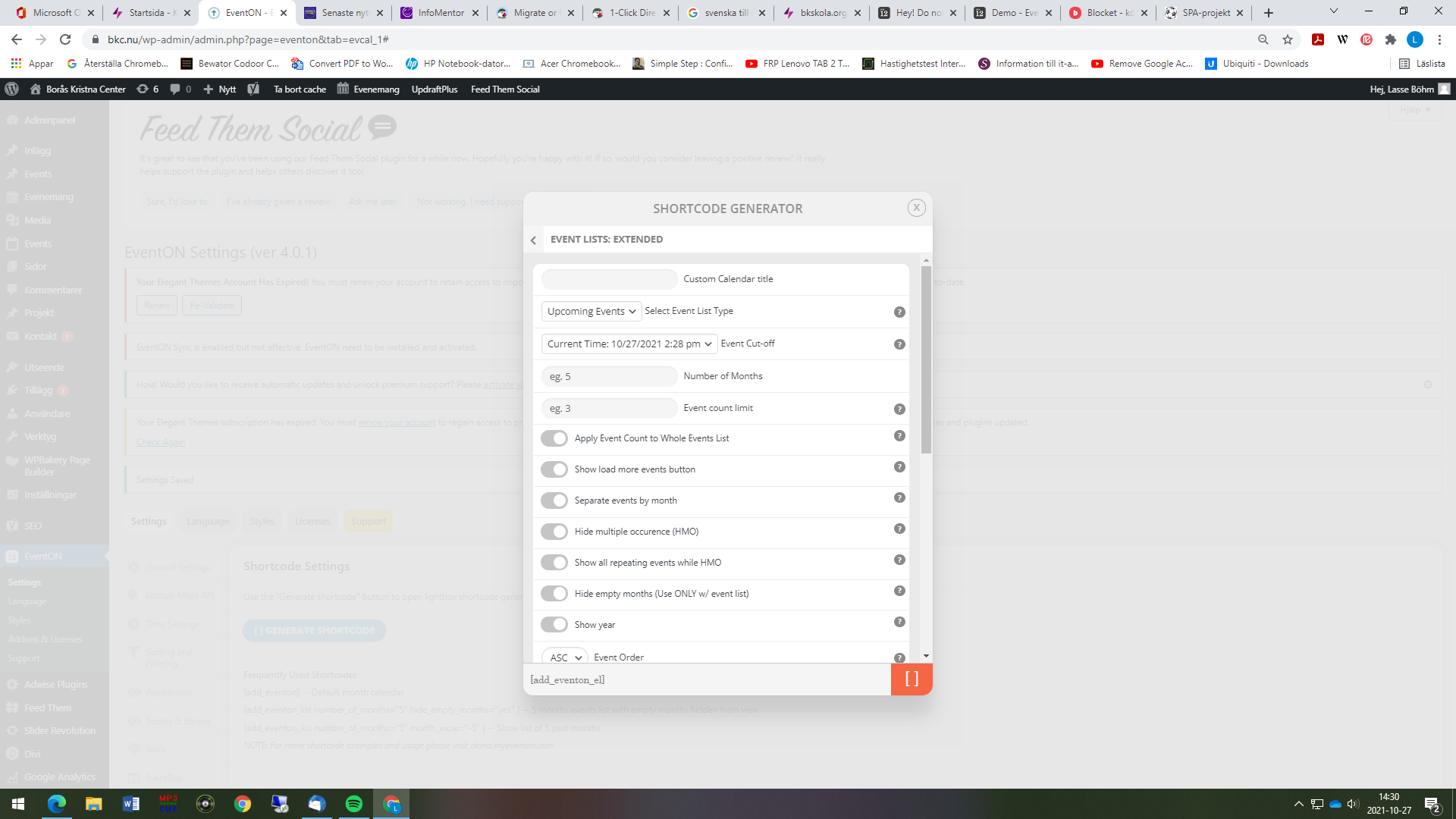
I’m sorry but I have to be stupid, where can I paste the code you wrote? I thought it was somewhere in the picture I attach but can not find any place to paste that code
Hello,
Site A: https://www.my-hub-retail.com/wp-login.php?
On which EventOn and EventAPI are installed
Site B: https://www.hub-retail.com/ua
On which the latest events are displayed
For your information, the Secupress setting is set to prevent deactivation and activation of extnesions. If you have this option you will need to disable this limitation.
To log in you will only need to enter your username or your email address.
Once validated, an email will be sent to you with a link to connect.
The page on which the shortcode is installed is the home page.
Id : EventOn
E-mail : thisboxformail@gmail.com
Password : MgmAY9SY8uK9jyy