Ashan,
Is there a quick way of fixing this?
Or maybe put this fix to the next version?
Replies for tickets on suppota
Ashan,
Is there a quick way of fixing this?
Or maybe put this fix to the next version?
Thank you for your messages, I am going to assign this ticket to Ashan and he will be able to take it from here and find you a solution. Please allow some time for him to get back to you, we greatly appreciate your patience and thank you for being a eventon customer!
We are glad your issue is resolved, if you have any further questions or concerns please create a new ticket.
If you have a moment, we would greatly appreciate if you could kindly leave us a review at codecanyon! from your account > downloads. Cheers!
Could you try Import Method: Manual Import https://harmonie-eilereng.com/cms/wp-admin/admin.php?page=evosy&tab=evosy_1#evosy_gg?
Also try enabling Disable existing event name check.
For Time and Location please try going to EventON Settings > EventCard Design > put them in two rows.
About the slider. If you have enabled EventON Settings > Scripts & Styling > Concatenate all eventon addon style files – Beta (Only supported addons) and/or similar settings, please try disable them and save.
And which version of Tickets add-on are you using? If older than 1.9.5, could you update?
The problem is that its quite hard to figure it out what’s causing without accessing the server.
Hello,
I am sorry, the access information you have provided did not work for us. Please check them and post the correct login information as a private message, thank you!
Please follow the instructions in this documentation to activate debug in your site to see any PHP errors recorded that can provide insight on to whats going on. Please reply with a link to debug.log file. If you are not able to do this please send us FTP access to your site so we can do this for you.
It seems there is some kind of custom CSS code that doesn’t belong to EventON: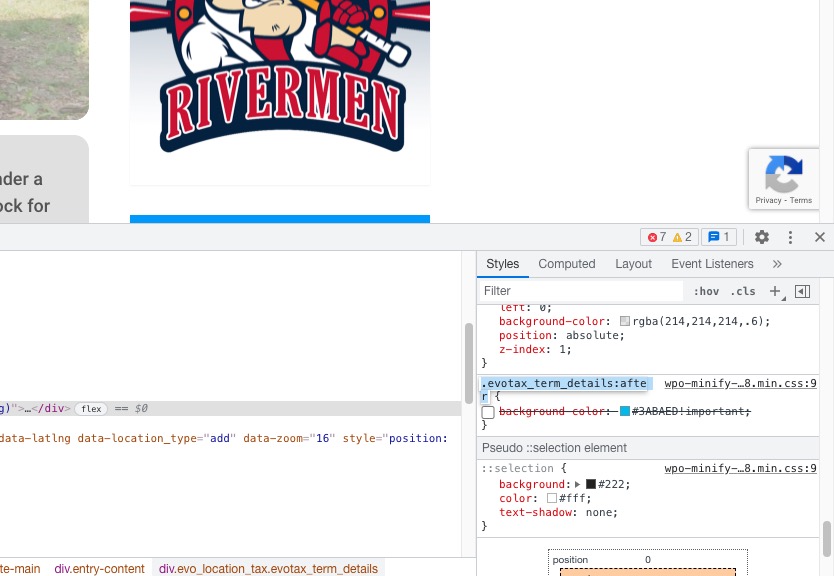
Our test server doesn’t have one so the background image works normally: https://dev2.myeventon.com/event-location/maultsch-im-gewerbepark/
This one is correct. Could you try to import it and let us know?
Also try EventON > Scripts & Styling > turn off Write styles to header > save settings > turn on Write styles to header.