You can choose the colors on the image. Plus if there are some parts that aren’t covered, please contact us and we will give you the CSS code.
Like this?
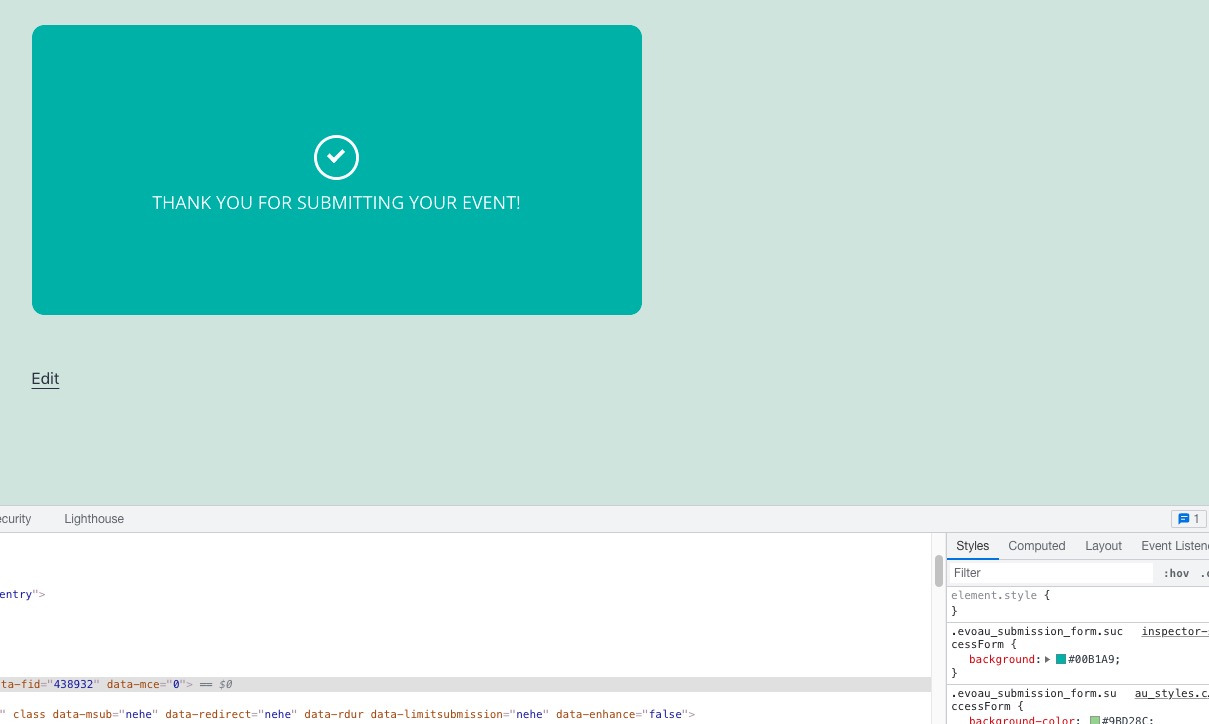
Style you need to use .evoau_submission_form.successForm { background:#00B1A9; }
Replies for tickets on suppota
You can choose the colors on the image. Plus if there are some parts that aren’t covered, please contact us and we will give you the CSS code.
Like this?
Style you need to use .evoau_submission_form.successForm { background:#00B1A9; }
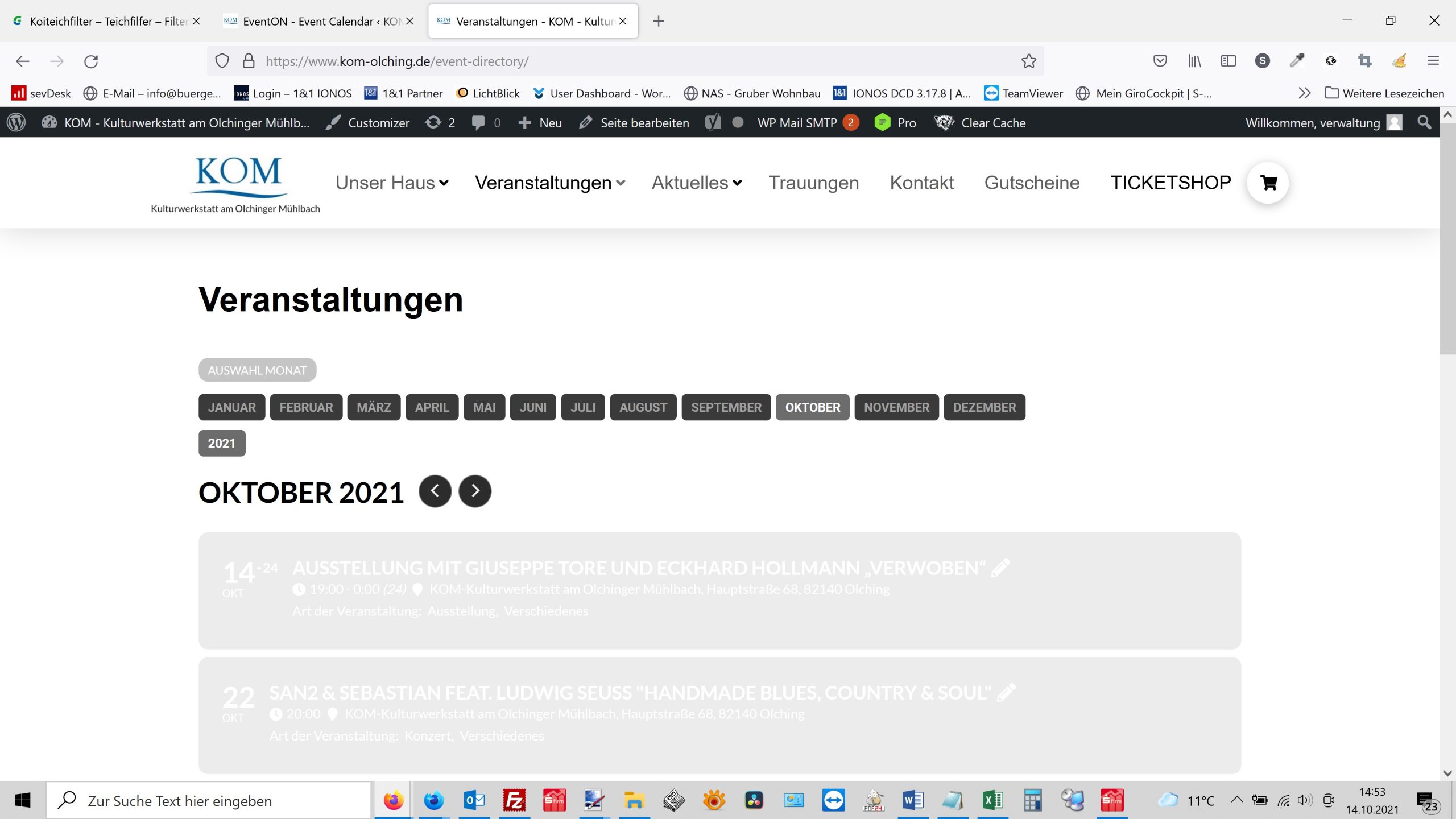
We have now made an update to version 4.01. Suddenly the calendar looks even worse than before. Color changes are not accepted. The events cannot be read on the event overview. The text “Art der Veranstaltung” must of course also be white. We want everything to look like it did on the reference page again.
https://www.olching-kom.de/event-directory/
Thomas
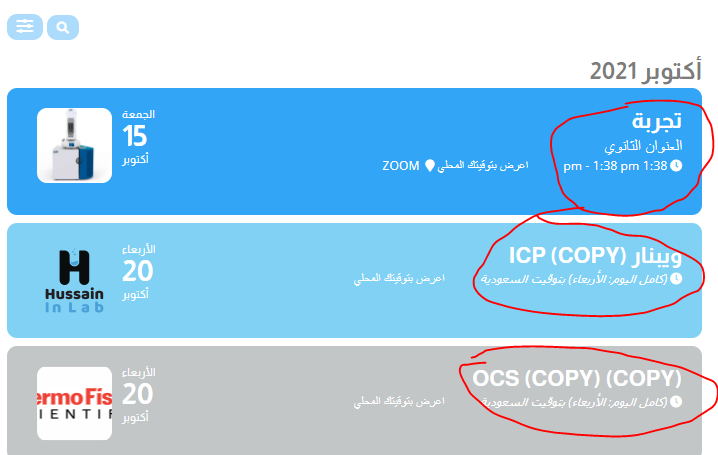
Not solved yet in 4.0.1!
The space has been solved, but the font color still white even if I change it to any other color it doesn’t change.
Thanks,,,
We are very sorry for the delay and inconvenience. Can we have admin access to the website with 4.0.1?
We apologize. You can update to EventON to 3.1.7 by using this archive https://helpdeskx.s3.amazonaws.com/wp-content/uploads/2021/10/09115157/eventON-28.zip, so we can fix everything and you’ll be able to update after.
Good afternoon, it won’t let me place prices of millions, for example 4,500,000, it only leaves 45,000.
Hey Guys,
We will review this as we have that been reported and we will try to short it out
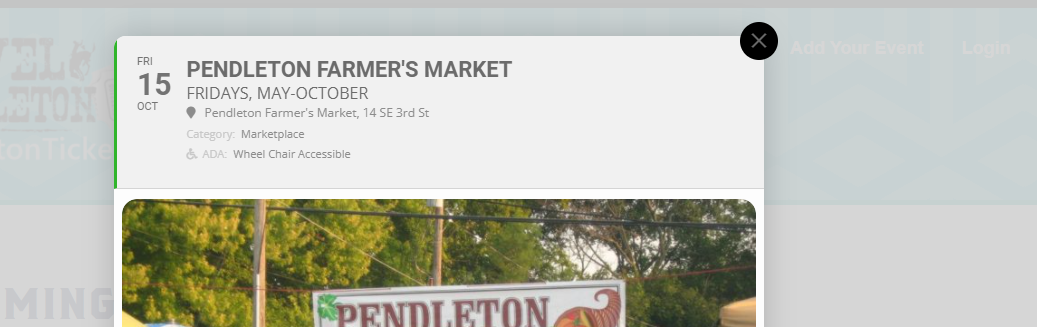
on the other pages using the calendar layout and the standard list layout i get the pop-up with eventtop background color the standard grey eventon uses with the events color a small bar on the left side of eventtop. So on the farmersmarket example i set the event color to green but the green overtakes the entire event top on tile layout. Some of the colors overtake text color so it is unreadable. It should show the event color on the left side bar and use grey as the main background color.
Correct layout for event pop-up= https://pendletontickets.com/event-directory/
Incorrect style on the tile layout page = https://pendletontickets.com/
attached is the image of how is should look
You are welcome!
Hi There,
Have you added both languages to have the filter ?