Hello – thank you for the support. It appears to working now for me as well.
Archives: Replies
Replies for tickets on suppota
Reply to: tickets(376966)
Thank you matt for the video and letting us know. We were able to make some progress on the event maps code. If you want to share wp-admin access I can upload the latest stable version of maps addon. We are still doing final test of version 1.6 before we can release it to public.
Reply to: tickets(391589)
Alright new version 2.2.2 — should resolve focus day color.
Reply to: tickets(391589)
Hello friend, yes the new version does not address your issue. Let me take a look at this and let us get this issue resorted with color settings and get it out 🙂
Reply to: tickets(392028)
been using Cusomizer: Additional CSS, with something like this
.evoau_submission_form .evo_date_time_select .evoau_time_edit .time_select select
Specificity: (0,4,1)
{
background-color: #fff;
}
.evoau_submission_form ._row_datetime {
background: linear-gradient(45deg, #38B8D2, #38B8D2);
}
.evoau_submission_form .evo_date_time_select .evoau_time_edit .time_select select.ampm_sel
Specificity: (0,5,1)
{
background-color: #fff;
}
Not sure if that’s right?!
Anyway, it doesn’t seem to over-ride the EventOn styling.
Please do let me know what I should be doing! Thanks.
Reply to: tickets(392160)
Hello,
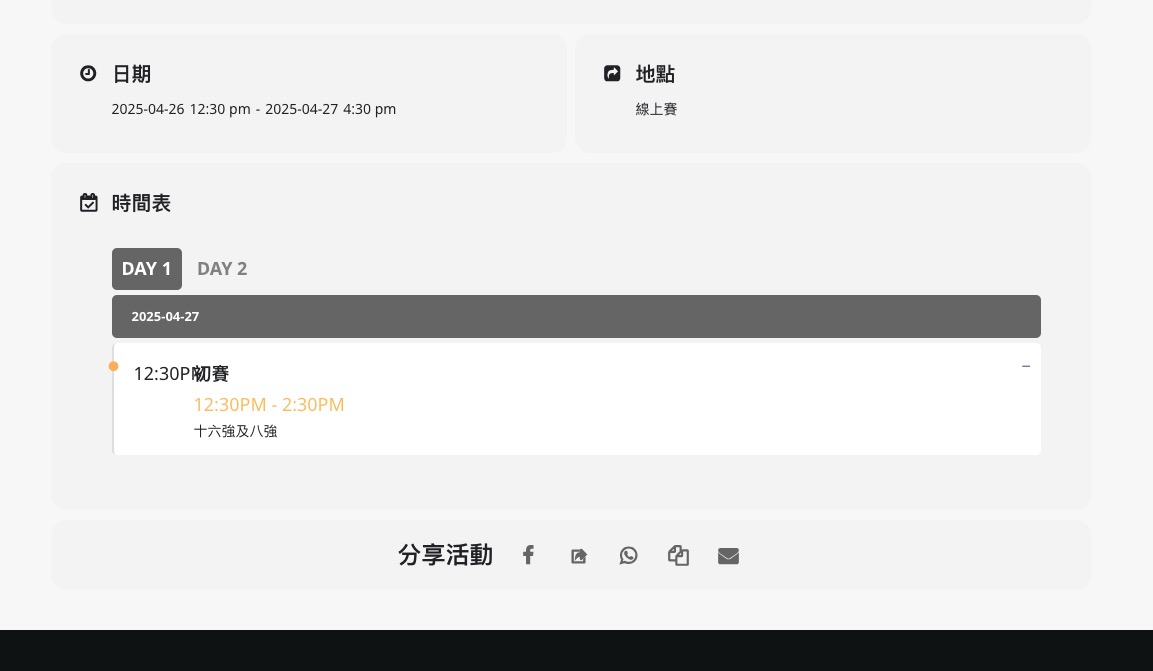
Could you elaborate more? The schedule section is visible on my side:
Reply to: tickets(392161)
Hello,
In our system the license is activated correctly:

I can deactivate it from our side or you can follow
https://docs.myeventon.com/documentations/how-to-deactivate-eventon-addon-licenses/
Please also know that you can use the add-on (even if it’s license deactivated) while we are working on the issue.
Reply to: tickets(391945)
My IP: 37.11.239.139
Reply to: tickets(392078)
I added the code to wp-admin > Appearance > Customize > Additional CSS. Seems to be working now. Please check and let me know.
Reply to: tickets(391932)
only by changing the theme, which isn’t ideal as I can’t get my website header to display as it does on the booking pages as it does on teh rest of the site.