Sorry, but the update didn’t help.
Archives: Replies
Replies for tickets on suppota
Reply to: tickets(253117)
11 days and NOTHING.
Please let me know when you will get back to me on this. Your plugin with the code that you provided me does not work!!!
REFUND ME NOW!!!
Reply to: tickets(254196)
Hi Sonja,
Please add eventtop_style=”0″ to the shortcode you are using. That should fix the issue.
Reply to: tickets(254092)
Naaah, I need it now.. But youre welcome to add it yourself.. Do you know of any other Woo Commerce plugins that will do the trick?
Reply to: tickets(254196)
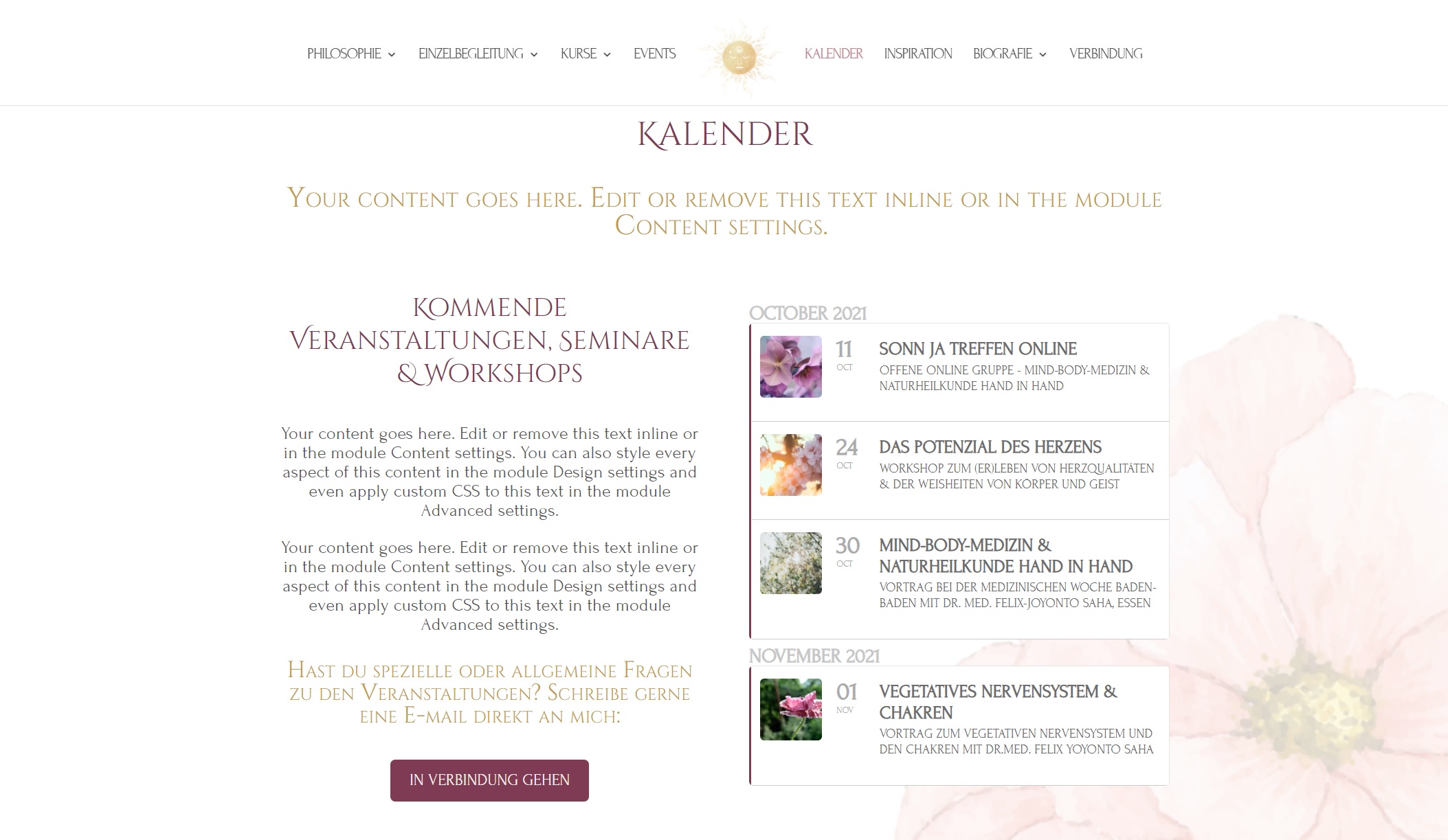
Dear Team,
here is the screenshot attached of the design my client wants. Thank you for your help.
Reply to: tickets(253952)
I have tested both as follows, but nothing happens:
- deleted
- changed 120px to 0px and 60px to 0px (is it better not to delete scripts…?)
Reply to: tickets(253952)
You will have to edit that eventon_styles.css file and remove the text indicated. You can do that by going to Plugins > Editor and choose the Eventon plugin and then navigate to the indicated file.
Let me know if you are able to do that.
Reply to: tickets(253952)
Thank you again Kenneth, but what must I do with this script? Is it written anywhere where I can copy it or must I rewrite it? Maybe I should paste it directly in EventOn/Appearances/Styles?
Reply to: tickets(254089)
Hi Claude,
Looking forward to hearing from you.
Reply to: tickets(254024)
Hi Gabriele,
Please check, I cleaned the code up and it’s working now.