Hello,
Could you update EventON to 5.0.7 that is only available on our website?
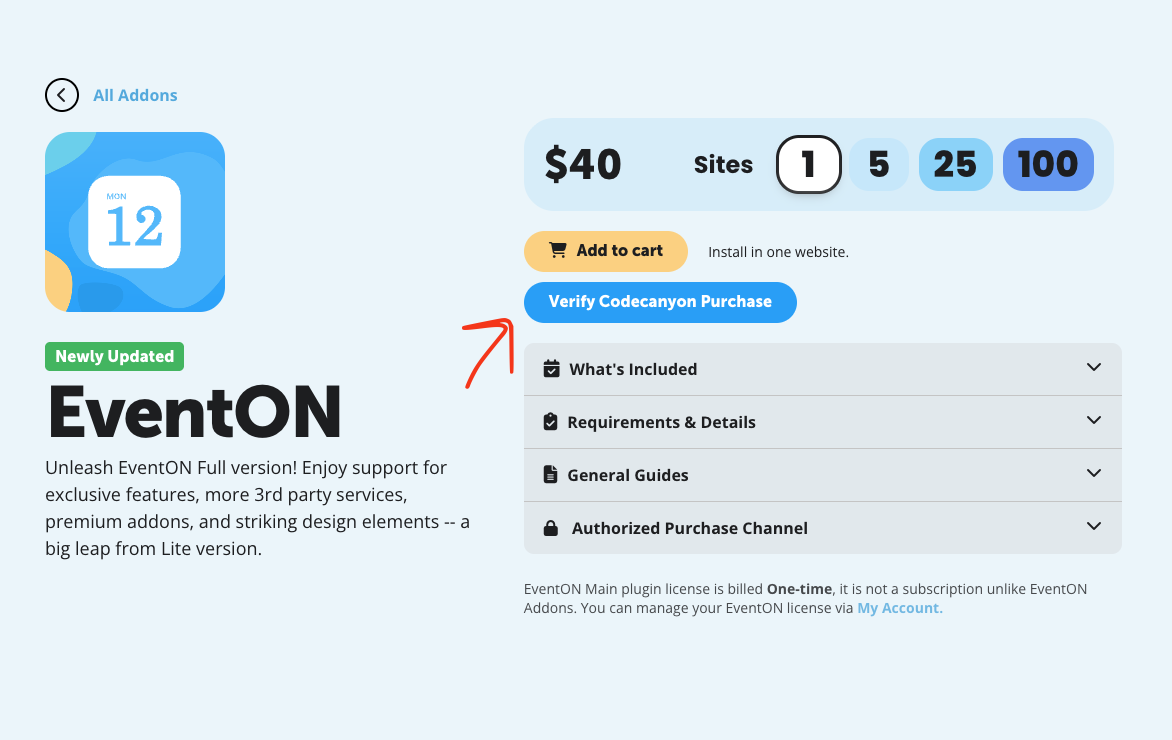
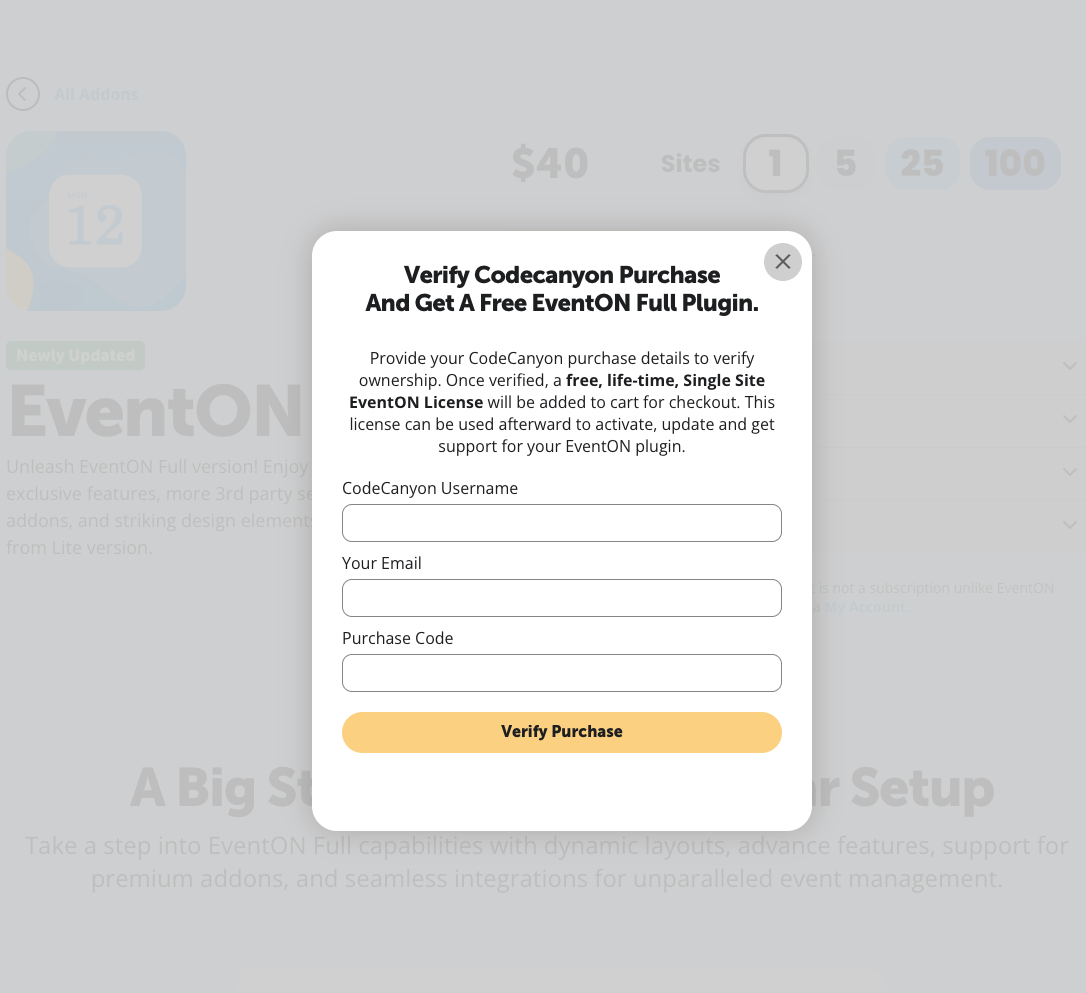
Please take a look at these screenshots on how to get a free copy of EventON with CodeCanyon’s license:
After the update we will continue with the issue.
Replies for tickets on suppota
Hello,
Could you update EventON to 5.0.7 that is only available on our website?
Please take a look at these screenshots on how to get a free copy of EventON with CodeCanyon’s license:
After the update we will continue with the issue.
We’ve stopped updating EventON on CodeCanyon, so the latest version can only be found on our test site.
If you want to use EventON 5.0.7, please download it and then update.
The issue:
Google Maps JavaScript API error: RefererNotAllowedMapError
https://developers.google.com/maps/documentation/javascript/error-messages#referer-not-allowed-map-error
Your site URL to be authorized: https://carsoncarclub.com/events/concert-n-carshow-vendors-wanted/
Please follow ”Restrict your API key” of this guide:
https://elfsight.com/blog/how-to-get-google-maps-api-key-guide/#secure
Hello Kelly Kopf,
We are glad your issue is resolved, if you have any further questions or concerns please create a new ticket.
Thanks that worked!
Please expand on Organizer and Location field.
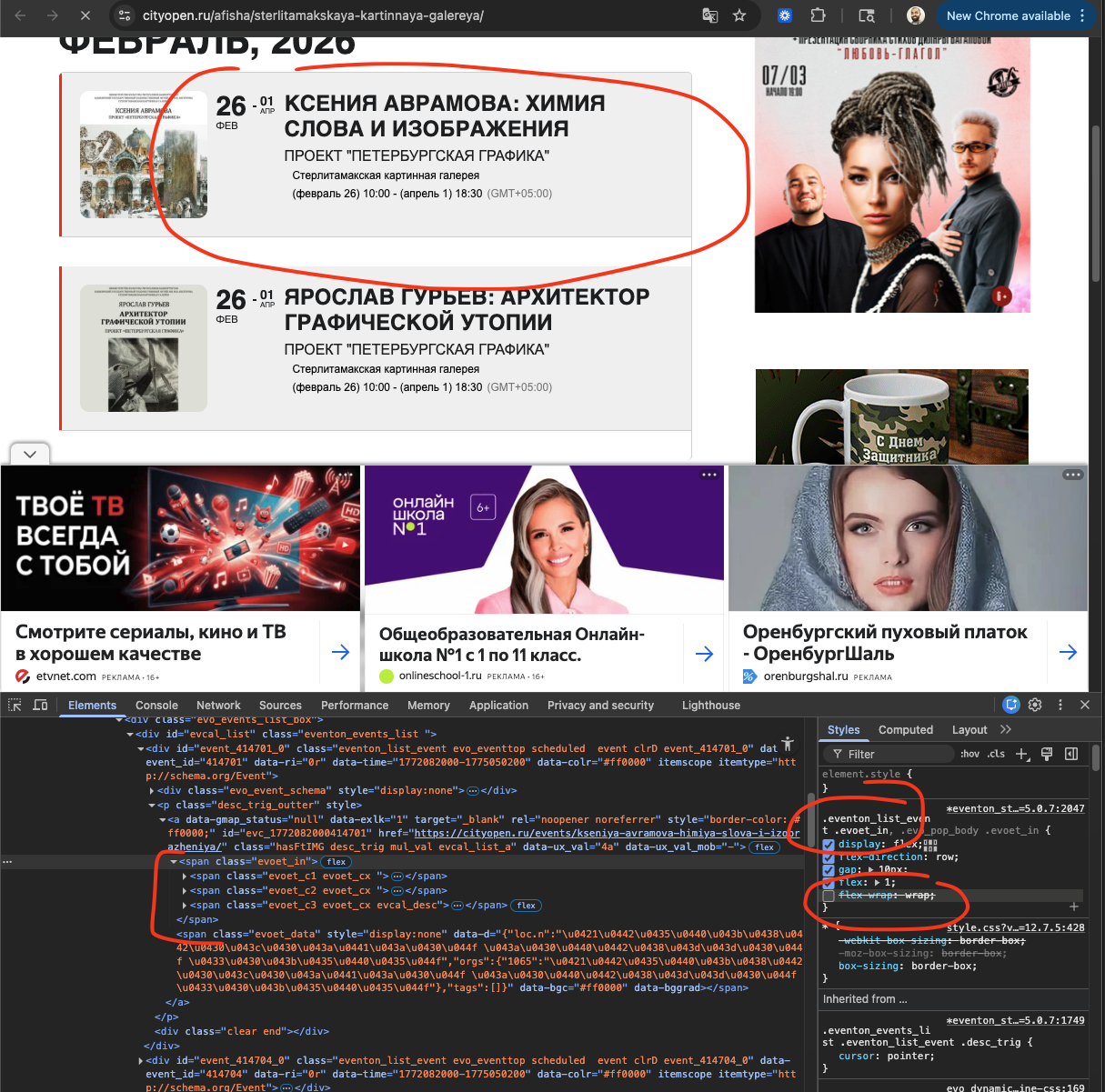
Please take a look at the screenshot, the flex-wrap:wrap CSS property we added is what makes that content go into next line. You can add this CSS into EventON Settings > Styles to make it like it was before for the moment while we figure out a stable solution for this, that satisfy you and also others who wanted this in 2 separate lines.
CSS: .eventon_list_event .evoet_in, .evo_pop_body .evoet_in
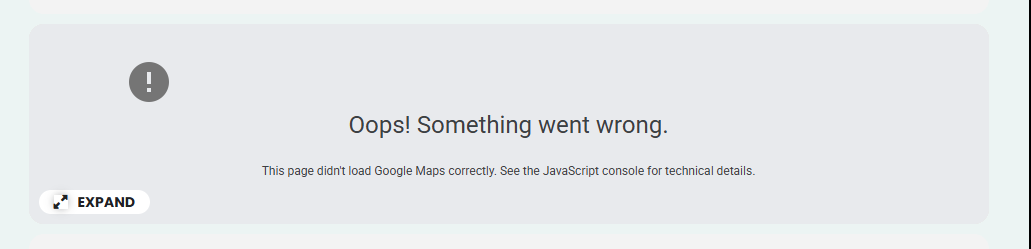
I got the shortcode fixed — thank you. I did notice the Google Map pops up for a second and then shows what’s in the attached image. I’ve already entered the map API key, so is there a way this can be fixed?
Hello. Thank you for reply, here is my oreder id – 223101
We have quite complex ticket pricing and repetitive hourly events, and we actually have already solved that by coding a small php script that edits eventon database files directly with the rules applied. But an interface to easely edit and batch control all that, would be a nice feature.
Yes, it’s a pity but the problem with emails (which started months ago and only partially worked so far) and list of attendees later (the other recent ticket) caused the loss of a few customers and a very difficult situation for instructors of the studio. In the end, my customer decided to change.