For me using your website see video below
Ask if your web host (some hosts have there own non wordpress cache) to clear your server cache
Replies for tickets on suppota
For me using your website see video below
Ask if your web host (some hosts have there own non wordpress cache) to clear your server cache
The import was done improperly. You need to fix this. I hired you to import subscribers. If subscribers cannot use the unsubscribe form then there is an issue with your import. Please fix this so people can unsubscribe.
Hey Joe,
Not sure what u want me to address here.
The import can’t help you with this, because they where custom importe
Yes like an anchor, but I dont mean to jump to an header that I made with id, thats kind a easy.
I want to jump directly to an eventon EventCard.
e.g. Speaker Box, Schedule Box, etc.
Clearing cache hasn’t worked. I’ve tried in Google Chrome incognito mode and it was fine but then, if I try to to that in Classic Mode or in other Browser never used for that site, from other pc as well, it doesn’t work. For example am using Safari (where I’ve never opened the website) and still doesn’t work correctly
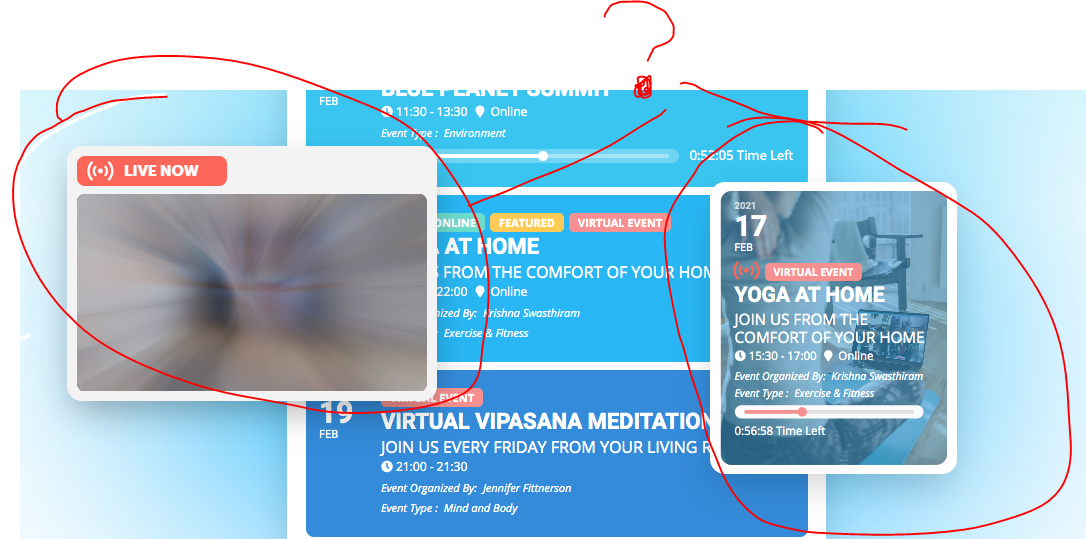
See attached image
I haven’t touched functions.php! I update my plugins and themes from time to time as every person on this Earth running a WordPress site!
And if your script is being overwritten with every single theme update, then I understand why it keeps failing. How would you excpect it to work if it is overwritten with a theme update? It won’t work because I update things like anyone else..
Please send me the script that you have made, so I can insert it myself.
Hello, thank you very much. I really need these addons as soon as possible.
i am not sure i 100% understand
so you have a paragraph of text talking about a program and then within that you link to the single event page and it scrolls down a little bit past the event top?
I suspect what you are after is an Anchor link AKA jump link
https://www.wpbeginner.com/beginners-guide/how-to-easily-add-anchor-links-in-wordpress-step-by-step/
YOu would have that ID in the event description say the ID is 123
then the link would be yoursite.com/yourpage/#123
for example you could have
<h4 id="yabadabadoo"></h4>
and the link if its on the same page would be simply #yabadabadoo
is the program on the same page or is it on another page?
i’d say having your cart and checkout in the main menu or in the footer or above the menu is common practice in the upper right corner
But if you wish to add a button
you can add a button in myeventon>>>>settings>>>>custom meta data
you then activate 1- make it a button- give it a name
then in myeventon>>>>settings>>>>.event card data
activate and position it
now when editing or making a new event you’ll have to add the button title and link to the cart page
thats a bit of hastle so I’d recommend putting it into the upper right section of your website as thats where most of them are
examples
https://www.ebay.com.au/
https://www.amazon.com.au
read up here: https://www.23digital.com.au/e-commerce-web-design-a-guide-to-shopping-cart-page-design/
you can also edit the woocommerce checkout page like any other page as its just a shortcode on a page- you can add a button there to go to the cart