I disabled “Load all eventON scripts/styles to page headers, where eventON is used” so it works now:
Please check and let us know.
Replies for tickets on suppota
I disabled “Load all eventON scripts/styles to page headers, where eventON is used” so it works now:
Please check and let us know.
Ashan,
Their ticket with the RSS issue: https://helpdesk.ashanjay.com/ticket/i-add-this-shortcode-add_eventon-rssyes-to-this-page-https-www-walesoutdoors-co-uk-event-directory-and-it-generates-2nd-calendar/
I quite sure that the issue is on their side since RSS feed looks different when you aren’t logged-in.
I asked them to allow me to try disabling plugins and switching the theme.
Please check now:
Hello,
thanks to your help I was able to solve the time and date issue, but after importing my list I encounterd a new problem.
In the event_location field I had written “no” since I didn’t have any address to provide, after seeing the resulte on the frontend I tried importing the list without any address but the location list didn’t change and every location still has the address no , is it possible to remove the location list so it doesn’t interfere with the new import?
May I try the instructions mentioned in this documentation to show you that the issue is in your side?
My problem? Nope – yours. You have no documentation for this add on and you have been unable to resolve my issue. I’ll go for the refund.
So, why are you creating new pages and showing me you can make it work when you have not addressed the issue on the page that I have shared with you?
It doesn’t work on my page ‘google map’ and you have not sorted that.
Further when I add code to your page https://www.walesoutdoors.co.uk/8126-2/ it doesn’t work still.
Just go in and make it work on my google maps page https://www.walesoutdoors.co.uk/google-map/ and tell me what the issue is.
It looks like it’s because when I add the shortcode I am forced to do so in a shortcode block whereas you are not?
this is the link from which you can see the anomaly: https://www.chiaraamirante.it/Appuntamenti/copia_-ascolta-il-cuore-test/ the field is shown but the content is a copy of the event details field even if initialized with a different text
Hi,
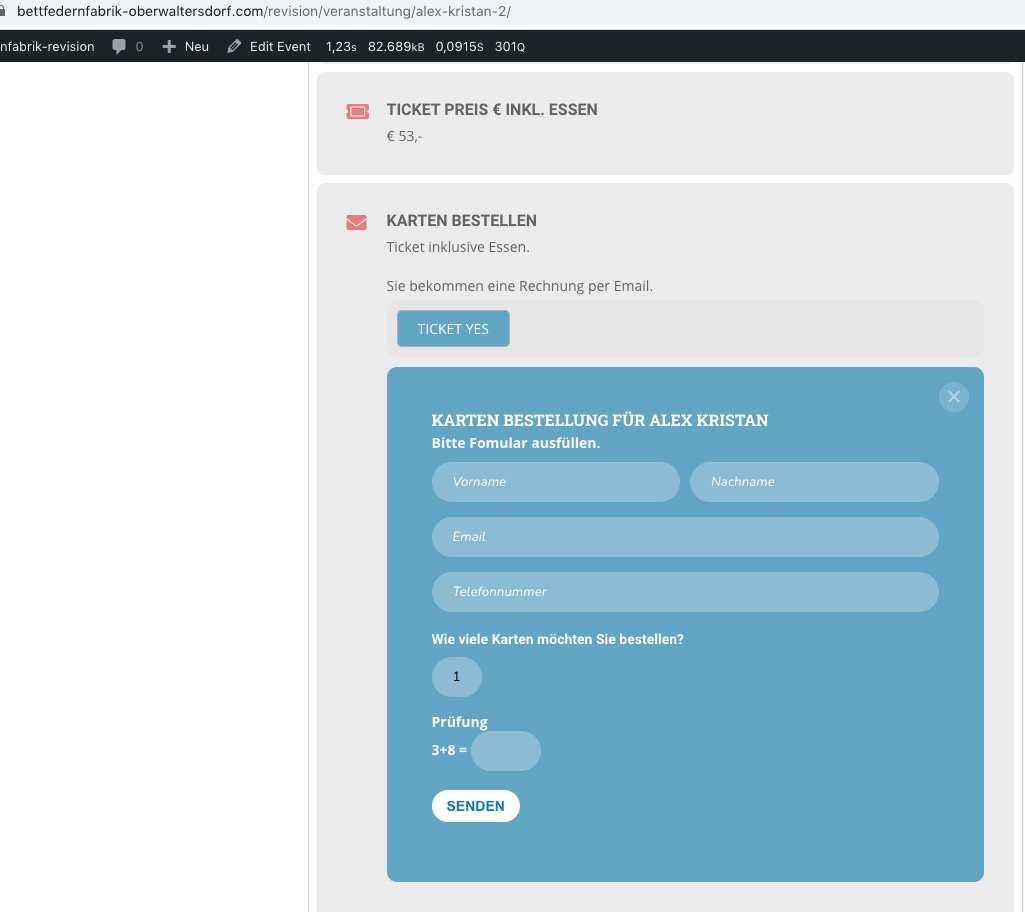
I did everything mentioned in the documentation. The RSVP Table looks weired.
So i cloned the website for debuging . On this site only Eventon plugins are running.
The problem occours even with a standard theme. Here are the log in:
https://bettfedernfabrik-oberwaltersdorf.com/revision/wp-admin/
User: millionhope
PW: 4711-UgrT!cxyR
Feel free to try as this is a Copy of the original site.
Thanks.
I wrote “with and without lightbox” of course I mean “with and without ajax”