Can we try the instructions mentioned in this documentation? It’ll take less then a minute to test this.
Archives: Replies
Replies for tickets on suppota
Reply to: tickets(238419)
Ashan,
Does EventON Settings > RSVP > Emails > Receive email notifications upon new RSVP receipt > “To” Email Address support two or more emails?
It didn’t work for me on dev2.
Reply to: tickets(238419)
However, the 2 admin email address don’t receive any email like before, for each registration.
It seems that more than 1 email address is not supported. Thank you for your messages, I am going to assign this ticket to Ashan and he will be able to take it from here and find you a solution. Please allow some time for him to get back to you, we greatly appreciate your patience and thank you for being a eventon customer! Also please disable any IP blocking on your site if there are any.
Other question : Is it possible to see, somwhere, all the registered people ? As email don’t work ?
You can either go to wp-admin > Events > Edit Event > RSVP > View Attendees. Or go to wp-admin > Events > All Event RSVPs.
Reply to: tickets(240541)
Hello,
Please add this CSS code to EventON > Styles (If you don’t see any change, EventON > Scripts & Styling > turn off Write styles to header > save settings > turn on Write styles to header):
.evotx_image { display: none !important; }
Reply to: tickets(238419)
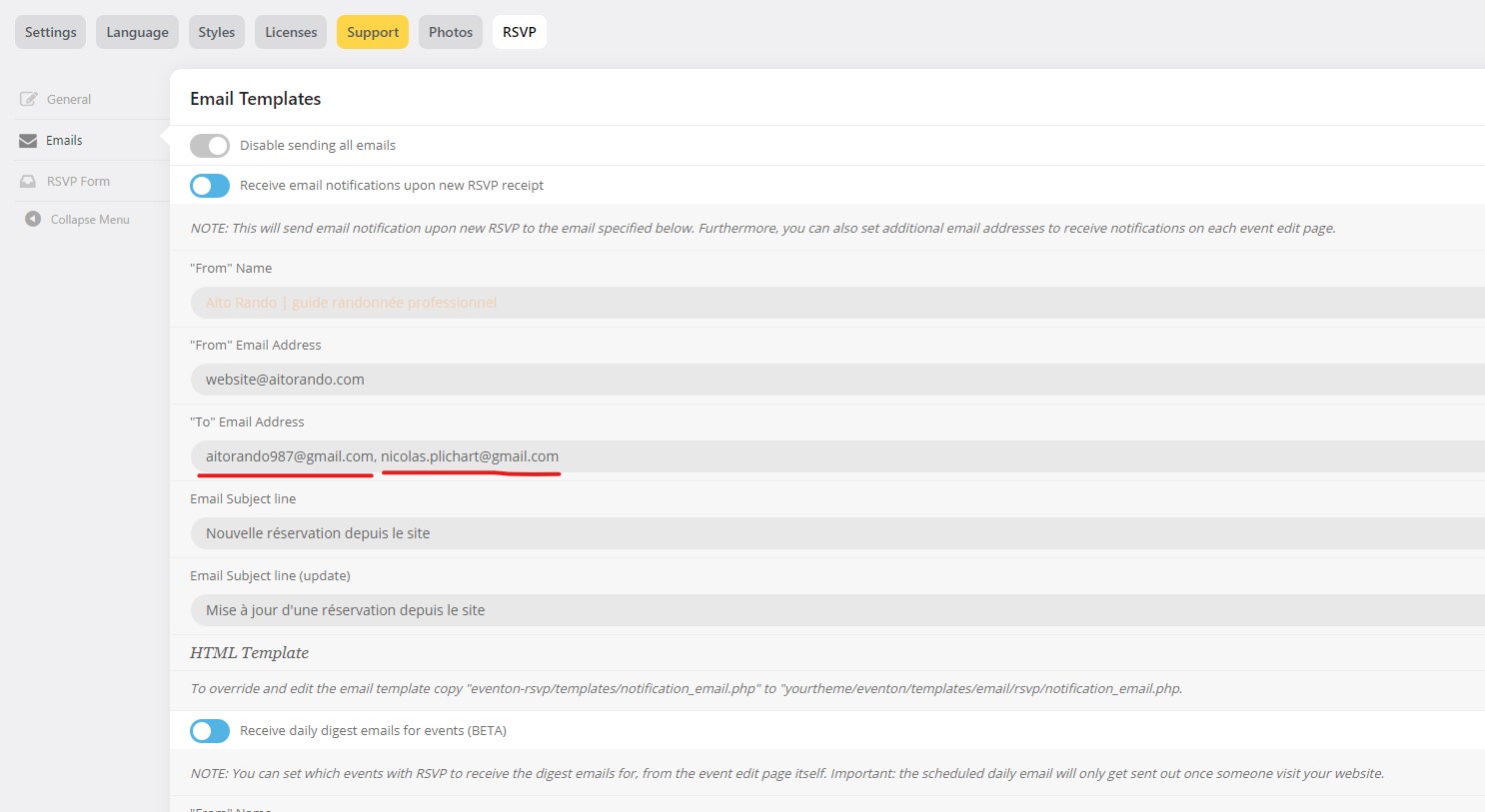
Hello,
Thanks for your reply, and sorry for the delay.
I created an email account @aitorando.com (like website address) and use Sendinblue plugin for smtp.
Now people can subscrive to rsvp event and they receive the confirmation email.
However, the 2 admin email address don’t receive any email like before, for each registration. Please see attached capture.
Other question : Is it possible to see, somwhere, all the registered people ? As email don’t work ?
Cheers,
Nico
Reply to: tickets(240545)
it never loads
Reply to: tickets(240545)
Thank you for your messages, I am going to assign this ticket to Ashan and he will be able to take it from here and find you a solution. Please allow some time for him to get back to you, we greatly appreciate your patience and thank you for being a eventon customer! Also please disable any IP blocking on your site if there are any.
Reply to: tickets(234178)
Hello,
This pending customization requests, I urgently need this to be completed.
Thanks.
Reply to: tickets(240534)
we can also deactivate the license from here if you provide the webaddress
Reply to: tickets(240534)
go here: https://www.myeventon.com/my-account/subscriptions/
click on the order number and then there will be the option to deactivate the subscription
it should say pending cancelation afterwards which means you can still use and update it until it expires- then it becomes canceleed