Hi,
Please test and tell me if all work as should, I have enabled Dynamic Pricing for Variable Products also.
Replies for tickets on suppota
Hi,
Please test and tell me if all work as should, I have enabled Dynamic Pricing for Variable Products also.
Yes, it was done by Ashish last year.

Hello,
We want to add a button call “Purchase Ticket” in the red circle(See Attached).
It worked, thank you!
Hi, infotainerdave
then I’ll probably suggest that, because the other format is also preferred in other European countries. I found the translation option and have already used it extensively and adapted it accordingly.
For the coloring of the bar to match the theme, I can only say: you are great. I wish I knew that much!
Nice weekend
Thomas
Nope, that is not the issue. Because if i switch to default theme. The problem is still the same. So no theme issue.
Ok so organisers cant at the moment use seating plans – could admin add a seating plan for them?
QR Code Scanning – Organisers can login to their account where they created the event and scan tickets at the door?
Organisers can view Ticket Insights?
Organisers can display their Events on an external site?
Or maybe easier to say what can be used by Front end users and what cant be used?
Hi Ashish,
Just checking to see if you’ve had chance to look at the issues I reported?
I’d like some more customisations but I want to get these last few issues sorted first.
Thanks
Ian
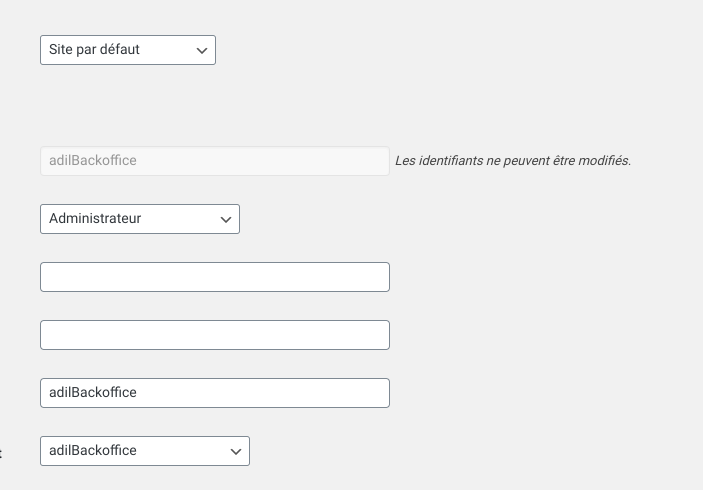
Hello,
you are user as Admin
I tried to edit this your account, it works..
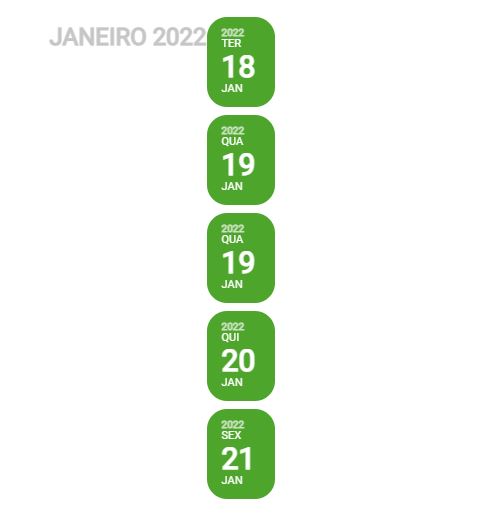
Hi,
I mean this: eventtop_style=’3′
if it makes sence to you the follow is the short code I tryed, but it gets weird. The bubbles show up in columns not in rows…
[add_eventon_list eventtop_style=’3′ hide_month_headers=”no” hide_empty_months=”yes” show_year=”yes” accord=”no” number_of_months=”12″ event_count=”50″ event_past_future=”future” event_type_2=”12,” tiles=”no” etc_override=”no” show_et_ft_img=”no”]
kind regards