Order #106760 (February 1, 2021)
Archives: Replies
Replies for tickets on suppota
Reply to: tickets(219263)
Excellent! That’s what I need. Thank you so much for taking the time to explain it clearly and visually. (Please add these type of video’s to your YouTube Tutorial channel so that others can benefit too.)
PS
Just for curiosity, what’s the use of “Last Week” option? When to use that in the event scheduling?
Reply to: tickets(212201)
Hi – any update on this paid ticket from December?
Reminder:
The months are showing stacked and not with the default scrolling option to scroll through the months.
https://journeypure.com/ask-our-doctors/alumni/what-is-the-journeypure-alumni-program/
https://journeypure.com/ask-our-doctors/events/
Reply to: tickets(212199)
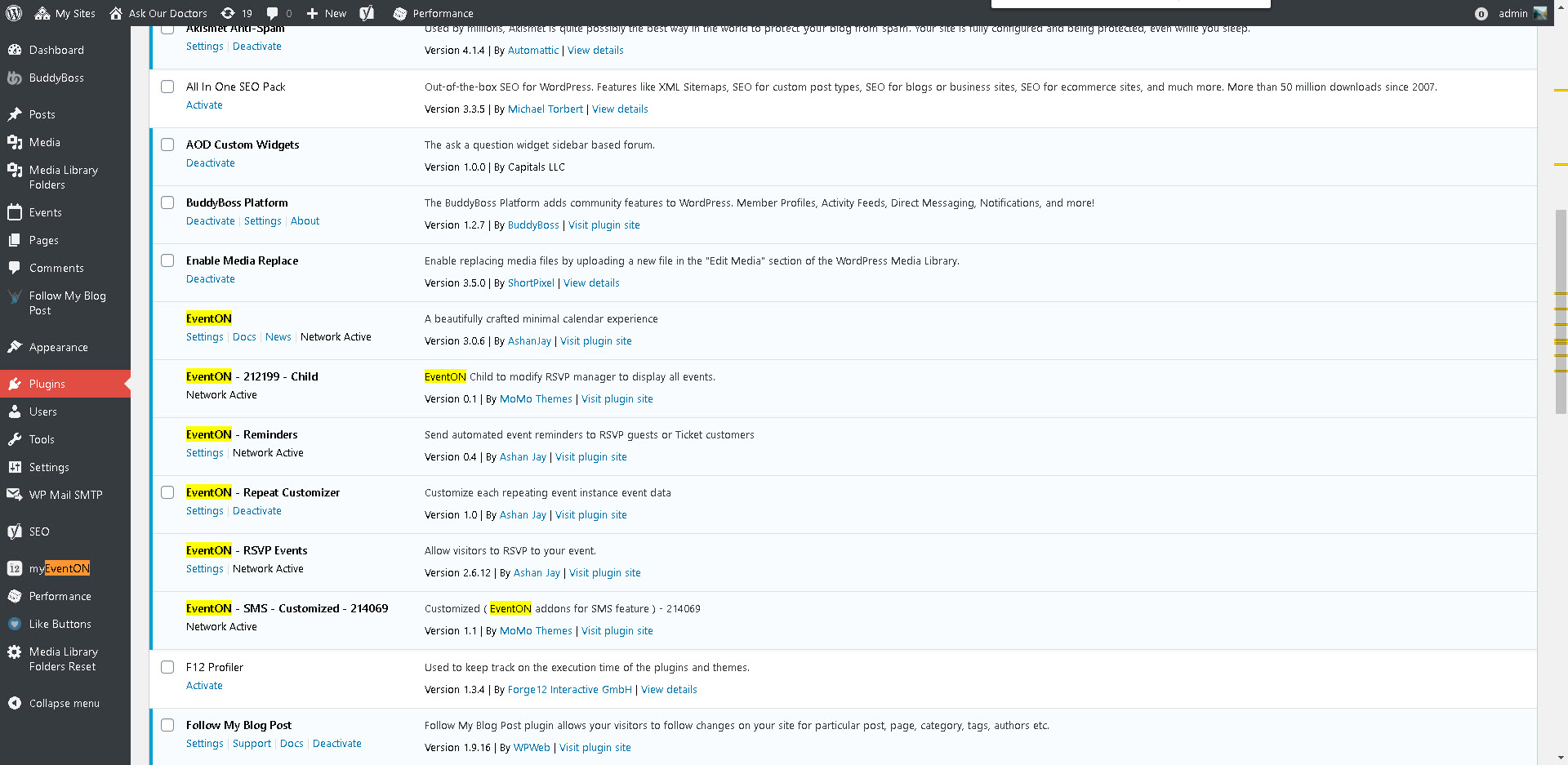
Hi! We do have the RSVP add-on (Screenshot attached).
I do see “For Eventon SMS to work with Tickets, the EventON Tickets addon is required. Please install Event Ticket addon!”
We do not have the ticket addon, but we don’t want tickets. We want to SMS message, anyone, that RSVPs 15 minutes before the event, reoccurring. No tickets.
Please advise how to turn this on!! Thank you!
Reply to: tickets(219298)
Ashish has accepted the job for 350
Reply to: tickets(219245)
I’m sorry try again
Reply to: tickets(219324)
could you let us know which license- as in which addon and the order number (order number will be in the email sent to you starting with #
Reply to: tickets(219358)
Step number 1: in myeventon>>>>>settings>>>>> activate write dynamic styles to header and save- if that works- great- if not go to step 2
Step number 2: Please send us wp-admin access to your site as a private message for us to further assist your situation.
Step number 3: we go in and see why its not changing and use your color settings you have set to add the css ourselves
Reply to: tickets(219255)
see video below
Reply to: tickets(219154)
I updated the referrer:
https://www.dropbox.com/s/smhme93zzsebzef/Screen%20Shot%202021-02-02%20at%2010.31.04%20pm.png?dl=0
The Google maps functinoality still does notd work on any of the events listed on our events page:
https://onehourout.com.au/events-two/
Can I please ask you to access our WordPress admin and investigate:
https://onehourout.com.au/events-two/
user: jay@ohomedia.com.au
pass: u3C)1Tu1qESzQp$Y