Thank you for your reply over the weekend.
Surely deactivating avada builder+core will save memory and thus (temporarily) solve the problem.
Even if I could deactivate the theme, the problem would easily return after inserting more events; just as it did when you temporarily solved the problem: you expanded the memory and as long as nothing was added the site remained online.
I don’t think there is an incompatibility with Avada, but if so, how is it possible that your plugin has problems with the best-selling wordpress theme on the same platform where you sell your plugin (themeforest)?
We moved the site to a very powerful dedicated server with system support, we selected the most used and best reviewed theme on themeforest, we tried to disable any other external plugins.
Yet:
– the site does not support more than 120 events;
– when the site works and you try to load a page with events (or modify them via the back-end) it is very slow despite the cache plugin you suggested in another ticket;
– when the site stops working, just deactivate your plugin and it is very fast and working.
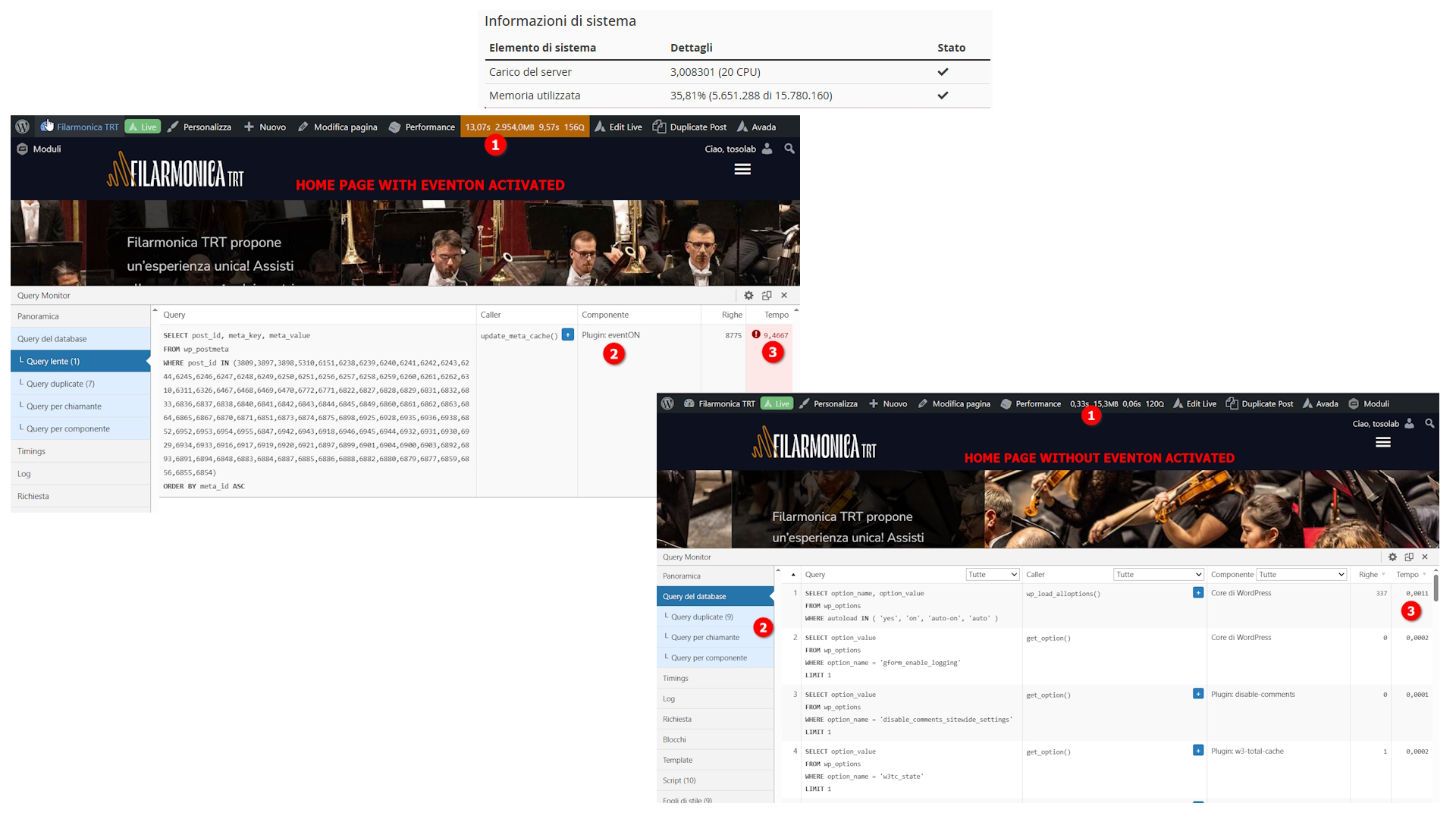
To rule out a server performance problem, I enclose an image of the average server utilisation with the available resources.
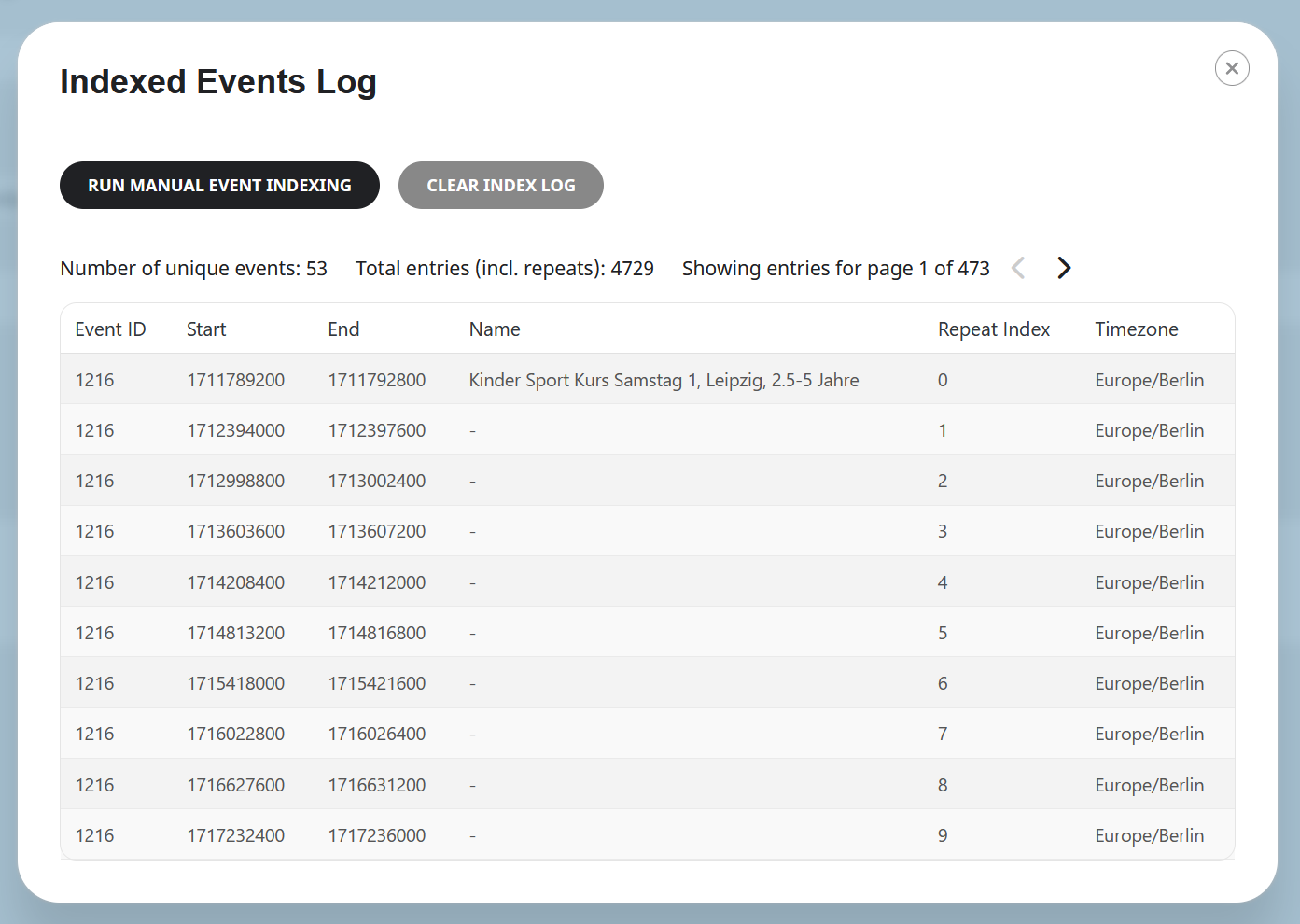
I also enclose an image which demonstrates the huge memory demand of eventon;
I installed Query Monitor and this is the result:
1. with eventon installed it takes 13 seconds to load the home page (WHERE THERE IS ONLY ONE EVENT) and the memory demand is 2954 MB (very close to the limit);
2. there is only one slow query and the component responsible is eventon;
3. with eventon active that query takes about 10 seconds;
I did the same test again without eventon active to load the same page:
1. the page loads in less than 1 second and the memory request is 15 MB;
2. there are no slow queries;
I hope I have proved that the problem is not the server or the theme.
In order to be able to stay online I have changed the 60 oldest events to “draft”, this way I can leave future (and more urgent) events online and not block the site.
However, I would like to understand how it is possible that there is this huge demand for resources from eventon that does not allow me to exceed 120 events.
I’m an IT manager, not a programmer, so I’m not in a position to do any further tests, but inside the Cpanel (the credentials I’ve already entered in this ticket), you can find both phpmyadmin access, logs, and verify everything I’ve written above.
I hope you can solve the problem.
Thanks