Hi Artem,
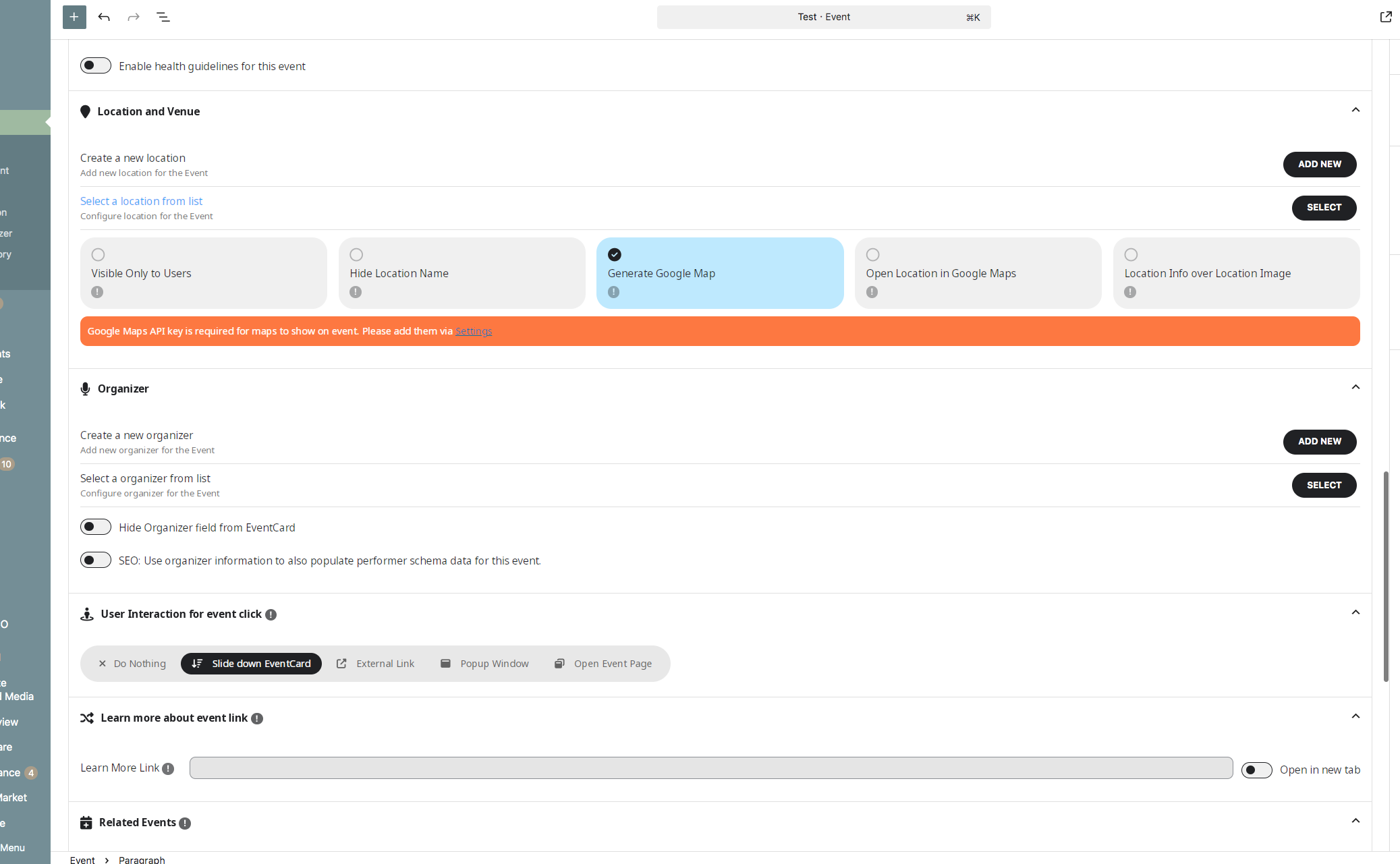
many thanks for your reply… however when we go into the event creator page we do not see the “add website” field…? We are using OSX 10.15 and also just tried on Sequioa
Here’s a screen grab of your test post.
Did you log in to our wordpress to create it? Or write the code in inspector etc?
Hi Artem,
Thanks for the quick response.
I’ve already updated the customized EventON template files in my child theme by copying the latest versions from the eventON/templates directory, but unfortunately, the single event pages are still showing a blank white screen when the child theme is active.
Everything works fine when I switch back to the parent Twenty Twenty-Four theme, so it seems there’s still a compatibility issue with the child theme, even after updating the templates.
Is there anything else I should check — such as specific functions, hooks, or enqueue issues — that may be affecting template loading in the child theme?
Thanks in advance for your continued support.
Hello,
Please add this CSS code to EventON > Styles (If you don’t see any change, EventON > Scripts & Styling > turn off Write dynamic styles to header > save settings > turn on Write dynamic styles to header). You can also add this code to wp-admin > Appearance > Customize > Additional CSS.
.EVOWV_ranger { z-index: 999999; } .EVOWV_content .EVOWV_change { z-index: 999999; } .EVOWV_dates { z-index: 999999; } .EVOWV_dates .evohoop7:hover { opacity: 1; }
We are glad your issue is resolved, if you have any further questions or concerns please create a new ticket.
If you have a moment, we would greatly appreciate if you could kindly leave us a review at EventON WordPress Page OR Codecanyon. Your review helps us a lot in continuing EventON improvements!
Send emails to attendees and resend confirmation email from the front-end / even manager is that possible without having to go into WordPress Dashboard?
How do I make ticketing option required in the front-end submission form, I want every event to be required to enter ticket price, even if it’s free they will need to input 0.00. I couldn’t find a way to make that particular field required, I tried looking on how to code it, but I am not comfortable enough to do it.
Ah sorry! Thank you for your great suggestions, at the moment none of these are supported. However please create a new ticket and select Feature Request as category so others can vote on your idea and get it moved into development faster.
Adding the functionality through the code requires a quite complex customization we unable to provide because of CodeCanyon’s Support Policy.
Ashan,
Reply to: 391839
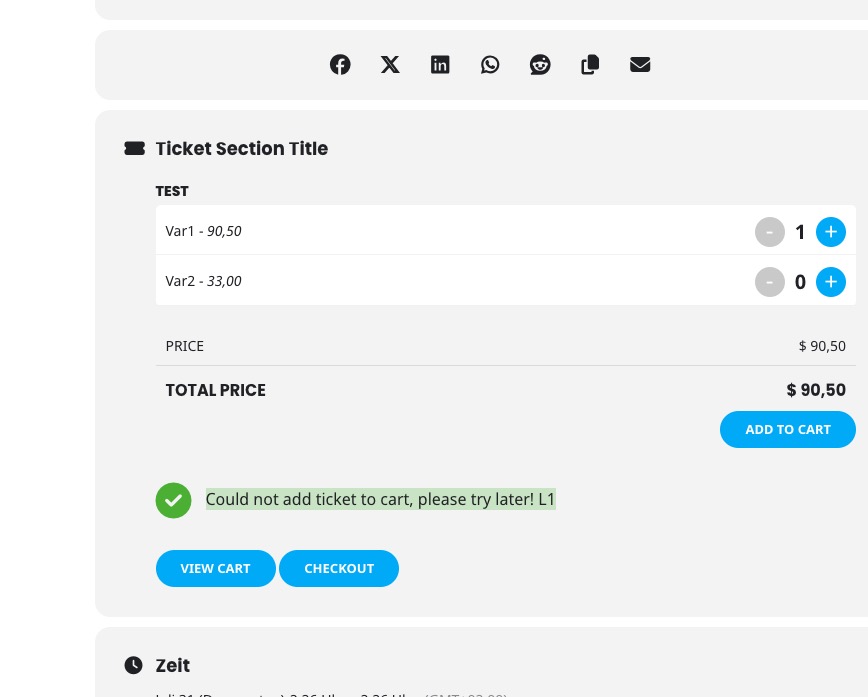
The same on dev2:
https://dev2.myeventon.com/events/test-var/
Ah sorry! Since it was showing the translated version, I couldn’t figure out the issue.
Thank you for your messages, I am going to assign this ticket to Ashan and he will be able to take it from here and find you a solution. Please allow some time for him to get back to you, we greatly appreciate your patience and thank you for being a eventon customer!
The latest version is 2.4.17:
https://docs.myeventon.com/documentations/changelog-event-tickets/
On the new version after you add and save SKUs it will keep them assigned to events.
We are glad your issue is resolved, if you have any further questions or concerns please create a new ticket.