Thank you very much!
Does the same shortcode also work on the card view?
And which shortcode do I need to use to show the past events?
Replies for tickets on suppota
Thank you very much!
Does the same shortcode also work on the card view?
And which shortcode do I need to use to show the past events?
Hi David,
Thanks for reaching out. I’m sorry for any trouble caused.
Sure, we can process a refund for you but before we do so, would you mind sharing some more details about the kind of issues that came up after installing the addons?
We would be happy to help!
Thanks!
Hi Eric,
Thanks for getting back to us.
Our previous investigation on this issue suggested that you had some custom styles on your theme that were overriding the style from EventON.
If you’ve not added any custom styles to your theme, I can suggest cloning your site to a temporary domain and changing to one of the stock WP themes and check if the issue will still be reproduced. Next, you can also disable all installed plugins if the issue persists.
Let us know how this goes.
Hi Rishi,
Thanks for reaching out.
This will depend on the type of events that you want to display.
Please note that you can use our shortcode generator tool to generate this for you by following the steps outlined here: https://docs.myeventon.com/documentations/shortcode-generator/
Let me know if I can answer additional questions.
Hi Harriet,
Thanks for reaching out.
There are several errors reported when editing events that seem to be originating from the ADS PRO – Multi-Purpose WordPress Ad Manager plugin.
Also, it appears this plugin or your theme is still using the jQuery live script which is not supported in WordPress anymore. I’d recommend installing the following plugin to fix this issue temporarily: https://wordpress.org/plugins/enable-jquery-migrate-helper/
Let me know if the issue is still reported.
Hi Darren,
Thanks for the follow-up.
This addon is integrated with the WooCommerce plugin and thus once a ticket is created, a similar WooCommerce product is generated.
The checkout process is also handled by the WooCommerce plugin. Clicking the checkout button should redirect you to the WooCommerce checkout page.
In case it helps, please take a look at these tutorials for more details about customizing checkout fields: Link, Link
I hope this helps.
OK Caroline, thank u for the update, we would be waiting!
Hello Kurt,
Almost finished, working on small details should be ready by tomorrow 🙂
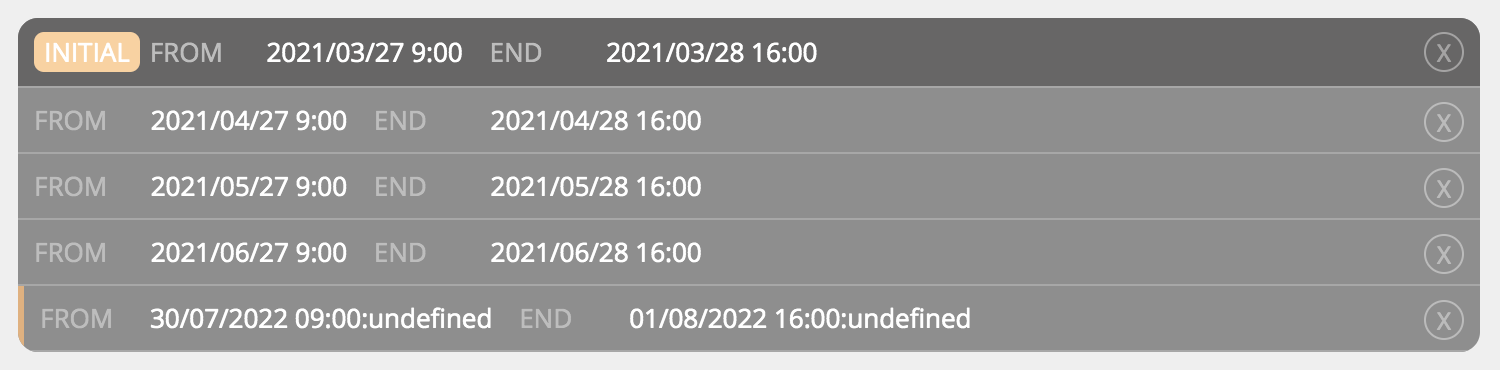
When I add a new repeat interval, it still shows “undefined” in the backend even if the hour shows in the frontend.
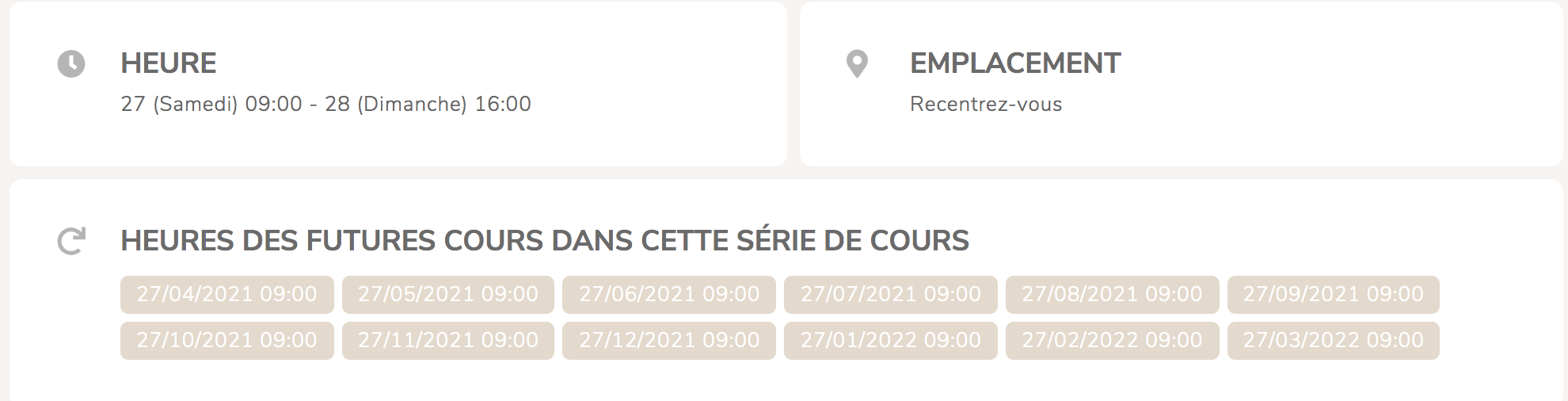
Hello and thank you for the code!
I’ve tried and… the fourth week of the month repeat doesn’t work.