Thank you, Javier, we deactivated action user, now it is possible to set the image!
Archives: Replies
Replies for tickets on suppota
Reply to: tickets(390351)
Ok, I solved the problem by going to EventON > Advanced > tried to change the Select WP Query Event Calendar method. Thanks and have a nice day.
Reply to: tickets(390632)
Yeah – try to logout of the website when you test.
I have tried with 3 different browsers and two different windows computers. Same problem.
On iPad I haven’t seen the problem and my Android phone is working as well.
Reply to: tickets(390529)
Hello, can someone respond to this please?
Reply to: tickets(390574)
Not so far, though it does only happen intermittently. Thanks for your help. I’ll mark it as resolved.
Reply to: tickets(381898)
I shared updated login details on case.
Reply to: tickets(381898)
Hi Artem,
I am still having problem with activating add-ons.
Event List License: EVELb857cde0-5f08-4007-ab06-4e66ccaca5d6
Daily View License: EVO7ca1e2cd-11c1-439f-8abc-386fb268da58
Login is below –>
Login URL: https://scfellowship.org/wp-login.php?hide-me=6525
Username: eventon
Password: Eta0iXnQ1GnB0P62L0A!cBD!
Reply to: tickets(390745)
Hello, when the action user add on is active, you cant add the featured image to the site, when it’s of, you can.
there’s seems to be a problema with the admin-ajax.php
user: eventon_admin
pass: TiHYvk0LS%kE$(#hQCXByOOP
https://electronicgroove.com/demo-post/
Thank you!
Reply to: tickets(390556)
We are also having issues with our block editor, but we are working to get them resolved. Will keep you updated.
Reply to: tickets(390797)
Hello,
EventON hides some inputs of GravityForm, but you can make them visible with this CSS code:
#evcal_list .gravity-theme p {display:block !important}
Please add this CSS code to EventON > Styles (If you don’t see any change, EventON > Scripts & Styling > turn off Write dynamic styles to header > save settings > turn on Write dynamic styles to header). You can also add this code to wp-admin > Appearance > Customize > Additional CSS.
It seems that 0.49 issue is also fixed:
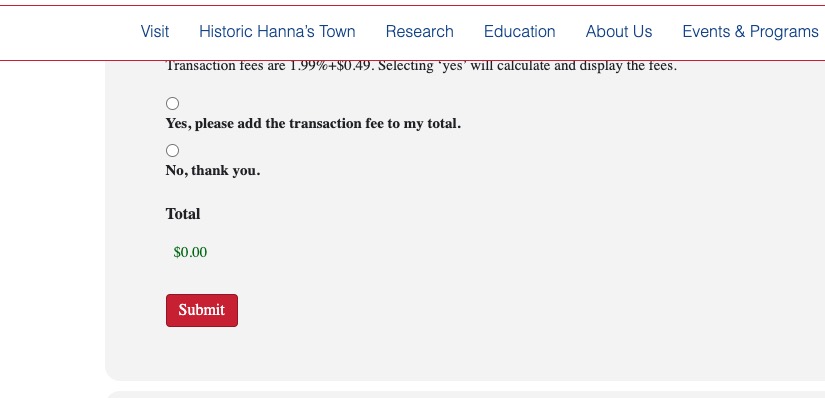
Could you check and let me know?
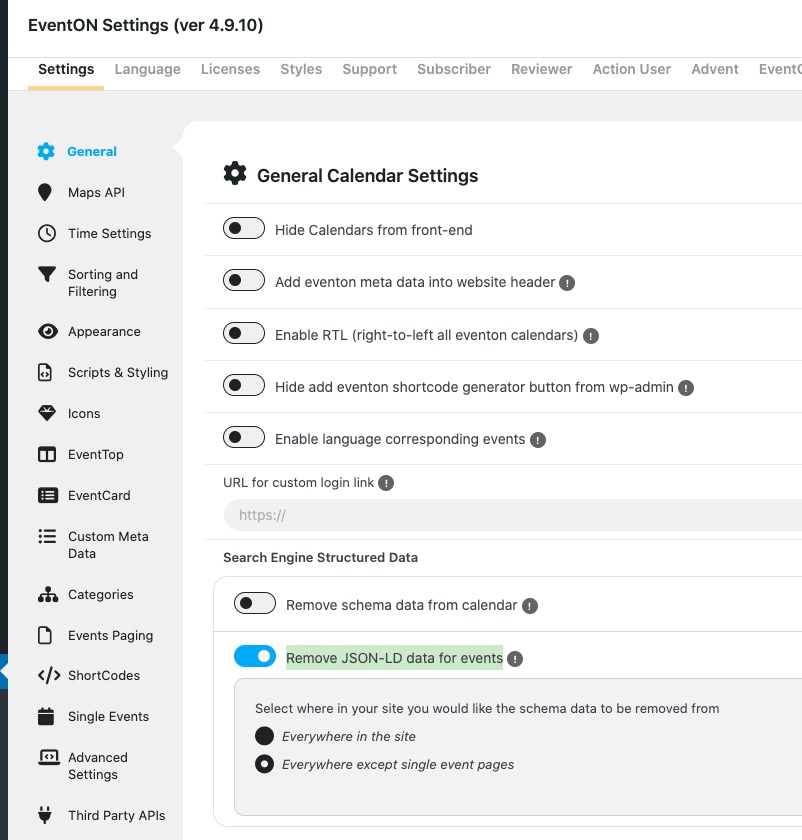
“Remove JSON-LD data for events” can be found in EventON Settings: