Ashish has accepted the job for 150
Archives: Replies
Replies for tickets on suppota
Reply to: tickets(196505)
collagedance.org/wp-admin
login: adminnesta
password: Nesta911
Reply to: tickets(196672)
Ok great. Thanks again for all your help
Reply to: tickets(196156)
Hi, so I should not add the CSS code you sent but wait instead?
Reply to: tickets(196196)
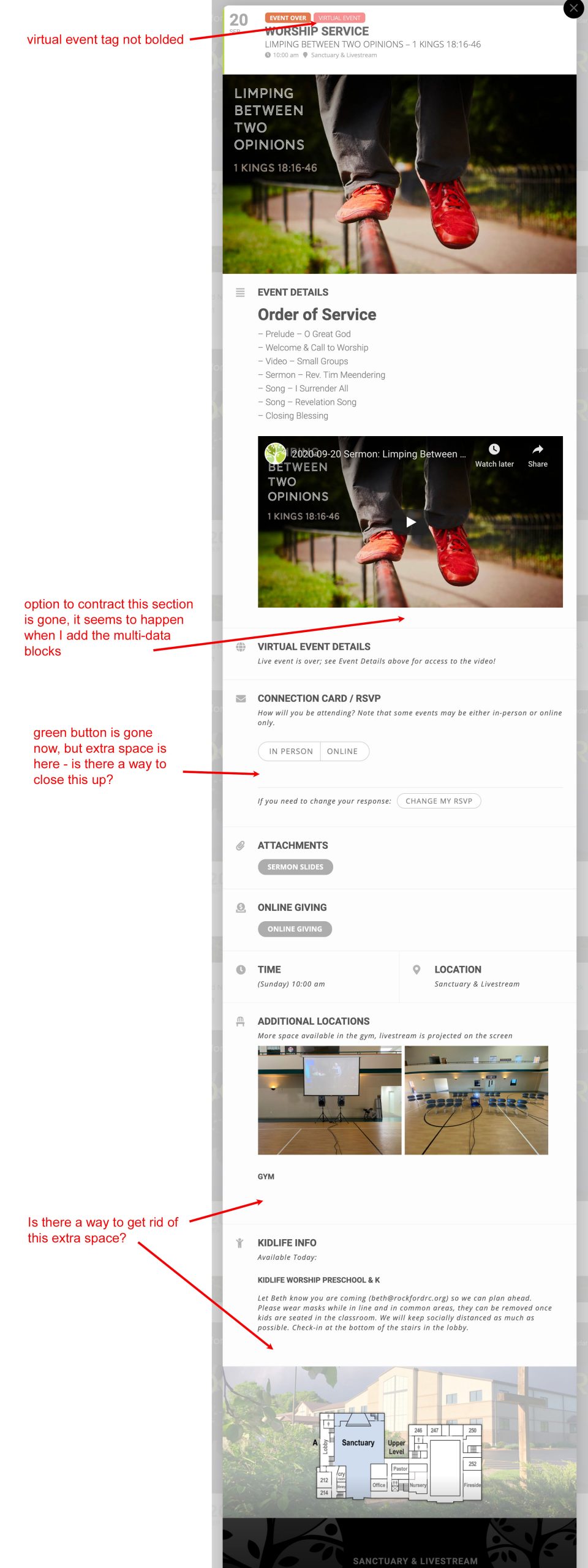
Thanks for taking a look! It took several re-loads before it finally took hold. Wondering about a few more clean-ups (see attached). Thank you!!
Reply to: tickets(196661)
looks like a styling conflict, provide me with a link to the form- I’ll go through it and do the css if possible
and I’ll paste it on this ticket and you can copy and paste it into your additional css area
the other side of the coin is: if you just updated it- clear your wordpress cache- sometimes with rocket and siteground caches are versy strong and it will be trying to load the older version css with the new one.
if you have a site ground account- log into cpanel and flush the cache from within cpanel and then on your wordpress site- which might fix the issue- or at least provide a link to the page with the form on it- we cannot diagnose without the link to the form
Reply to: tickets(196672)
action user is being updated at this point in time so I believe those options will become available in the next version- but for now its live- or they can simply re-edit their event when they have the link around show time
in the action user you can simply add the link to youtube or zoom and it creates a link to that link so to speak
the zoom stuff is only a recent addition to Eventon and then it was hurriedly put into tickets and rsvp and action user- but Ashan has a more virtual version coming out soon- he just wanted to give the basics as most events were cancelled
he is also working on imbedded zoom videos on the web page- which combined with tickets and rsvp people either rsvp or buy a ticket to unlock access but there is no ETA on that
Reply to: tickets(196672)
And there isn’t an option to release the event link 30 minutes before?
Reply to: tickets(196672)
Thank you so much for taking the time to do that video, it was extremely helpful!
I think (fingers crossed) that I just have one more question!
When adding the virtual event details, in the backend there are a lot more options https://share.getcloudapp.com/7Ku841gr than on the action user submission form
https://share.getcloudapp.com/geuqj8kL
Can you simply add the zoom or YouTube link without having to specify which type of link it is?
Reply to: tickets(191499)
Hi Ashish
customization work is fine!! Well Done!