I have version 1.0.2 and I can’t see past events that have already finished. I see that your image is different from mine; on the checkins page, I can only view the lists of events that haven’t happened yet.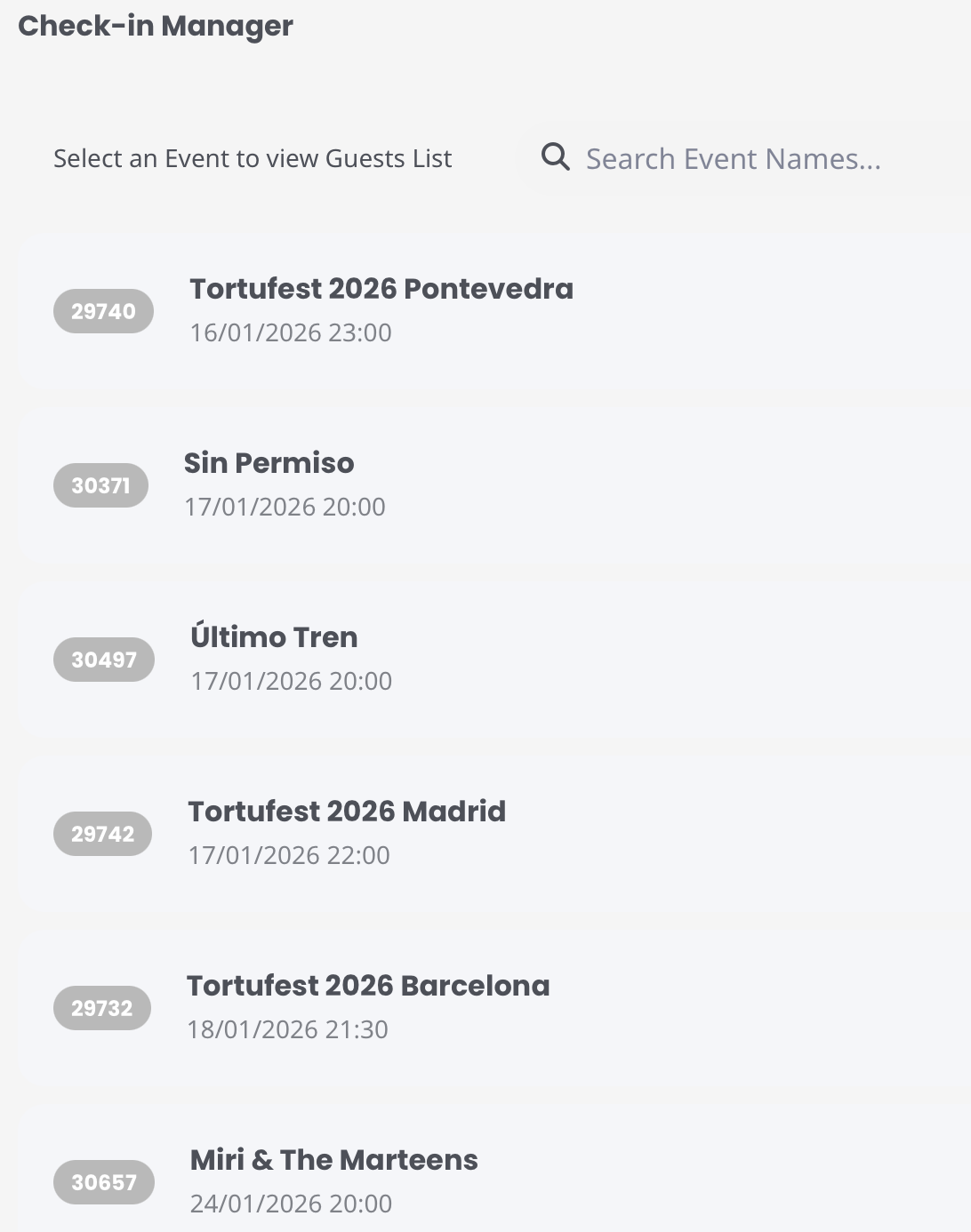
Archives: Replies
Replies for tickets on suppota
Reply to: tickets(398021)
I need to login to see the video. Also it seems that the link is for not to see the video, but to manage it.
Could you check and let me know?
Reply to: tickets(401779)
Event Type can be found here:
https://quizzodetroit.com/wp-admin/edit-tags.php?taxonomy=event_type&post_type=ajde_events
Now copy ID and use it by adding to your shortcode:
[add_eventon_dv event_type=”EVENT_TYPE_ID”]
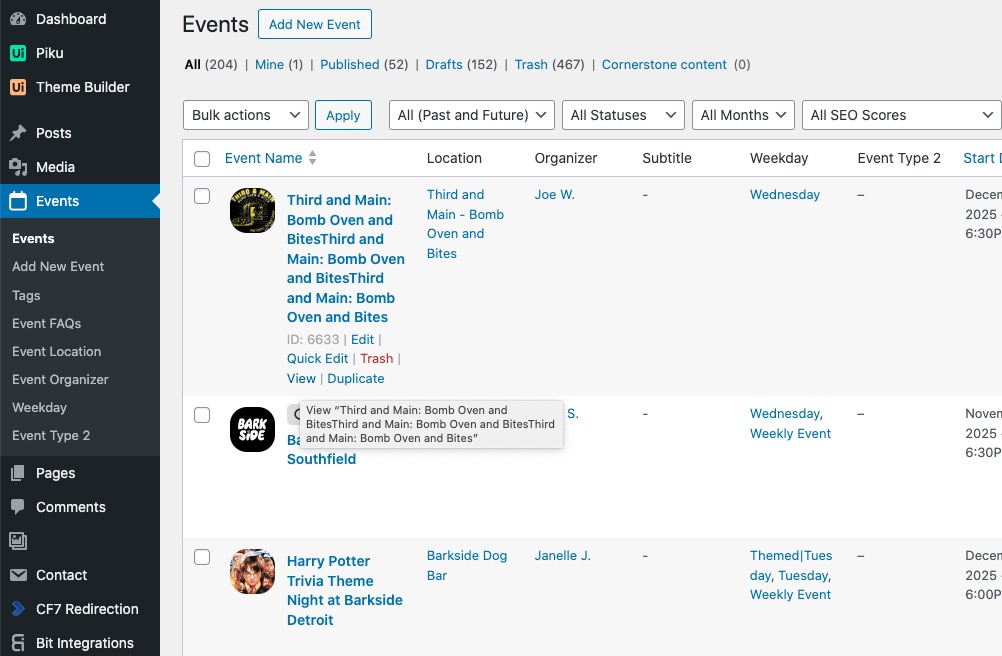
In order to see Single Event Page, go to wp-admin > Events > click View:
Reply to: tickets(401824)
Hello,
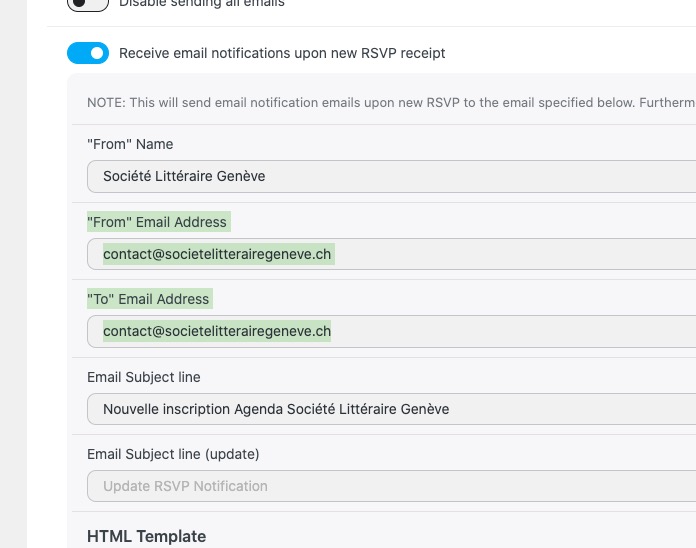
1. Could you try changing one of these emails so they will be different:
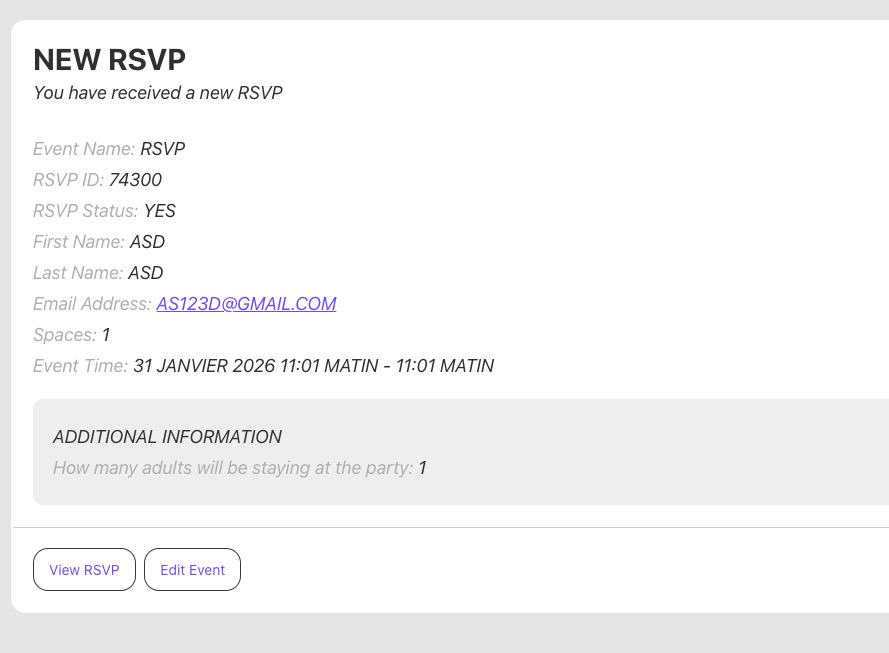
I did tests on our site and received the notification email correctly:
2. Please go to Edit Event > RSVP > View Attendees > click on ID:
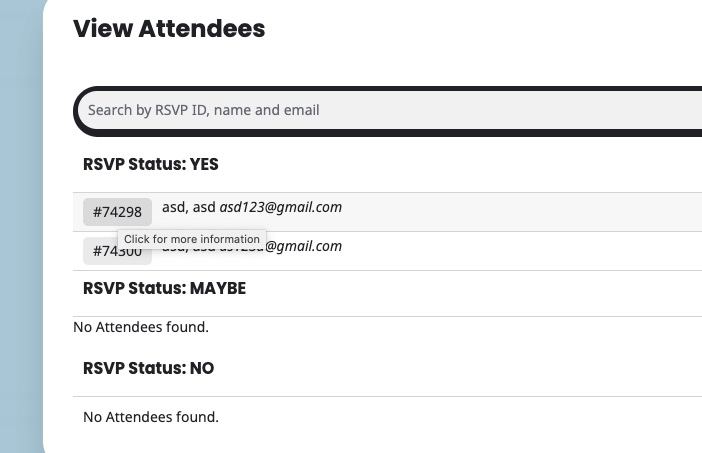
Now click on ”Edit Attendee Info”.
In order to delete it, click ”Move to Bin”.
Reply to: tickets(401769)
Ashan,
Please check
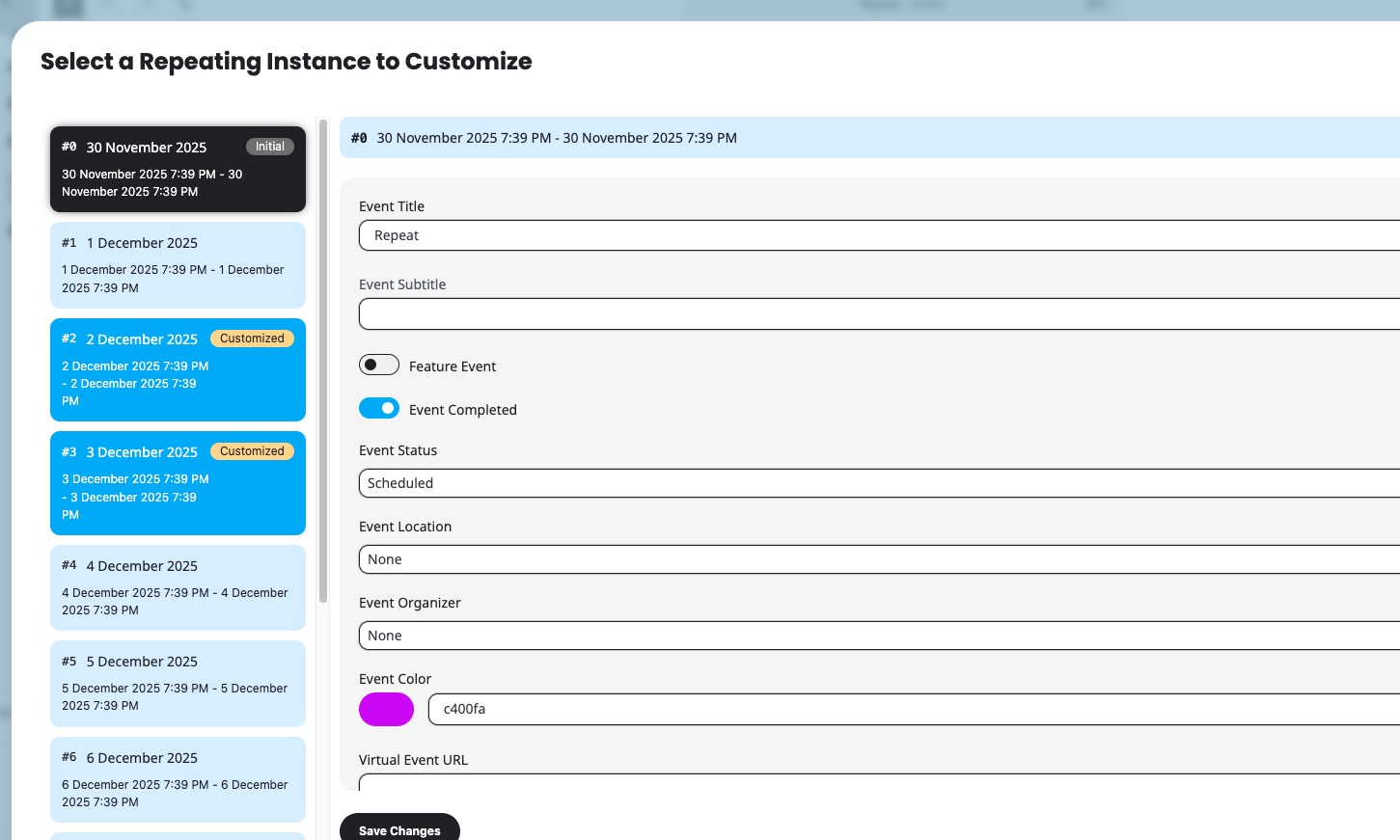
The same on dev2:
https://dev2.myeventon.com/wp-admin/post.php?post=74015&action=edit
When you do any changes to the initial repeat, it doesn’t save them.
Reply to: tickets(401769)
Thank you for your messages!
I am going to escalate this ticket to development to help in here. Please allow us some time to address this, and we truly appreciate your patience. Thank you for being a valued EventON customer!
Additionally, if your site has any IP blocking or security restrictions in place, kindly disable them temporarily to facilitate our support process.
Reply to: tickets(401721)
Thank you for letting us know!
It seems there is an issue with ”Permalink structure: Plain”:
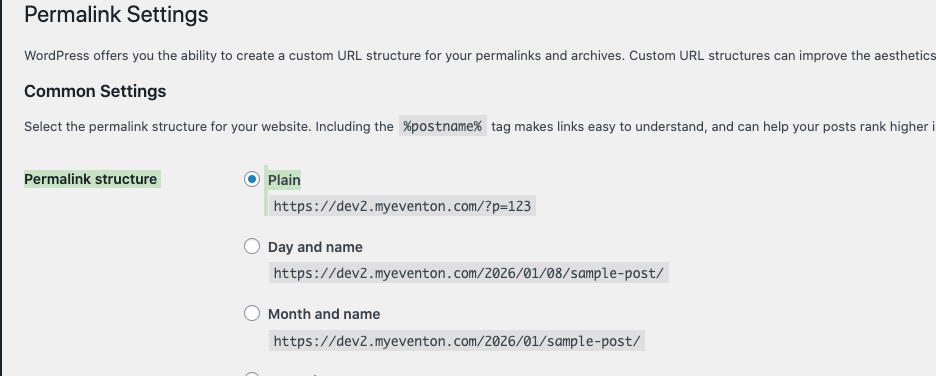
We are going to fix this ASAP. Meanwhile, please try switching it ”Post name” as a temporary solution.
Reply to: tickets(401828)
Hello,
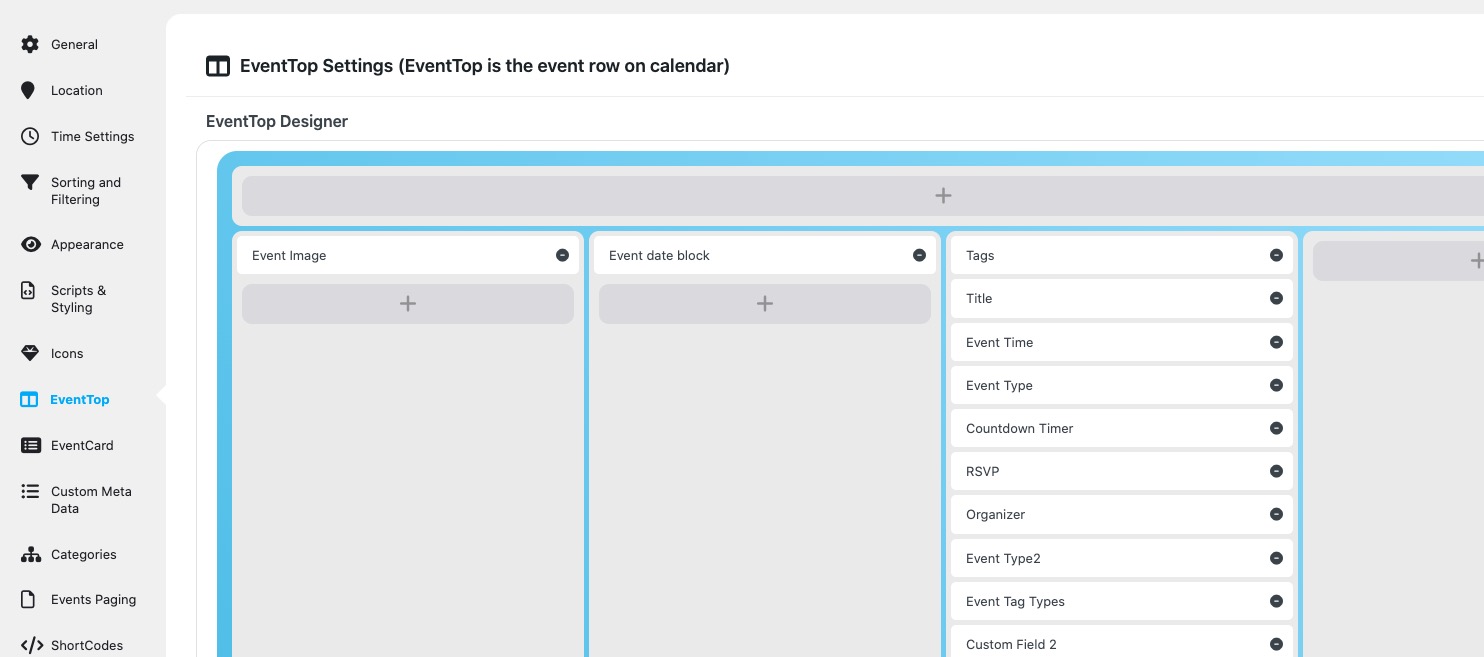
Could you try rearranging fields of EventTop like this?
Reply to: tickets(401721)
I followed your guide but this does not solve it. I can not send Admin rights to your page sorry….. but it was working long time and now not anymore. what can I do? Do you think https://www.pgwinti.ch/export-events/6652_0/?key=5f047ff769 is really an correct structure?
Reply to: tickets(400063)
Hi Dev. Hope you’re well. We have a variation in prices, but not the available spaces. So we just want the number of spaces listed or the sold-out sign on it when all the spaces have been taken. It’s basically a single ticket but with 2 different price options listed. Does that make it possible now? Thank you