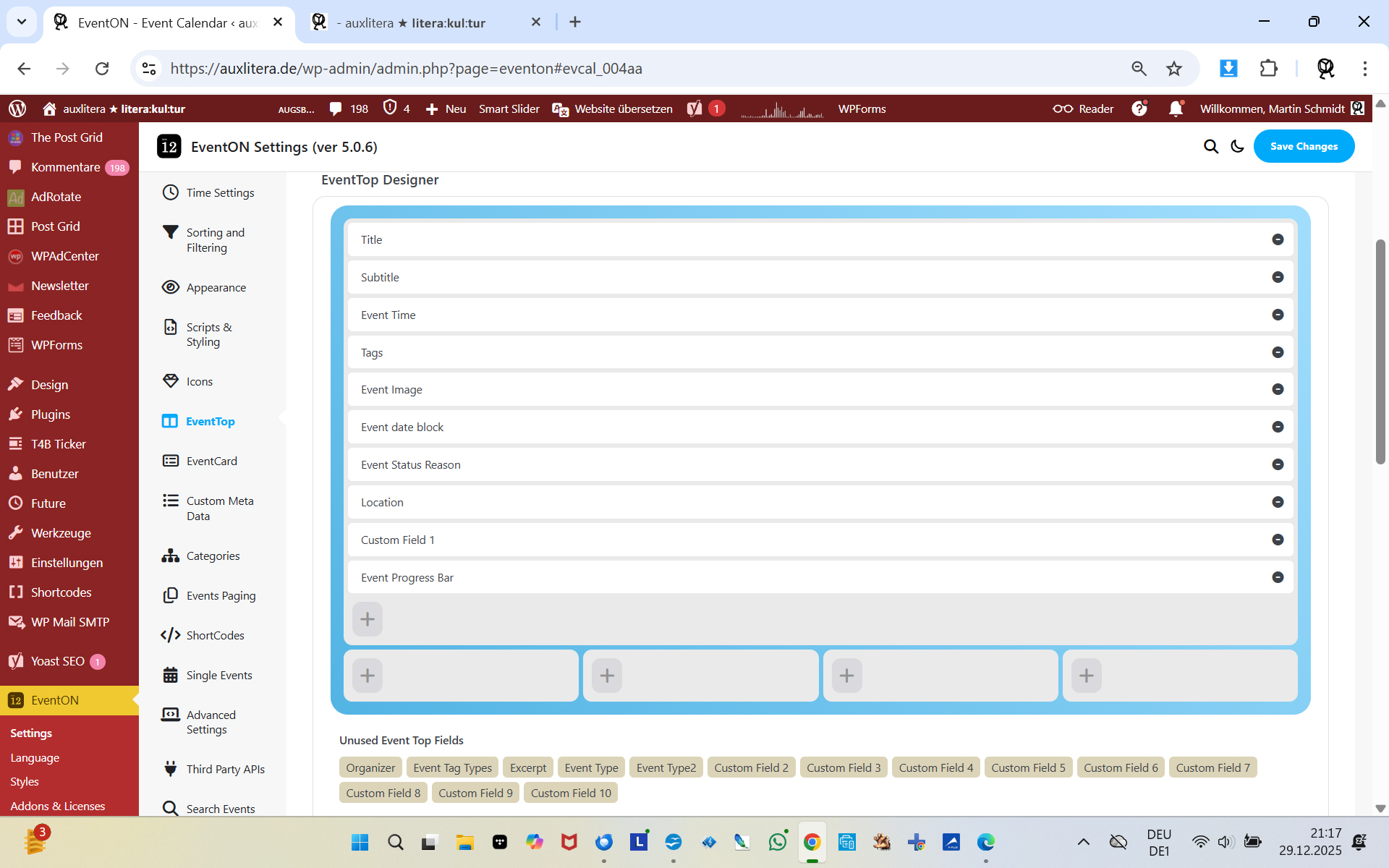
this menue you made the screenshot of does not show up anymore
mine does look like this and changing it has no effects:
you are talking about a DailyView ”own design”, so I think I’m just too dumb to find it?
I know and remember that version and I always could find the menue you are talking of, now not anymore
What am I doing wrong?
I peg your pardon for having this trouble with me…
Good afternoon,
I don’t have a CodeCanyon account; I purchased the licenses directly from EventON.
The issue occurs with the plugin fully updated, so the proposed solution doesn’t work.
What alternative do we have?
Thank you.
Hello,
We are still working on 5.0.6 version for CodeCanyon. It will be available ASAP.
Do you have EventON purchased on your
account? Because CodeCanyon and
aren’t the same, I am afraid.
Are there any issues with 5.0.5 version so that you need to update to 5.0.6?
We have a standalone add-on for variations, ”Ticket Variations & Options”:
https://www.myeventon.com/addons/ticket-variations-options/
You can try using it with the Product Bundles plugin, to see if they’ll work. You have 30 days to test them:
https://docs.myeventon.com/documentations/terms-and-conditions-and-refund-policy/
We are glad your issue is resolved, if you have any further questions or concerns please create a new ticket.
If you have a moment, we would greatly appreciate if you could kindly leave us a review at EventON WordPress Page OR EventON > My Account > Downloads. Your review helps us a lot in continuing EventON improvements!
DailyView uses it’s own design for EventTop, so please rearrange fields like on this screenshot:
https://helpdeskx.s3.amazonaws.com/wp-content/uploads/2025/12/25113440/Screenshot-2025-12-25-at-19.34.03.jpg
Please don’t put all of them to the top one since DailyView hides it.
Composer is the php library manager it is possible to use it with wordpress to do the updates by command line like here: https://wpackagist.org/ BUT it is unrelate dto the matter.
I know how to debug PHP errors in debug.log we have just some warning and notices, but no memory limit related. At the moment the memory limit is 768MB so more than enought bot on php and wordpress config file. Any other idea?
Yes. On Firefox it RT justifies. Let me try something.
Thank you
hi again, i figured it out and added a bit more code and it’s all working now thank you so much