Please add this CSS code to EventON > Styles (If you don’t see any change, EventON > Scripts & Styling > turn off Write dynamic styles to header > save settings > turn on Write dynamic styles to header). You can also add this code to wp-admin > Appearance > Customize > Additional CSS.
.evcal_cblock .evo_start em.day { font-size: 20px; }
Hello,
Could you please update manually according to:
To update eventon to latest version: If you are unable to do autoupdate, you can go to codecanyon your account > download and get the latest eventon version as zip file. Then you can go to your website > make sure “Delete eventon settings & data when EventON is uninstalled” is Deslected from eventon settings, delete old eventon, install new one and activate. This link will further explain the process it. Also you can follow us on twitter to get real-time announcements on updates!
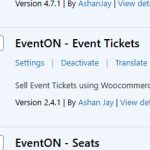
Please HELP, install Event Tickets 2.4.1 and Event Seats 1.2.7 on the main website, I do not have these older versions.
http://bluejeanblues.live/dev/wp-admin/
ALSO,
I have created the clone site, your login should work.
http://bluejeanblues.live/dev/wp-admin/
He said it is Ok to update
Say minor changes e.g. venue fee, hide seat type (regular seat) etc.
Can you send me Event Tickets 2.4.1 and Event Seats 1.2.7. I need to restore the live site and cant find those versions. Thanks
Hi,
This code doesn’t work when its added between <style> code in the description of the event. (I don’t want to undisplay the image on all events, only specifics)
There is no field to add it I’m afraid.
Thanks
Let me work on getting the clone setup.. Will send login when ready. I do appreciate your assistance. Thanks
Thanks Artem. Is there any way to make it more prominent? Stand out more?
Thank you!
That was meant to remove the date from blog, I didn’t realize it affected EO as well.
Best,
Diego