Thank you
Archives: Replies
Replies for tickets on suppota
Reply to: tickets(386474)
I changed your FTP password to fSa7!Jyg&&1*b!#@
I also changed my WP admin password please let me know if you need a new one
Reply to: tickets(381287)
We are still struggling with this hack and I deleted the old eventon which was already disabled. Now the calendar does not show at all.
I also don’t have access to wp-admin
What happened to the calendar?
Reply to: tickets(386474)
Hi Ashan,
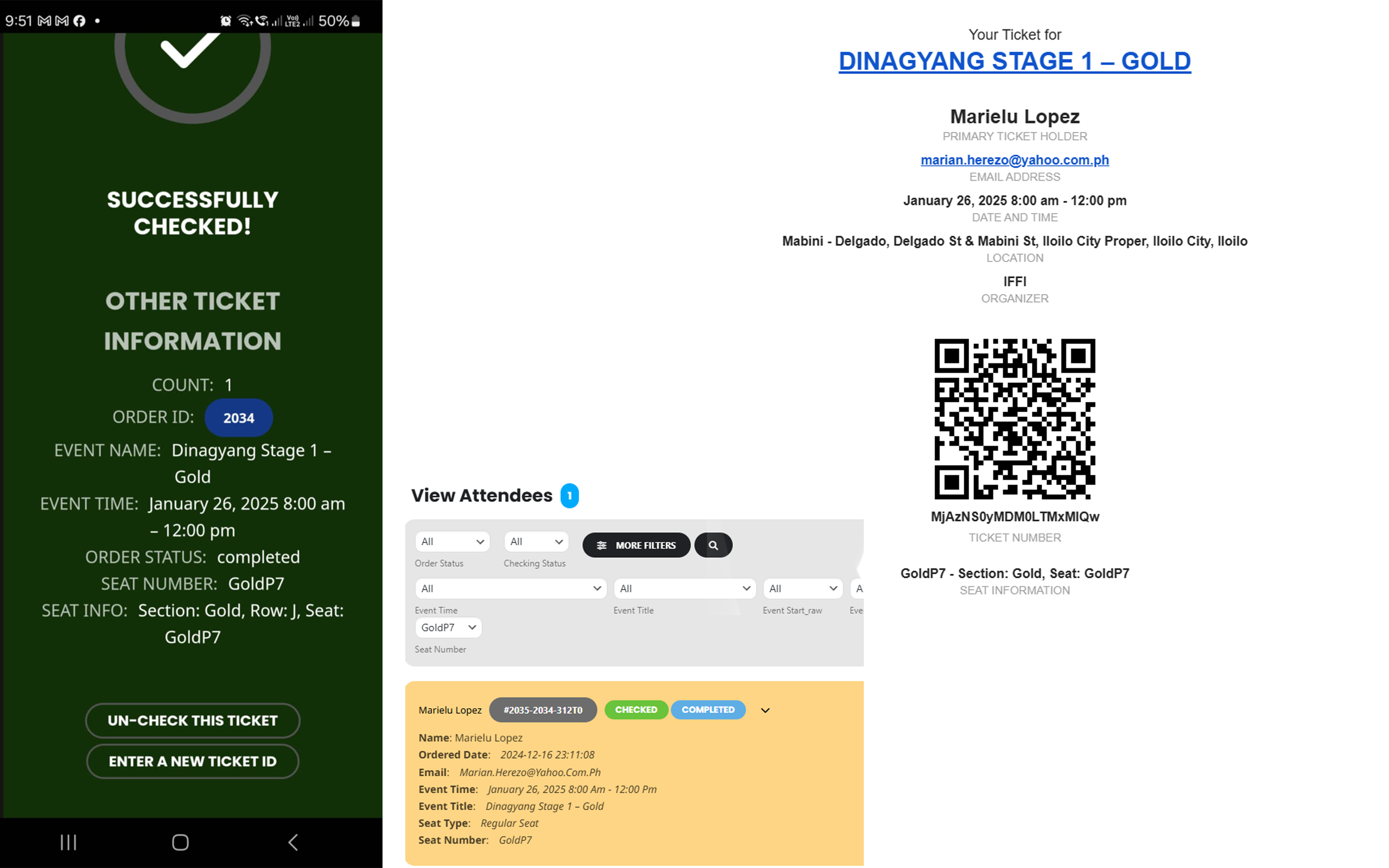
This is great news thank you for fixing this. Another thing in this ticket are the checkin page details.
- It should show the attendees name
- it should show the event location
These items will help us a lot in the checkin process because we have multiple locations on the same day.
This is the test that I did just now from our past event. Also this attendee was already checked in last event but now when I tried to check her in, the check in process was still successful. Which would cause an issue later to cause doubel checkin if the QR code gets duplicated.
Reply to: tickets(385473)
https://www.bridgedistrictdc.com/bridgedistrictdc_login/
webmaster@fovndry.com
fwfE!$yYo6Cinh2RmJVdEKK%
Reply to: tickets(386281)
Hello Tamet, you have the latest version of subscriber addon 1.4.3 — are you still experiencing this error ? because this is not happening on our end. And the error on line 448 that function is properly loaded on the page.
Reply to: tickets(385470)
You mentioned downloading RSVP CSV via frontend actionUser export? Where is this at on your staging site? Because that is not something that is in the RSVP or ActionUser addons.
If you download the attendees CSV file from wp-admin > edit event does that download the list with correct event times?
Reply to: tickets(382044)
The function can still run but it should stop when the EVO()->cal->check_yn(‘evo_desc_check’, ‘evcal_1’) setting is false. == you have not enabled description validation.
Only reason this would still run is if this settings return true. — which means your wp_options settings might be loading cached settings values where this settings was enabled.
Can you try clearing cache and see it works.
Reply to: tickets(384112)
Jean-jacques, wanted to update you we are testing the express checkout process further and so far our test works great.
Also wanted to point out we responded quickly to your past requests and even went above to create custom settings just for your needs 🙂
We will do more tests and then will release a new version with the express checkout functions.
Reply to: tickets(387133)
I restored the previous custom code.
Could you let us know the resolution on this screen:
https://dev2.myeventon.com/surl/qGLvXnG7r9lW